Use Gemini 4 Hydrogen in Cline and OpenCode
Configure Hydrogen in Cline CLI and OpenCode V2, separate Google and Ofox credentials, verify a file-tool round trip and fix version or provider errors.
 Ofox

For Hydrogen through Ofox, choose an OpenAI-compatible provider, set the base URL to https://api.ofox.io/v1, and send the model ID google/gemini-4-hydrogen. In Cline CLI, configure that provider directly. In OpenCode V2, declare a custom provider and model before selecting it. A successful text answer is only the first check: a coding client also needs to receive a tool call, read a file, and return the tool result to the model.
This guide covers Cline CLI 3.0.74 and OpenCode V2 2.3.0, checked November 13, 2026. It separates native Google credentials from Ofox credentials and gives you a small file-reading acceptance task before you connect a real repository. Cline’s editor extension has its own version and interface; the CLI commands here are not instructions for every extension release.
Ofox publishes this guide. We ran the released clients against a local server that supplied synthetic streaming responses. Both clients actually read a fixture file and returned its contents. We did not run a paid Hydrogen request, validate a customer’s account, or benchmark model quality or speed. The live acceptance step below is what you run to establish that your chosen account and route work end to end.
Choose the provider, key and model as one configuration
Do not mix the Google model name with an Ofox provider, or paste an Ofox key into Google’s provider. A local model alias is also different from the ID sent over the network.
| Setting | Native Google route | Ofox route used below |
|---|---|---|
| Credential owner | Your Google project | Your Ofox account |
| Cline provider | gemini | openai in the CLI auth command; saved as OpenAI-compatible |
| Model sent to service | gemini-4-hydrogen | google/gemini-4-hydrogen |
| Custom base URL | Leave the native provider’s default | https://api.ofox.io/v1 |
| Request contract | The client’s Google provider implementation | OpenAI-compatible Chat Completions |
| OpenCode selection in this guide | Not configured here | ofox-hydrogen/hydrogen, a local provider/model alias |
| Where usage is accounted for | Google project quota and billing | Ofox account usage and balance |
Google’s recommendation to use Interactions for new integrations does not mean an existing coding client’s Google provider automatically uses that API. Do not paste an Interactions endpoint into an OpenAI-compatible base-URL field. The Hydrogen API setup guide explains those separate request and response contracts.
Ofox’s catalog checked for this article lists Hydrogen with OpenAI and Gemini protocol support and a Chat Completions endpoint. That listing identifies an available integration route; it does not independently prove every client feature, upstream tool behavior, or account allowance. Follow the Ofox API-key authentication instructions for an Ofox key and the Chat Completions documentation for its message, streaming and tool fields.
Install the intended client version and prepare a small project
OpenCode’s package name matters. The current OpenCode installation guide installs V2 with @opencode/cli. The older opencode-ai package is V1. Both expose an opencode command, so the command name alone cannot identify which configuration syntax you should use.
For the exact releases checked here:
npm install -g cline@3.0.74
npm install -g @opencode/cli@2.3.0
cline --version
opencode --version
Check the official installation requirements for your operating system. These commands select specific versions for reproducibility, not a promise that they remain the newest releases. If you already use OpenCode V1, read its V1-to-V2 migration guide before changing the global installation. V2 can replace the command your existing workflow uses.
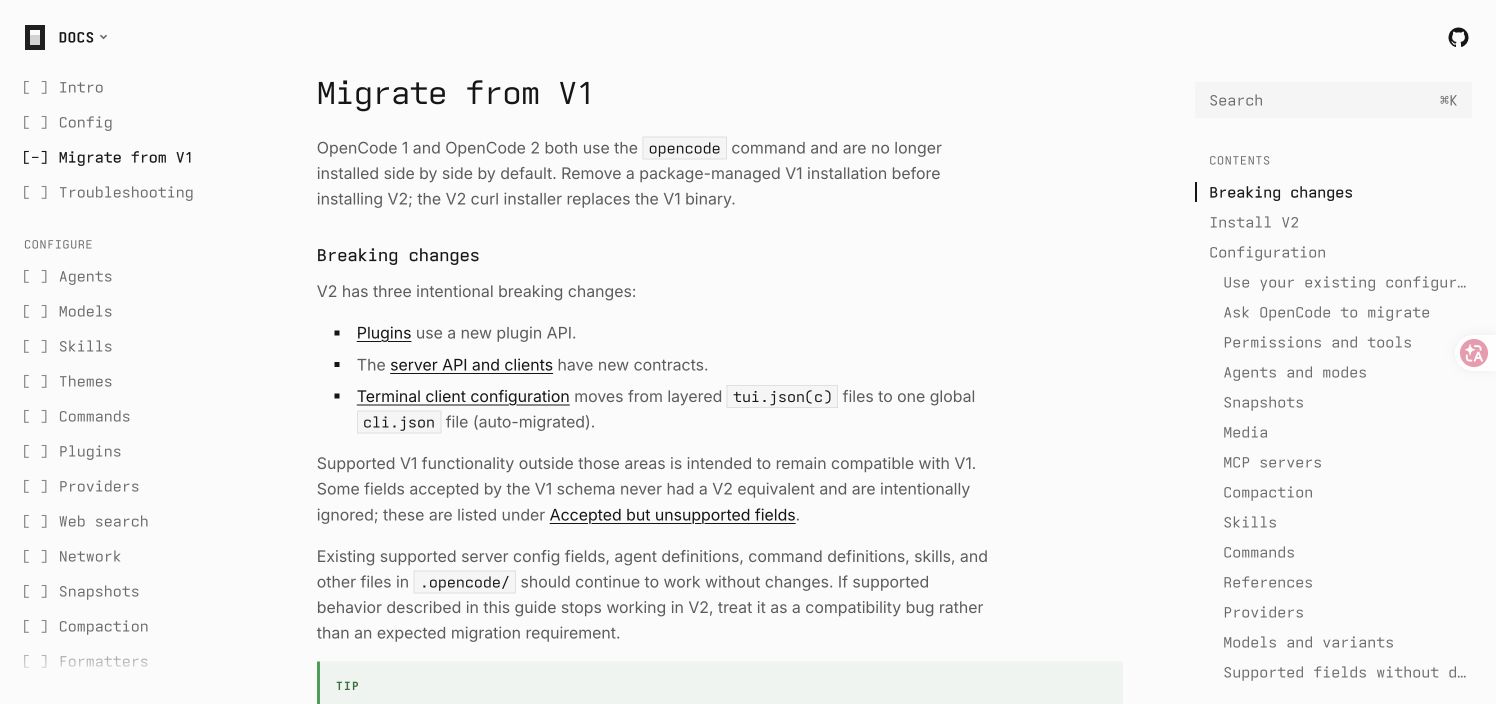
Official OpenCode documentation captured November 13, 2026. This screenshot records the version boundary; it is not a Hydrogen model test. View the original migration page.
Create a separate directory for the first tool test. Giving it its own Git root also makes the project boundary explicit when the client searches for project configuration.
mkdir hydrogen-client-check
cd hydrogen-client-check
git init
printf 'Local test marker: HYDROGEN_CLIENT_CHECK_20261113\n' > fixture.txt
Use a project containing only this fixture initially. You want to observe one file read, not review a large repository or approve a long chain of edits. Keep the key out of opencode.json and source control; the OpenCode example reads it from OFOX_API_KEY. Set that variable through your normal local secret-management workflow. Do not commit a populated environment file.
Configure Hydrogen in Cline CLI
Cline’s CLI reference documents provider authentication and custom model selection. For the Ofox route, configure the OpenAI-compatible provider with the exact base URL and model ID:
cline auth -p openai \
  -b https://api.ofox.io/v1 \
  -m google/gemini-4-hydrogen \
  -k "$OFOX_API_KEY" \
  --data-dir "$PWD/.cline-hydrogen"
openai is the CLI provider argument used in our test; the saved provider was normalized to openai-compatible. The custom data directory keeps this test’s Cline state separate from your usual CLI state. Treat that directory as private local configuration and exclude it from version control. The command passes a credential to the client; do not copy its expanded arguments into logs or screenshots. Cline also offers interactive authentication if that is preferable in your environment.
The base URL ends at /v1. Do not append /chat/completions: the provider constructs the request path. In our captured local requests it appended /chat/completions and sent the exact configured model string.
For a native Google setup instead, use a Google key and the native model ID in a separate data directory:
cline auth -p gemini \
  -m gemini-4-hydrogen \
  -k "$GEMINI_API_KEY" \
  --data-dir "$PWD/.cline-google-hydrogen"
Do not add the Ofox base URL to that command. Cline CLI 3.0.74 rejected a custom base URL for gemini in our configuration check. Saving this native configuration succeeded with a dummy key, which proves the CLI accepts the configuration—not that the key is valid or Hydrogen is accessible to the project. Use Google’s project quota and verification requirements from the Hydrogen access guide if the first native request fails.
Now start the Ofox test from the fixture directory:
cline --data-dir "$PWD/.cline-hydrogen" \
  --auto-approve false \
  "Read fixture.txt using a file tool. Return its exact marker. Do not modify files or run shell commands."
Review and approve the intended file read when prompted. We set --auto-approve false explicitly because this CLI version’s default otherwise permits automatic approval. This is an interactive acceptance task, not an unattended job. A later automation should define its own permissions deliberately.
If Hydrogen is missing from a provider’s model picker, distinguish the picker from the service. The Cline source catalog we checked did not contain Hydrogen, while the CLI accepted a custom Hydrogen ID. Neither observation proves live availability. Use the exact custom model ID, check the saved provider, and inspect the first real response rather than selecting a similarly named older model. For extension-specific context, see the Cline API configuration guide.
Configure a custom Hydrogen provider in OpenCode V2
Create opencode.json in the fixture project with this complete V2 configuration. It uses the current provider configuration and model configuration structure:
{
  "$schema": "https://opencode.ai/config.json",
  "model": "ofox-hydrogen/hydrogen",
  "providers": {
    "ofox-hydrogen": {
      "name": "Ofox Hydrogen",
      "env": ["OFOX_API_KEY"],
      "package": "@opencode/ai/providers/openai-compatible",
      "settings": {
        "baseURL": "https://api.ofox.io/v1"
      },
      "models": {
        "hydrogen": {
          "modelID": "google/gemini-4-hydrogen",
          "name": "Gemini 4 Hydrogen",
          "limit": {
            "context": 1048576,
            "output": 65536
          },
          "capabilities": {
            "tools": true,
            "temperature": false
          }
        }
      },
      "compatibility": {
        "maxTokensField": "max_tokens"
      }
    }
  },
  "permissions": [
    { "action": "*", "resource": "*", "effect": "deny" },
    { "action": "read", "resource": "*fixture.txt", "effect": "allow" }
  ]
}
There are three names to keep straight:
ofox-hydrogenis the local provider key. A distinct name avoids confusing this configuration with a built-in provider or an existing customization.hydrogenis the local model key. Together they form the selection stringofox-hydrogen/hydrogen.google/gemini-4-hydrogenismodelID, the value the compatible provider sends to Ofox.
The context and output values describe model limits to the client; they are not a quota grant or a promise that every request can use the maximum. Hydrogen shares its 1,048,576-token window across input, thinking and output; the 65,536-token output budget includes thinking, not just visible text. These are not independent maximum allowances. An output limit is also not a target response length. Start with a small task and inspect the usage actually reported by your route.
Two compatibility settings deserve attention. temperature: false tells the client not to send that sampling control. maxTokensField: max_tokens matches the output-token field documented by Ofox. Without that override, our OpenCode V2 capture used max_completion_tokens; with it, the main requests used max_tokens. This is a verified client-side field change, not evidence that Ofox rejects every alternative alias.
The permission rules deny other actions and permit a file read matching the fixture suffix. They are deliberately narrow for a project containing this one test file; the wildcard can match other paths ending in fixture.txt. They are not an operating-system sandbox. Review OpenCode permissions before adapting them to a real repository, editing tools or shell access.
Run the test with the configuration path explicit:
OPENCODE_CONFIG="$PWD/opencode.json" \
  opencode run --standalone --format json \
  --model ofox-hydrogen/hydrogen \
  "Read fixture.txt using a file tool. Return its exact marker. Do not modify files or run shell commands."
--standalone is available in the tested V2 CLI. The explicit config path and model selection make it easier to diagnose an inherited configuration or an unintended default model. Keep the JSON event output for the acceptance check, after removing credentials or private paths before sharing it.
The general OpenCode API setup guide provides broader provider context. For this example, use the V2 configuration above consistently; do not splice its plural providers and permissions fields into an older V1 example.
Verify the complete file-tool round trip
The expected answer contains HYDROGEN_CLIENT_CHECK_20261113, but the text alone is not sufficient evidence. A model can repeat a value from conversation history without reading the file. Inspect the client’s tool events and confirm this sequence:
- The request uses the intended provider and exact model ID.
- The model requests a file-reading tool for
fixture.txt. - The client executes that tool, and the tool result contains the marker from the file.
- The client returns the tool result in the next model request.
- The model produces a final response based on that returned result, without an unresolved tool call or client error.
For a stronger local acceptance check, change the marker in the file and start a fresh task without putting the new value in the prompt. The returned marker should change accordingly. Check that no file was modified and no unexpected action was approved. This is a small correctness test, not a measure of how well Hydrogen will implement a feature in your codebase.
Our pre-publication checks established the following narrower results:
| Released client | Actual local result | What remained synthetic or untested |
|---|---|---|
| Cline CLI 3.0.74 | Two streaming Chat Completions requests; actual read_files execution; marker returned to the server | Model responses were synthetic; no Ofox or Google inference |
| OpenCode V2 2.3.0 | Actual file-read tool round trip; correct wire model ID; max_tokens override observed | Model responses were synthetic; account access and upstream signature behavior untested |
| OpenCode V1 1.19.5 | Separate legacy configuration completed a local read-tool loop | Does not validate this V2 configuration on V1 |
OpenCode also made an auxiliary request during the test. Do not assume one visible user task equals exactly one billable model request. Inspect real account usage once you run against a live service. We did not use the local fixture’s timing or synthetic token counters as performance or billing evidence.
Cline’s captured custom-model requests did not include an explicit max_tokens or temperature field. Do not assume its saved model name also configures the same output cap as the OpenCode example. Check the client’s supported settings and actual request behavior before a larger workload.
Diagnose version, authentication and tool-history failures
Change one variable at a time. First identify whether the failure occurs while loading configuration, authenticating, producing text, or returning a tool result.
| Symptom | Likely boundary to check | Next action |
|---|---|---|
V2 permissions are not supported by OpenCode V1 | Wrong executable/package for the config | Check opencode --version; use V2 or translate the whole config to V1 syntax |
| Model not found or unknown local model | Alias versus wire ID, provider selection, stale catalog | Check ofox-hydrogen/hydrogen locally and google/gemini-4-hydrogen on the request |
401 or invalid key | Credential belongs to a different service or is missing | Recheck the provider and Ofox authentication format; do not merely rename the model |
404 or unexpected endpoint | Base URL includes the endpoint twice or uses a different protocol | Keep compatible base URL at /v1; compare with the Chat Completions endpoint |
403 on native Google | Project access, verification or policy | Read the exact error and check the intended Google project’s eligibility |
429 or exhausted allowance | Account quota, rate limit or balance | Read the service’s limit details and Ofox error-handling guidance before retrying |
| Text works, but file access is denied | Client permission policy | Check the tool name and requested path against the actual rule; do not enable every tool to fix one read |
| Tool call appears, then the next request fails | Tool result ID, message history or thought-signature handling | Preserve the complete provider response and tool association; inspect the failing second request |
We reproduced the first version error with V1 and the V2 permission array. A package upgrade and a permission-policy migration are different operations: selecting the intended executable does not automatically prove that an existing project’s policy has the same meaning.
Gemini’s function-calling documentation and thought-signature documentation explain why a multi-turn tool exchange needs more than a text transcript. A client or adapter that strips required model state can pass the first turn and fail the next. See how to diagnose a missing thought signature in a Gemini tool call. That article explains the failure pattern; it does not prove that either client has this bug on Hydrogen.
The Gemini API error guide also helps separate authentication, quota and malformed-request failures. It was written around Argon, so compare the actual Hydrogen response rather than assuming model-specific details transfer unchanged. Never repair a signature error by inventing a signature or silently discarding the failed tool result.
Save a working baseline before adding a real coding task
Record the client package and version, selected provider, wire model ID, base URL, relevant configuration, permission rules and the successful file-tool trace. Keep credentials out of that record. Note whether your result is a local synthetic test or a live service test and which account supplied the allowance.
Once the live file test passes, move to a small repository and ask for a read-only explanation of one function. Then permit a single, reviewable edit and run the project’s relevant check. This progression separates routing and tool transport from model judgment about your code. A successful file read does not establish safe shell behavior, reliable edits or compatibility with every plugin.
When you change clients, providers or model versions, rerun the small acceptance task first. Use the Hydrogen API guide when you need to inspect raw requests, and the Carbon, Hydrogen and Argon selection guide when the decision is which model to use. Keep those decisions separate from whether this particular client can complete the tool exchange.