How to access Gemini 4 Carbon API and verify your first request
Set up a paid Gemini API project, call Carbon with Python or REST, inspect the response and fix access, empty-output and configuration problems.
 Ofox

Use the exact model ID gemini-4-carbon with a paid Gemini API project. For a new integration, Google’s Interactions API is the recommended starting point. A working setup must return a completed interaction and usable text; an HTTP 200 alone does not prove that the task succeeded.
Carbon became publicly available to paying API developers on November 10, 2026. The earlier announcement about limited access is no longer the complete access picture. This guide checks the current documentation on November 13, 2026 and takes you from project and key selection to a saved response you can inspect.
The examples below use Google’s native API, not an Ofox endpoint. We checked the documented request contract and tested the response parser with synthetic fixtures; we did not run a paid Carbon request for this article. Consequently, the example prompt is a test you can run, not a claim about measured model performance. If you are still choosing a model, start with Carbon, Hydrogen and Argon compared.
1. Connect the key to the right paid project
You need a Google account eligible to use the Gemini API, a Google Cloud project accessible in AI Studio, an API key belonging to that project, and active paid API billing. Keep these four objects separate. A Gemini app or Google AI Ultra subscription does not by itself configure billing for the project used by your application.
- Open Google AI Studio and select the intended project. If it is an existing Cloud project, import it into AI Studio when necessary rather than creating an unrelated project just to make the key button appear.
- Open that project’s API key management and create or select a key. Record the project name or ID, not the secret, in your deployment notes. Check that your terminal or server will load this project’s key.
- In AI Studio’s project billing controls, finish the paid-tier setup for the same project. Depending on the account, the current flow uses Prepay, offers a Prepay/Postpay choice, or retains a transitional Postpay arrangement. Prepay setup can require a minimum payment of USD 5 or its local equivalent. Follow the billing state shown for your account; attaching a card alone is not proof that requests are funded.
- Confirm that billing is active and any required prepaid balance is available. Check the project’s quota and regional eligibility before attempting a request. A paid project still has limits.
Sources: Google’s API key guide and billing guide. If project import or key creation is unavailable, ask the project administrator to check the permissions needed for those actions. Do not solve a missing button by publishing a key or indiscriminately granting broad access.
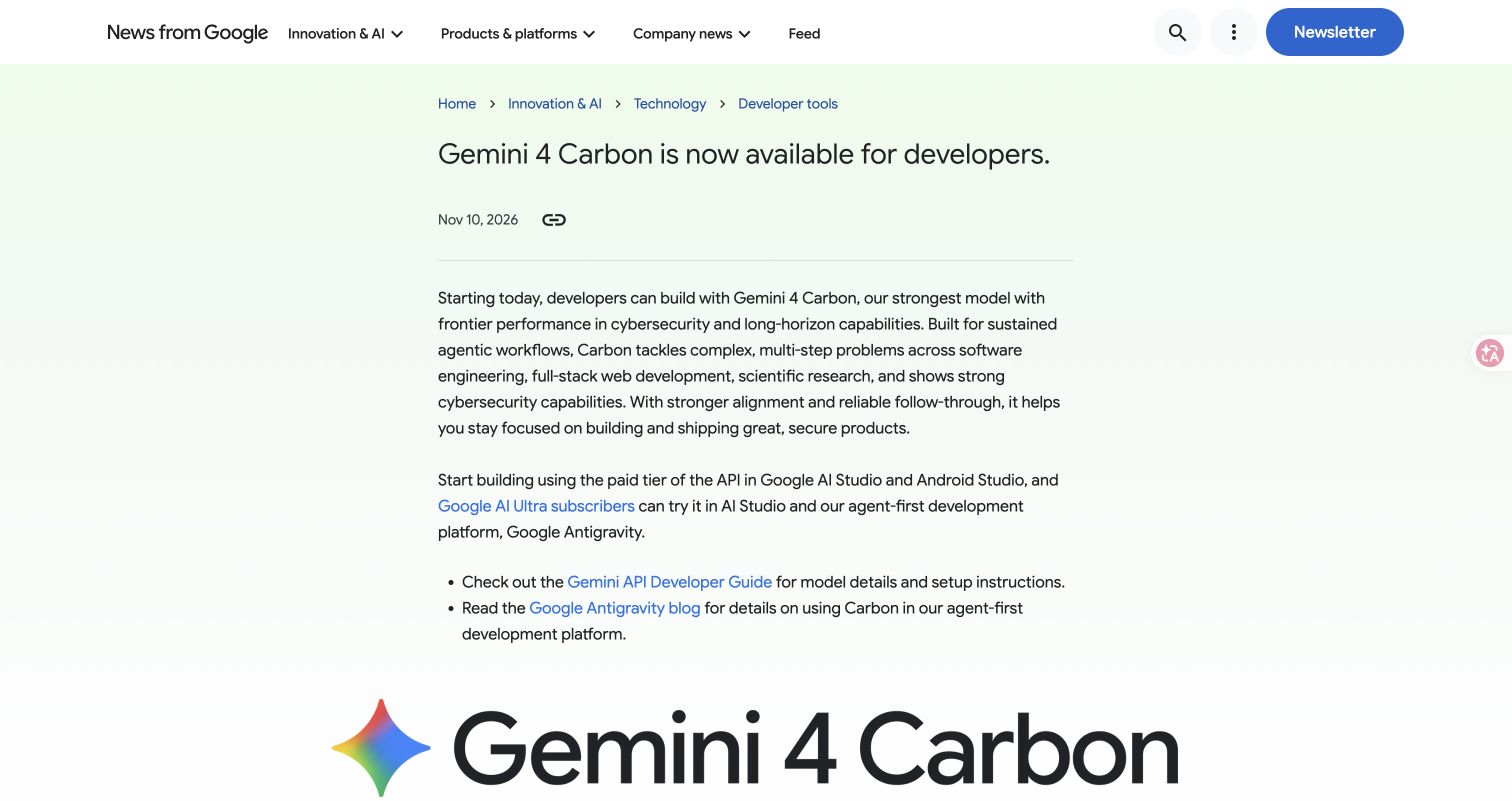
Official announcement captured November 13, 2026. It confirms the public developer release, not the billing status of your account or a successful API call. Original announcement.
Existing keys can fail for reasons other than a typo
Google now defaults newly created AI Studio keys to authorization keys. Its current documentation rejects unrestricted standard keys; explicitly restricted standard keys can still work. Check the key type and restrictions instead of assuming every older key is invalid.
Keep the key in a server-side environment variable or secret manager. For a local shell, set GEMINI_API_KEY without committing it to a file in the repository. Avoid pasting the secret into screenshots, issue reports or browser JavaScript. The examples explicitly read GEMINI_API_KEY: this prevents an old GOOGLE_API_KEY variable from silently winning the SDK’s automatic environment-variable precedence and selecting another project.
Before running code, confirm that the variable exists without displaying its value:
python3 -c 'import os; print("Key configured:", bool(os.environ.get("GEMINI_API_KEY")))'True means a value is present. It does not validate the key, its project or billing. The actual request below establishes the next part of that evidence.
2. Make a bounded first request in Python
Use a separate environment so an old SDK in another application does not determine this tutorial’s behavior:
python3 -m venv .venv
source .venv/bin/activate
python -m pip install --upgrade 'google-genai>=2.34.0'
python -m pip show google-genai
On Windows PowerShell, activate with .venv\Scripts\Activate.ps1. The package is google-genai, imported as from google import genai; do not substitute the older google-generativeai package. Basic Interactions support and automatic foreground continuation have different minimum versions. The version floor above includes Python’s current continuation support, even though this short request is deliberately kept within one hop. See Interactions and long decode.
Save this as carbon_first_call.py:
import json
import os
from pathlib import Path
from google import genai

key = os.environ.get("GEMINI_API_KEY")
if not key:
    raise SystemExit("Set GEMINI_API_KEY for the intended paid project.")

client = genai.Client(api_key=key)
interaction = client.interactions.create(
    model="gemini-4-carbon",
    input="Return exactly three checklist items for reviewing an API integration.",
    store=False,
    generation_config={
        "thinking_level": "low",
        "max_output_tokens": 32768,
    },
)

payload = interaction.model_dump(mode="json")
Path("carbon-response.json").write_text(
    json.dumps(payload, indent=2), encoding="utf-8"
)
text = interaction.output_text or ""
print("Interaction:", interaction.id)
print("Status:", interaction.status)
print("Usage:", interaction.usage)
if interaction.status != "completed" or not text.strip():
    raise SystemExit("No completed text result; inspect carbon-response.json.")
print(text)
Run python carbon_first_call.py. This sends a paid request. Run one example first rather than running the Python and REST versions automatically as duplicate tests. The 32,768-token setting is a ceiling covering thinking and visible output, not a prediction of the charge and not a request to generate that many words. A short prompt and low thinking make this an access check rather than an expensive research task.
Success means the program prints an interaction ID, completed, usage information and three meaningful checklist items. Read the answer as well as the status: a completed response can still fail your formatting or content requirement. Keep the JSON as diagnostic evidence, but treat it as potentially sensitive application output if you later replace the harmless test prompt with customer data.
We set store=False because this is a one-shot request. That disables storage of this interaction for later retrieval or server-side conversation continuation; it is not a blanket statement about every provider’s logging policies. The default is store=true. Do not copy this setting into a background job or an example that relies on previous_interaction_id.
3. Call the same endpoint with REST and parse the right fields
REST is useful when you want to see exactly what the client sends. You need curl and Python 3 for the parser. Save the request body as carbon-request.json:
{
  "model": "gemini-4-carbon",
  "input": "Return exactly three checklist items for reviewing an API integration.",
  "store": false,
  "generation_config": {
    "thinking_level": "low",
    "max_output_tokens": 32768
  }
}
Send it to the Interactions endpoint:
curl --silent --show-error --fail-with-body --max-time 900 \
  'https://generativelanguage.googleapis.com/v1beta/interactions' \
  -H "x-goog-api-key: $GEMINI_API_KEY" \
  -H 'Content-Type: application/json' \
  --data-binary @carbon-request.json \
  --output carbon-response.json
The file is written even when a server error body needs investigation. A nonzero curl exit status means the transport or HTTP request needs attention; do not continue as though an answer was received. The 900-second client limit is an explicit timeout, not a promise that Carbon requires 15 minutes. A client timeout does not establish that processing stopped on the server, so do not immediately repeat a potentially billable job without checking what happened.
output_text is an SDK convenience property. It is not a REST response field. REST text is inside steps, under model_output items and their text content. A parser written for GenerateContent’s candidates, or an older example’s outputs, can make a valid interaction look empty.
Save the following as inspect_carbon.py next to the response:
import json
import sys
from pathlib import Path


def extract_text(payload):
    return "".join(
        part.get("text", "")
        for step in payload.get("steps", [])
        if step.get("type") == "model_output"
        for part in step.get("content", [])
        if part.get("type") == "text"
    )


def inspect(path):
    payload = json.loads(Path(path).read_text(encoding="utf-8"))
    if "error" in payload:
        raise SystemExit("API error: " + json.dumps(payload["error"]))
    text = extract_text(payload)
    print("Interaction:", payload.get("id"))
    print("Status:", payload.get("status"))
    print("Usage:", json.dumps(payload.get("usage")))
    if payload.get("status") != "completed" or not text.strip():
        raise SystemExit("No completed text result; inspect the saved response.")
    print(text)


if __name__ == "__main__":
    inspect(sys.argv[1] if len(sys.argv) > 1 else "carbon-response.json")
Run python3 inspect_carbon.py carbon-response.json. It combines all text parts rather than assuming the first step is the final answer. It intentionally refuses to label a partial or action-requiring interaction successful. You can reuse the parser in a monitoring check, but do not turn its failure into an unlimited automatic retry loop.
The parser has been checked locally against synthetic completed, empty, error and multiple-step responses. Those tests validate extraction and failure handling; they do not prove authentication, availability, latency or quality on Google’s live API.
4. Understand the settings before moving to a real workload
The first request deliberately avoids tools, large files and a long-running agent loop. Add them one at a time after access works. The Carbon developer guide establishes the following boundaries:
| Setting or limit | What it means for your integration |
|---|---|
thinking_level | Carbon accepts low, medium and high; the default is medium. Do not copy Hydrogen’s xhigh setting. |
max_output_tokens | Covers thinking plus visible output. A tiny cap can be consumed before a useful visible answer appears. |
| Context window | Input, thinking and output share 1,048,576 tokens. These are not separate million-token allowances. |
| Default thinking/output budget | 65,536 combined tokens; not 65,536 guaranteed visible tokens. |
| Raw non-streaming REST hop | Carbon’s single-hop limit is 32,768. Larger budgets require appropriate continuation rather than assuming one response can contain everything. |
| Sampling controls | Custom temperature, top_p and top_k are currently ignored with deprecation warnings. Remove them instead of relying on them to tune Carbon. |
| Explicit prompt caching | Carbon does not support explicit cache creation or references. Do not carry cached_content from an older integration unchanged. |
For a migrated application with a very small output cap, Google recommends allowing at least 32,768 thinking/output tokens. That is an allocation decision, not proof that every request costs the maximum. Reduce thinking effort when appropriate, and inspect usage rather than guessing cost from the length of the answer. For model-level price conditions and a reproducible comparison, see the Gemini 4 selection guide.
When the first call grows into a long job
Do not simply increase max_output_tokens and leave the rest of the program unchanged. The long-decode guide distinguishes foreground continuation, streaming and background execution. A recent SDK can combine foreground hops; a custom REST client must handle requires_continuation and pass the required continuation information onward.
For a background job, enable storage, save the interaction ID and poll with a bounded wait. Handle queued and in_progress as pending; completed as a result to validate; incomplete, failed and cancelled as distinct outcomes. requires_action means a tool action is needed, not that a final answer is ready. Raising the budget or setting background=true does not guarantee a particular output length. This first-call tutorial does not implement that separate job controller.
If you use server-side conversation history, previous_interaction_id carries the prior conversation. It does not inherit your tools, system_instruction or generation_config; resend those settings when the next turn needs them. Interactions defaults to stored responses, and Google’s paid-tier default retention is 55 days with shorter configurable choices. Decide intentionally rather than inheriting a storage setting from a copied example.
5. Diagnose failures in the order they occur
Read the structured error and record the endpoint, exact model ID, project identifier, SDK version and time. Exclude the key. Fix the earliest failed layer before changing prompts or increasing token budgets.
| Symptom | First check | Appropriate next action |
|---|---|---|
| Carbon is absent from a selector | Product surface and project eligibility | Confirm the current public API release and paid project. An app’s model menu is not an API permission test. |
| Authentication or permission denial | Key type, key restriction, loaded variable and owning project | Resolve the actual error with Google’s key/project controls; do not assume every 403 means insufficient balance. |
| Model/resource not found | Exact gemini-4-carbon spelling and /v1beta/interactions endpoint | Remove an invented preview suffix; check whether an SDK or gateway changed the route. |
| 400 invalid request | JSON shape, parameter names and unsupported options | Start from the small request above and add one field at a time. Do not mix GenerateContent fields with Interactions. |
| 429 or exhausted quota | Quota details, billing state and concurrency | Reduce concurrency; use bounded backoff for transient limits. Immediate retries cannot create quota or fund a project. |
| Timeout or transient server error | Whether a response or job ID was received | Preserve diagnostic evidence, check any known job and retry cautiously. A second request can duplicate work. |
| HTTP 200 but no text | Status and the actual steps structure | Fix the parser first; then inspect exhausted budgets, required actions and other response restrictions. |
Python has no interactions attribute | Active environment and installed package/version | Check python -m pip show google-genai; avoid upgrading a different interpreter’s environment. |
Google’s troubleshooting reference explains error categories. Our Argon API error walkthrough also shows how to separate route, quota and response problems; keep its Argon model-specific details separate from Carbon. If you later add tools and encounter a signature-related validation failure, use the missing thought signature diagnosis for that specific protocol problem rather than dropping history blindly.
Migrating an existing Gemini client
Keep a working baseline and change one boundary at a time. Google’s native GenerateContent API remains supported; Interactions being recommended for new projects does not mean you must replace every working client immediately.
When you do move to Interactions, update the request shape and response parser together. Copying model="gemini-4-carbon" into code that still expects candidates is an incomplete migration. Check thinking values, remove explicit cache references and obsolete sampling assumptions, and revisit timeout/output limits. For JavaScript Interactions clients, fields such as generation_config, thinking_level and max_output_tokens are snake_case; do not transplant GenerateContent configuration casing into them.
Run the same harmless access prompt before reconnecting tools and customer files. Then validate one representative task with known acceptance criteria. A successful smoke check verifies the integration path, not the reliability of a multi-step production agent.
Can you use this example through Ofox?
Ofox publishes this guide, but the examples above use Google’s native credentials and endpoint. Our public catalog snapshot on November 13, 2026 did not list Carbon. That is a dated catalog observation, not proof that no account or future route can support it. We have not verified an Ofox Carbon request and do not claim that changing the base URL makes this tutorial work through Ofox.
For an Ofox integration, first check the exact model’s current availability and supported protocol. Then use the Ofox Gemini API documentation for that route’s endpoint, authentication and request contract. Keep the Ofox API key separate from the Google key. The presence of a Gemini-compatible route does not establish support for Google’s Interactions endpoint or every Carbon feature.
When an Ofox route returns an error, follow Ofox’s error-handling guide and inspect its actual response. Google’s billing account, Ofox balance and an app subscription are different systems; credit in one does not fund requests to another.
Your first-call acceptance record
Before calling the setup complete, save the following non-secret evidence:
- Exact model, endpoint, SDK version and project identifier.
- One saved response with its interaction ID, status and usage.
- Extracted visible text that satisfies the three-item prompt.
- The thinking level, output budget and storage choice used for that request.
- Any error encountered and the specific correction that resolved it.
You now have a baseline that distinguishes access, protocol and output problems. Use it when adding a tool or a larger prompt: if the baseline still passes and the new workload fails, investigate the changed part instead of recreating keys, moving billing projects or repeatedly rerunning the entire agent.