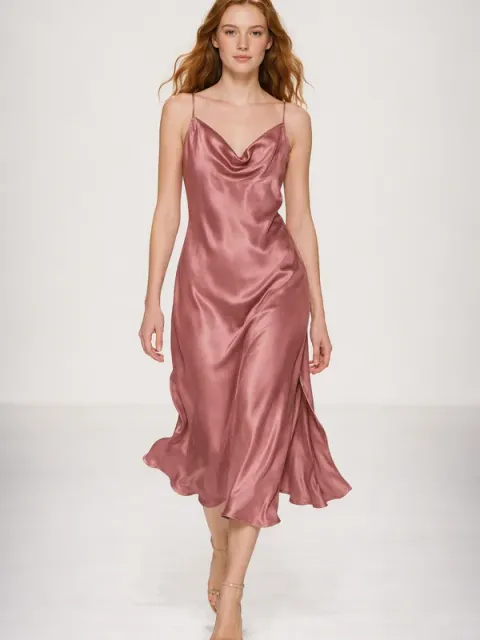
Runway try-on
Turn a clothing product photo into a runway clip of a model wearing it, with every detail kept.
Prompt
Have a young female model wear the garment in my photo and walk toward the camera on a minimal white runway, keeping the cut, color and details unchanged.
- Type
- Video
- Category
- E-commerce
- Aspect ratio
- 9:16
- Resolution
- 540 × 960
- Duration
- 5 seconds
- Reference photos
- 1 photo
- Source
- Ofox
How to use
- 1
Tap “Make one like this”
Ofox Agent opens with this video’s idea ready to go. Sign in first if you haven’t.
- 2
Add your photos
Upload 1 photo of your own — Ofox Agent follows the same idea as this video.
- 3
Send and create
Send it and Ofox Agent creates your version. Keep chatting to refine it.
FAQ
Do I need to upload a photo?
Yes — upload 1 photo of your own. Ofox Agent keeps the idea of this video and builds it from your photo.
Can I edit the prompt?
Yes. The prompt goes into the Ofox Agent input box, and you can change the subject, style, text or anything else before sending.
What size is the video?
This video is 9:16 at 540 × 960, about 5 seconds long. You can pick a different aspect ratio and length in Ofox Agent.
Can I copy and use the prompt directly?
Yes. Tap “Copy” on the prompt card to get the plain text — it works in other AI video tools too.
More like this
More E-commerce prompts



Have an idea of your own? Start creating
Describe the image you want in one sentence, and Ofox Agent creates it from scratch.