Use Qwen4 in Claude Code: model mapping, keys and connection fixes
Configure Qwen4-Max in Claude Code with the right QwenCloud endpoint and model mapping. Diagnose 401, 403 and CC Switch model-list errors without changing everything at once.
 Ofox
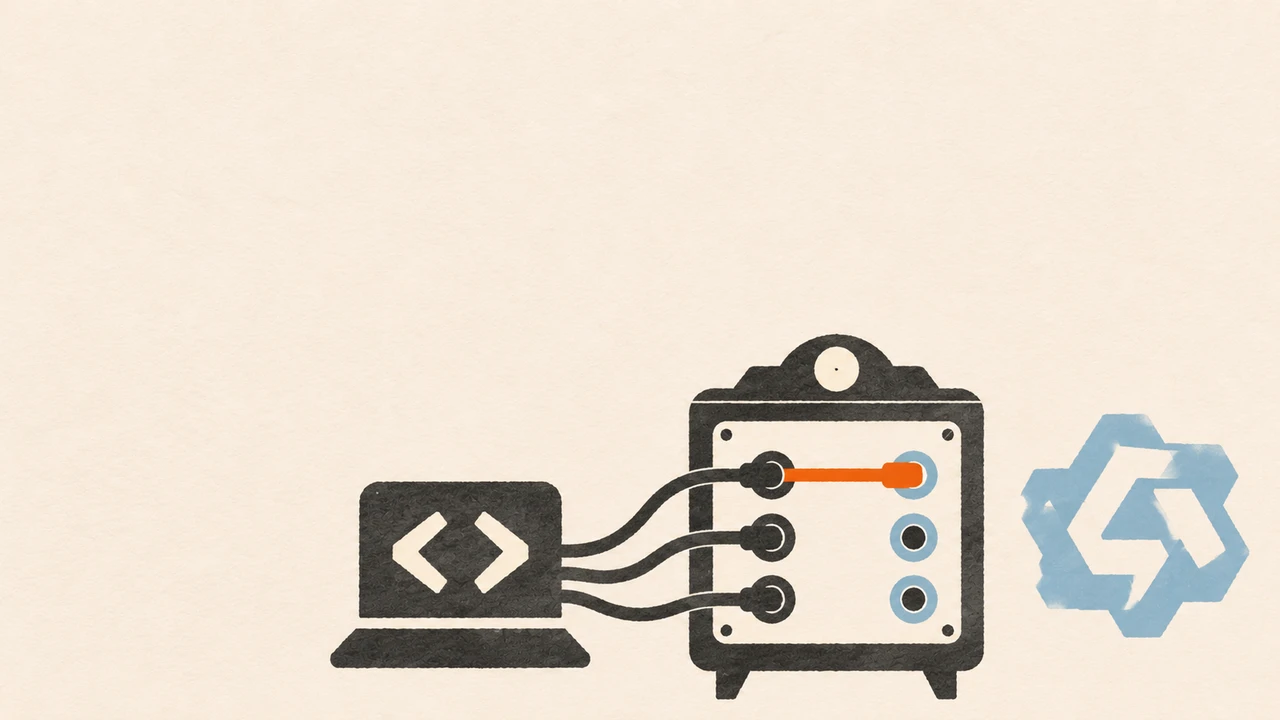
To use Qwen4-Max in Claude Code, configure QwenCloud’s Anthropic-compatible Base URL, a key for that route, and an explicit qwen4-max model mapping. Changing the model label alone does not change the provider. A successful model-list probe is not a prerequisite for a successful conversation.
This guide is based on QwenCloud’s documentation checked on November 17, 2026. It covers the released model, not qwen4-max-preview. Start with the Qwen4 API and migration guide if you still need to distinguish the model versions. Here the task is narrower: get a coding client onto the intended route and identify which layer failed.
The shell configuration below was checked locally with a fake client that records configuration names, not a live model. We did not make paid Qwen4 calls for this tutorial. The final conversation and provider billing checks are steps for you to perform with your own authorized account.
Choose the route before entering a key
QwenCloud documents separate Token Plan and regional pay-as-you-go routes. Pick one first; do not combine a key from one route with a Base URL copied from another.
| Your intended route | Claude Code Base URL | What to verify |
|---|---|---|
| QwenCloud Token Plan | https://token-plan.maas.qwencloudapi.com/apps/anthropic | Your plan key and access to the selected model |
| QwenCloud pay-as-you-go, Singapore | https://ap-southeast-1.maas.qwencloudapi.com/apps/anthropic | A key issued for that region and model access |
| Another QwenCloud region | Use the region’s documented Anthropic-compatible URL | Region, service availability and key scope |
These addresses are Base URLs, not complete message-request URLs. Do not append /v1 to the QwenCloud Base URL in this setup. The client uses the messages path under it. The QwenCloud Claude Code guide and region documentation are the sources for the route contract.
An Ofox API key is not a QwenCloud key. If you choose an Ofox-supported model instead, use Ofox authentication documentation and its own supported integration settings. Do not paste an Ofox key into either QwenCloud address. This guide does not establish Qwen4 availability through Ofox; verify the current Ofox model directory independently.
Launch an isolated, explicit Qwen4 session
For a first diagnosis, use a new terminal session and a small synthetic project. Keep your normal configuration backed up. The following Bash launcher confines its exported variables to its own process and child client. It does not rewrite your global settings file, print your key or store it in the script.
Save this as launch-qwen4.sh:
#!/usr/bin/env bash
set -euo pipefail

# Singapore pay-as-you-go. For Token Plan, replace only this route
# and enter the matching Token Plan key when prompted.
export ANTHROPIC_BASE_URL="https://ap-southeast-1.maas.qwencloudapi.com/apps/anthropic"
unset ANTHROPIC_API_KEY
read -r -s -p "QwenCloud key for this route: " ANTHROPIC_AUTH_TOKEN
printf '\n'
if [[ -z "$ANTHROPIC_AUTH_TOKEN" ]]; then
  printf 'No key entered; no request sent.\n' >&2
  exit 1
fi
export ANTHROPIC_AUTH_TOKEN

# Deliberately use one model while diagnosing routing.
export ANTHROPIC_MODEL="qwen4-max"
export ANTHROPIC_DEFAULT_OPUS_MODEL="qwen4-max"
export ANTHROPIC_DEFAULT_SONNET_MODEL="qwen4-max"
export ANTHROPIC_DEFAULT_HAIKU_MODEL="qwen4-max"
export CLAUDE_CODE_SUBAGENT_MODEL="qwen4-max"
export CLAUDE_CODE_MAX_CONTEXT_TOKENS="983616"
exec claude "$@"
Run bash launch-qwen4.sh from your test project. To test Token Plan, change the Base URL to the Token Plan value in the table and supply its matching key. Do not use an arbitrary lower-cost model ID until you have confirmed that it is available on your route.
Mapping every alias to Qwen4-Max is a diagnostic choice, not a cost recommendation. It removes uncertainty about whether a background task or subagent selected a different configured model. After routing is proven, you can deliberately map lightweight tasks to another supported model and test that mapping separately.
This launcher also does not override every possible managed setting, wrapper or IDE extension. If an organization manages your client, follow that policy. Launch the CLI directly for this test so an IDE configuration does not silently supply a different environment. For Windows, run this Bash example in a matching WSL or Git Bash environment; native PowerShell uses different environment-variable syntax. Do not assume a Windows CLI reads the same configuration as a WSL installation.
Prove the provider and the task separately
Inside the new Claude Code session, run /status. Check the provider URL and selected model against the values you intended. Do not publish a raw settings dump or screenshot containing credentials. If the route is blank or still points elsewhere, examine the configuration loaded by that exact client process before changing models again.
Use a small request that avoids private repository content:
Create a Python function named normalize_code(value).
It must accept a string, trim surrounding spaces and preserve leading zeros.
Raise TypeError for non-string input.
Add tests for " 0017 ", "", and the integer 17.
Do not install dependencies or access the network.
Show which files you changed and how to run the tests.
A useful acceptance record has three separate parts:
- Routing: the session reports the expected provider and mapping; the provider’s request record, where available, identifies the intended model. A model’s self-description is not route evidence.
- Delivery: the file exists,
" 0017 "becomes"0017", the empty string remains empty, and integer input raisesTypeError. Run the generated tests and inspect the diff. - Accounting: the call appears in the intended account or plan’s usage view. Do not infer the billing source from the tool’s model label.
If the answer is good but the wrong account is charged, the setup has not passed. If routing is correct but the tests fail, record a task failure rather than treating it as a connection problem. Keep the first experiment small; only then enable broader repository edits or longer tasks.
Match the symptom to the failing layer
The official troubleshooting section separates several failures that can otherwise look like a single “Qwen does not work” problem.
| Symptom | First useful check | Targeted next step |
|---|---|---|
401 invalid_api_key | Key route and region; effective provider URL | Use the matching QwenCloud key and restart the client; do not expose the key in logs |
| Claude Code still connects to Anthropic | /status and the configuration loaded by this process | Correct the provider environment/settings; inspect wrappers or conflicting authentication |
| CC Switch says no model-list endpoint was found | Whether its probe is querying model discovery rather than messages | Set model mapping manually and test a real message on the documented route |
403 AccessDenied after changing models | Model entitlement and lifecycle label in QwenCloud’s gallery | Replace unavailable/deprecated mappings with an accessible current model; retain the error/request ID |
| Changing the model has no effect on a legacy route | Whether the Base URL contains claude-code-proxy | Migrate to the documented /apps/anthropic interface |
| A long answer stops early | Requested client output limit and response stop reason | Check the model-specific limit and reduce the task or adjust the client cap deliberately |
If the intended custom-provider route is configured but startup still tries the official Anthropic login, QwenCloud’s FAQ also tells you to check hasCompletedOnboarding: true in ~/.claude.json (a different file from ~/.claude/settings.json). Back up that JSON first and merge only the relevant field; do not replace the file or alter organization-managed settings. Restart in a new terminal. If the documented setup still fails, update the client through its official installation method and recheck the loaded configuration.
The model-list case deserves special attention. QwenCloud documents that its Anthropic-compatible route supplies /v1/messages but not a model-list endpoint. CC Switch may therefore report a failed discovery probe while the actual conversation route is usable. That does not mean every 404 can be ignored: an incorrect message URL, extra path segment or unsupported model still needs repair. Check which request failed.
For a persistent split between a working direct request and a failing coding client, use our Claude Code connection troubleshooting guide. For an unavailable exact model identifier, see the provider/endpoint checklist in our OpenAI model-not-found guide. A certificate failure belongs to TLS and certificate troubleshooting, not to model mapping; do not disable certificate verification as a shortcut.
Set context and output limits deliberately
The current QwenCloud guide says to keep CLAUDE_CODE_MAX_CONTEXT_TOKENS at 983616 for Qwen4-Max. That client setting is not the same quantity as the model’s advertised one-million-token context, nor does setting it prove that a long task will complete successfully.
The November 17 version of the guide recommends CLAUDE_CODE_MAX_OUTPUT_TOKENS=131072 for truncated Qwen4-Max output. The preview note on the same page uses 64000. Do not mix the preview recommendation into the released-model configuration. You need not set the maximum for a first smoke test: a large permitted output can increase runtime and consumption. Inspect the stop reason and choose a task-appropriate limit.
If your agent repeats a large reference document, continue with the Qwen4 explicit-cache tutorial. A large context window is a capacity setting; caching is a separate request contract. Neither proves a cache hit without the corresponding usage fields.
Keep a recoverable configuration record
After the test passes, record the client version, provider Base URL, model mapping, key type and region, test result and timestamp. Store the key itself in your normal secret-management mechanism. When making persistent settings changes, merge the required fields into the existing file rather than replacing unrelated permissions and settings.
For future failures, change one variable at a time and retain a sanitized request ID, HTTP status, error code and model ID. To roll back this launcher, exit the launched session and start your normal client from the parent terminal; the launcher has not modified that parent environment or your settings file. If you separately changed persistent settings, restore your saved version as well.
The setup is complete when the intended route, delivered files and intended usage record agree. That gives you a stable starting point for comparing models on real coding work rather than debugging a different route on each attempt.
Frequently Asked Questions
- Does Claude Code require the Qwen endpoint to expose a model list?
- No. QwenCloud documents that its Anthropic-compatible endpoint provides messages but not model discovery. A failed CC Switch model-list probe is different from a failed message request.
- Does selecting Opus mean the request runs on an Anthropic model?
- Not necessarily. On a custom provider, the Opus alias can map to Qwen4-Max. Check the configured provider, exact model mapping and provider request records.