Gemini 4 Neon vs Carbon: which one should you use, and when does Neon get cheaper?
Gemini 4 Neon vs Carbon by task: positioning, November and December token prices, default thinking levels, benchmark rows, hallucination rates, access and worked cost math.
 Ofox
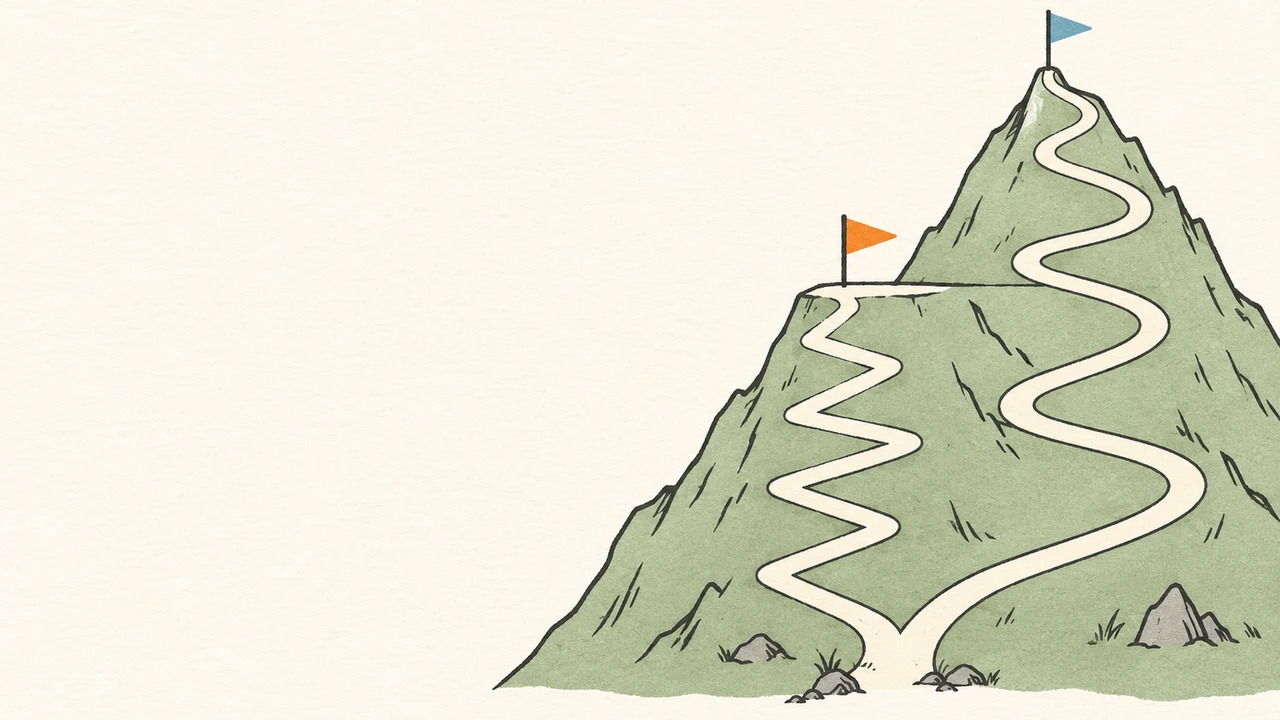
Use Gemini 4 Neon as the default for complex coding, agent and document work, and keep Gemini 4 Carbon for the problems where Neon’s answer still fails your acceptance check: deep root-cause debugging, physics-heavy or research-grade reasoning, and very long-horizon agent runs. Through November 30, 2026 Carbon’s per-token price ($2/$10) is lower than Neon’s ($3/$15); from December 1 Carbon moves to $4/$20 and Neon becomes the cheaper model per token. Per-token price is only half of it. At their default settings, Artificial Analysis measured Neon finishing its index tasks in about half of Carbon’s time with a similar score.
This comparison was checked on November 19, 2026, one day after Neon launched. It is based on Google’s documentation, both model cards and their evaluation-methodology PDFs, and Artificial Analysis (AA) data read from its live model pages on the same date. We did not run Neon or Carbon ourselves for this article. The cost scenarios below are labelled arithmetic, not invoices or measurements.
Ofox publishes this article. Neither model is available through Ofox: a GET https://api.ofox.io/v1/models check on November 19 listed google/gemini-4-hydrogen and google/gemini-4-argon, but no Neon or Carbon. Everything below about calling Neon or Carbon refers to Google’s own Gemini API, AI Studio, Gemini app and Antigravity.
How Google positions Neon and Carbon
Google describes the Gemini 4 family as a ladder. In the Neon developer guide, Neon “sits between Gemini 4 Hydrogen and Gemini 4 Carbon for high-frequency complex tasks.” The model selection page adds that Neon “finishes faster with fewer output tokens than Carbon” and is the choice when “you don’t need Carbon’s extra verification.” Carbon is described as Google’s strongest reasoning model, spending more thinking tokens per turn to test hypotheses and check fixes. Google recommends it for system architecture, multi-file debugging, dense multimodal analysis, formal proofs and security audits, “or when a faster model gets stuck.”
The Neon model card states that Neon is adapted from Gemini 4 Carbon and summarizes the split in one sentence: Carbon “tackles your hardest, long-horizon projects,” Hydrogen handles fast everyday execution, and Neon “balances depth and efficiency.” The Carbon model card notes that Carbon may show “occasional slowness or timeout issues” and may use more tokens, especially at higher thinking levels.
The shared technical surface is the same: both use a unified 1,048,576-token window for input, thinking and output, a 65,536-token synchronous output default with long decode up to 1M via background execution or continuation, implicit caching only (no cachedContents), and the same built-in tools (Google Search, code execution, function calling, Computer Use, structured outputs). Because the request schema is identical, switching between them is a model-ID change plus a thinking-level decision. You are choosing between two depths of reasoning, not two APIs.
| Gemini 4 Neon | Gemini 4 Carbon | |
|---|---|---|
| Model ID | gemini-4-neon | gemini-4-carbon |
| Model card published | November 18, 2026 | November 10, 2026 |
| Google’s role for it | Complex, high-frequency coding, knowledge and science work | Hardest, long-horizon problems; when a faster model gets stuck |
| Thinking levels | low, medium, high (default), xhigh | low, medium (default), high |
| Free API tier | No | No |
| Knowledge cutoff (model card) | March 2026 | March 2026 |
| On Ofox (checked Nov 19) | No | No |
Price per token now and after December 1
These are Google’s Standard paid-tier rates in USD per 1M tokens from the pricing page, checked November 19, 2026. Output includes thinking tokens. Batch, Flex and Priority tiers are not covered here.
| Billable item | Neon | Carbon through Nov 30, 2026 | Carbon from Dec 1, 2026 |
|---|---|---|---|
| Input | $3.00 | $2.00 | $4.00 |
| Cached input (implicit cache hits) | $0.15 | $0.10 | $0.20 |
| Output including thinking | $15.00 | $10.00 | $20.00 |
Google states that Neon has no introductory price. Carbon’s November rate is introductory. Every Carbon token rate is exactly two-thirds of Neon’s in November and four-thirds of Neon’s from December 1. That gives a simple rule for identical token usage:
- November: Carbon costs 33% less than Neon for the same tokens. Carbon stays cheaper unless it consumes more than 1.5× Neon’s tokens on the same task.
- From December 1: Carbon costs 33% more than Neon for the same tokens. Carbon is cheaper only if it consumes less than 0.75× Neon’s tokens.
The catch is that the same task rarely costs both models the same number of tokens. That is where defaults matter. For per-level Neon budgeting, see our Neon pricing guide by thinking level. For the Carbon and Argon change itself, see what changes on December 1.
Default thinking levels make default-vs-default comparisons uneven
Neon defaults to high and adds xhigh. Carbon defaults to medium and tops out at high. Google’s migration checklist says it directly: “Carbon and Argon default to medium and cap at high.” If you swap the model ID and nothing else, you are comparing Neon at its second-highest level with Carbon at its middle level. Equal setting names also do not guarantee equal compute between two models. Our Gemini 4 thinking levels guide lists which levels each model accepts and how to pick one.
Artificial Analysis evaluates each thinking level separately, which lets us line them up. The values below come from the live Neon and Carbon pages, read on November 19, 2026 (Intelligence Index v5.0.1, Google’s first-party API).
| Configuration | AA Intelligence Index | Time per index task | Cost per index task (as AA lists it) | Output tokens across the index run |
|---|---|---|---|---|
Neon xhigh | 61 | 21.5 min | $6.44 | 283M |
Neon high (default) | 60 | 14.8 min | $3.74 | 123M |
Neon medium | 55 | 8.3 min | $1.90 | 62.9M |
Neon low | 44 | 3.7 min | $0.75 | 28.3M |
Carbon high | 60 | 37.2 min | $7.76 | 205M |
Carbon medium (default) | 58 | 29.6 min | $6.59 | 124M |
Carbon low | 54 | 30.4 min | $7.19 | 83.9M |
Three things to read carefully in that table.
AA prices Carbon at $4/$20. Its Carbon page lists “$4.00 per 1M input tokens” and “$20.00 per 1M output tokens,” which is the December rate, not the November introductory rate. Every Carbon cost figure above is therefore a post-December-1 cost. Because all Carbon token rates are exactly half in November, our estimate of the same runs at November rates is about $3.88 (high), $3.29 (medium) and $3.59 (low) per task. That halving is our arithmetic on AA’s figures, not an AA number.
Time per task is a token-throughput metric. AA calculates it from output tokens per task divided by measured output speed, weighted by index composition. Its pages list Neon at roughly 97–110 output tokens/s across levels and Carbon at roughly 47–58 tokens/s. It is a good proxy for how long a model spends generating, not a wall-clock agent run that includes tool execution.
Google’s “32% lower cost per task” claim does not reproduce from today’s AA page. The Neon announcement ties the figure to the Artificial Analysis Intelligence Index: at its default high level, Neon “pairs a high Artificial Analysis Intelligence Index score with a 32% lower cost per task than Carbon.” What Google left unstated is which Carbon thinking level, which Carbon price period and which AA data snapshot it used. With AA’s current figures, Neon high ($3.74) is 52% below Carbon high, 43% below Carbon medium and 48% below Carbon low at December prices. At November prices it is 3.5% below Carbon high and about 14% above Carbon medium. None of these combinations gives 32%, so treat it as Google’s claim rather than a number you can recompute today.
On this evidence, the like-for-like comparison is Neon high vs Carbon high: near-identical index scores (59.6 vs 60.0), Neon finishing in about 40% of Carbon’s time, and Neon about half the cost per task once December prices apply. Neon high vs Carbon medium (the defaults) gives Neon a slightly higher index score (59.6 vs 58.3) in half the time. One reversal is easy to miss: Carbon low (54) scores far above Neon low (44), though AA measured Carbon low as no faster than Carbon medium.
Benchmark rows where both models appear
Google publishes separate cards, with different comparison sets. The Neon card compares against Claude Opus 5.5 and GPT-6.2 Sol, while the Carbon card compares against Gemini 4 Argon, GPT-6 Astra, Claude Opus 5.5 and Claude Fable 5.1. Neither card has a Carbon-vs-Neon table. The rows below appear on both cards. Before reading them, note the following setup details from Google’s two evaluation-methodology PDFs:
- Both say results use “the highest thinking settings unless indicated otherwise.” That means Neon
xhighand Carbonhigh, not the defaults. - Carbon’s card is dated “as of October 2026,” and Neon’s is “as of November, 2026.”
- Carbon’s cybersecurity rows reflect access through the Fairwind Program.
| Benchmark (as labelled) | Neon card | Carbon card | Same setup? |
|---|---|---|---|
| Vals Index v2.2 | 70.9% | 70.4% | Both sourced from Vals AI |
| AutomationBench (Zapier) | 56.3% | 53.9% | Both from the public leaderboard (Carbon: private set) |
| Chartography | 73.5% | 72.5% | Both without tools |
| RiemannBench | 84.0% | 80.0% | Both from the public leaderboard |
| GraphWalks 256k–1M, BFS F1 | 95.2% | 96.2% | Both self-computed on the same 200 problems |
| SEC-bench Pro | 90.5% | 88.2% | Same 183-task split and Antigravity harness; Carbon’s score is its Fairwind-access result |
| Agents’ Last Exam v1.1 | 75.8% | 77.4% | No: Neon used the Antigravity-CLI 1.4.8 harness, Carbon the ALE-Claw harness |
| Terminal-Bench-Science 0.1 | 70.5% | 64.8% | No: Neon self-computed over 5 attempts with a mini-swe-agent vision harness; Carbon sourced from AA |
| SWE-sweep | 12.8% (mini-SWE) / 39.0% (Antigravity harness) | 9.6% | Only the mini-SWE figures are close in setup (Neon used a “vision” variant) |
| AA Index | 61 (v5.0.1) | 59 (v5.0) | No: different index versions. On today’s v5.0.1, Carbon high is 60 |
Rows that only look alike have been left out: Terminal-Bench 4.1 (Neon) vs 4.0 (Carbon), CWE-bench v2 vs CWE-bench v1, and ExploitGym (Neon’s card has no score). Vending-Bench 2 appears only in the Neon announcement ($16,843) and on the Carbon card ($16,484).
The clean rows support a modest conclusion. Neon matches or slightly exceeds Carbon at their highest settings on several knowledge-work and math tasks. Carbon keeps a one-point edge on 256K–1M-token graph traversal. No row shows a large gap in either direction once harness differences are removed. The SWE-sweep jump from 12.8% to 39.0% for Neon reflects the Antigravity harness, which Google says includes a sub-agent fan-out tool. It is not a model-only gain over Carbon’s 9.6%.
The same rows on Artificial Analysis, per thinking level
AA runs both models through the same harness, so its component scores give a cleaner same-level view. These values come from the same November 19 page data:
| AA component | Neon high | Neon xhigh | Carbon medium | Carbon high |
|---|---|---|---|---|
| Terminal-Bench 4.0 | 61.6% | 63.6% | 60.6% | 65.2% |
| FrontierCode-AA 2.0 | 43.3% | 44.4% | 39.5% | 40.6% |
| HLE-Diamond | 68.4% | 71.3% | 67.4% | 69.1% |
| Terminal-Bench-Science 0.1 | 65.7% | 70.0% | 62.4% | 64.8% |
| CritPt v2 (hard subset) | 59.0% | 60.5% | 69.0% | 69.0% |
CritPt, a research-level physics evaluation, is the one place where Carbon leads clearly at every level shown. Terminal-Bench 4.0 favors Carbon high by a small margin. At each model’s top level (Neon xhigh vs Carbon high), Neon leads FrontierCode-AA by 3.8 points, HLE-Diamond by 2.2 and Terminal-Bench-Science by 5.2. At high vs high those margins shrink to 2.7, −0.7 and 0.9, so HLE-Diamond tips to Carbon. Which pairing you compare changes the answer. A two- or three-point gap on a single benchmark is not proof that one model is better at your task.
Hallucination rate: the defaults point in opposite directions
AA’s Omniscience evaluation defines the hallucination rate as the share of incorrect answers among all non-correct responses. In other words, when the model does not know, how often it guesses wrong instead of declining or giving a partial answer. Lower is better. It measures something different from accuracy, so both columns matter:
| Configuration | AA-Omniscience hallucination rate | AA-Omniscience accuracy |
|---|---|---|
Neon xhigh | 14.4% | 60.5% |
Neon high (default) | 13.9% | 59.4% |
Neon medium | 16.2% | 57.9% |
Neon low | 18.8% | 56.6% |
Carbon high | 11.4% | 58.3% |
Carbon medium (default) | 4.2% | 48.9% |
Carbon low | 19.8% | 49.2% |
Source: AA model-page data read November 19, 2026; values rounded to one decimal.
At default settings, Carbon is far less likely to make something up (4.2% against 13.9%), but it also answers correctly much less often (48.9% against 59.4%). Carbon medium declines more often instead of guessing. At high vs high, the gap narrows to 11.4% against 13.9%, with similar accuracy. That makes Carbon medium the better default when a wrong answer costs more than no answer: compliance extraction, citation-bound research summaries, or medical and legal triage where a human reviews the gaps. Neon high is better when coverage matters and you validate the output anyway.
One caution on that 4.2%: Carbon’s rate is not monotonic across levels (19.8% at low, 4.2% at medium, 11.4% at high), while Neon’s falls steadily as thinking rises. This is a single AA snapshot, so treat Carbon medium’s low rate as a reason to test it on your own abstain-or-answer cases, not as a settled property.
Google’s own Neon announcement cites a different measure: its “lowest fabrication rate yet in internal Google Antigravity testing.” That is an internal agentic evaluation, not AA-Omniscience, and the two numbers should not be compared directly.
Where Carbon still earns its place
Google’s documents and the third-party data agree on a short list:
- Problems a faster model has already failed. Google’s selection guide says to choose Carbon “when a faster model gets stuck.” That is an escalation rule, not a starting point.
- Research-grade physics and proof-style reasoning. CritPt is the clearest measured Carbon lead (69% vs 59–60.5%). Google lists formal proofs and scientific discovery under Carbon.
- Very long contexts that require tracing structure. GraphWalks at 256K–1M tokens is 96.2% vs 95.2%. The gap is small, but it is the one long-context row in Carbon’s favor.
- Abstain-rather-than-guess workloads, at Carbon’s default
medium, for the hallucination reasons above. - Carbon-specific cyber access. Carbon’s cyber results are delivered through Fairwind today. Google says Neon for cyber is “rolling out to trusted defenders in the coming days,” so verified defenders may get both soon.
Neon also has a counter-claim on some of Carbon’s ground. Google says Neon for cyber produced more secure code than Carbon on AutoBaxBench, used half Carbon’s tokens on ExploitGym, and showed “a 3.4% uplift over Carbon” on CWE-bench v2. These are Google’s own statements without a published Carbon figure for the same configuration.
Access: who can use which model where
| Surface | Neon | Carbon |
|---|---|---|
| Gemini API | Paid tier only (generateContent and Interactions API) | Paid tier only |
| Google AI Studio | Available; Google AI Pro and Ultra plans can try it | Available |
| Gemini app (consumer) | Google AI Pro and Ultra subscribers | Model card lists Google AI Ultra for consumer surfaces |
| Google Antigravity | Paid Google AI Pro and Ultra subscribers | Model card lists Google AI Ultra |
| Gemini for business | API and model drop-down | Listed |
| Gemini Managed Agents (Antigravity agent) | Supported, standalone or orchestrating Hydrogen | Supported via agent_config model override |
| Fairwind cyber variant | ”Neon for cyber” rolling out to eligible members | Cyber capabilities via Fairwind |
| Ofox API (checked Nov 19) | Not available | Not available |
Sources: the Neon announcement, both model cards’ distribution sections, the Neon and Carbon developer guides, and the model selection page.
A Google AI Pro subscription therefore reaches Neon in the app and in Antigravity, while the Carbon card lists Ultra for those surfaces. A consumer subscription does not grant API access to either. Your API project must be on the paid tier. If you are deciding which surface to use for a coding agent, our Gemini 4 model selection guide explains how app, Antigravity and API access differ. For a first Neon API request, see the Neon API guide.
Worked cost arithmetic for three workloads
Everything in this section is arithmetic, not measurement. The token quantities are invented to represent common shapes of work. Rates are Google’s Standard USD rates per 1M tokens listed above. Output includes thinking. The calculation script and output are reproducible.
The formula for each request is:
cost = (input_total - cached_input) × input_rate / 1e6
     + cached_input × cached_rate / 1e6
     + output_including_thinking × output_rate / 1e6
The three workloads, using the token counts we assume for Neon high:
- W1, single document extraction: 80,000 uncached input tokens, 8,000 output tokens.
- W2, multi-turn coding-agent session: 1,200,000 input tokens across turns, of which 1,000,000 are implicit-cache hits; 90,000 output tokens.
- W3, long analytical report: 300,000 uncached input tokens, 150,000 output tokens.
Scenario A: identical token usage on both models
| Workload | Neon | Carbon, November | Carbon, December |
|---|---|---|---|
| W1 document extraction | $0.360 | $0.240 | $0.480 |
| W2 coding-agent session | $2.100 | $1.400 | $2.800 |
| W3 long report | $3.150 | $2.100 | $4.200 |
W2 is calculated as 0.2M × $3 + 1.0M × $0.15 + 0.09M × $15 = $2.10 for Neon, and 0.2M × $2 + 1.0M × $0.10 + 0.09M × $10 = $1.40 for Carbon in November. This isolates price only: in November Carbon is cheaper for the same tokens, and from December it is more expensive.
Scenario B: Carbon uses tokens in the ratio AA observed
On AA’s full index run, Carbon medium produced 1.01× Neon high’s output tokens and processed 1.47× its input tokens. Carbon high produced 1.66× the output and 1.74× the input. We applied the output ratio to all three workloads. We applied the input ratio only to W2, because a single extraction or report reads the same documents regardless of model, while an agent loop adds turns. This uses AA’s mix of tasks as a stand-in for yours, so treat it as illustration rather than prediction. The ratios are raw run totals; AA’s index-weighted output tokens per task give higher Carbon ratios (1.14× for medium, 1.36× for high), and we show that sensitivity below the table.
| Workload | Neon high | Carbon medium, Nov | Carbon medium, Dec | Carbon high, Nov | Carbon high, Dec |
|---|---|---|---|---|---|
| W1 document extraction | $0.360 | $0.241 | $0.481 | $0.293 | $0.586 |
| W2 coding-agent session | $2.100 | $1.642 | $3.284 | $2.366 | $4.732 |
| W3 long report | $3.150 | $2.112 | $4.223 | $3.096 | $6.192 |
The pattern holds across all three shapes. Through November 30, Carbon at its default is the cheaper model even after accounting for heavier token use. From December 1, Neon is cheaper in every case, by 25% to 56% in this scenario. Carbon high in November lands within about 20% of Neon in either direction (cheaper on W1 and W3, dearer on W2) while taking longer, so cost alone is not a reason to pick it.
Sensitivity check: using AA’s per-task output ratios instead, Carbon medium in November comes to $0.251, $1.763 and $2.313 for W1–W3, and Carbon high to $0.269, $2.093 and $2.642. The November conclusion does not change (Carbon high on W2 becomes roughly equal to Neon rather than dearer), and every December Carbon figure rises further above Neon’s.
Two cautions. First, a retry costs more than the token-rate difference. If Neon fails a task that Carbon would pass, the cost per accepted task can reverse, which is why our Carbon task-cost guide counts every attempt, not just the successful one. Second, a request that spans the November 30 to December 1 boundary is billed according to Google’s effective-date treatment, which we have not verified. Do not assume a long background job keeps the introductory rate.
Decision table by task
| Task | Start with | Escalate to | Why |
|---|---|---|---|
| Multi-file refactor or feature with tests | Neon high | Carbon high if tests still fail after the context is complete | Near-equal index score at high (59.6 vs 60.0); Neon is faster and, from December, cheaper |
| Intermittent concurrency or cross-service bug | Neon high | Carbon high | Google names root-cause debugging as Carbon work; escalation is cheap to test |
| Agent with many tool calls, long session | Neon high | Carbon only for the planning or review step | Google pitches Neon for long tool-heavy runs; Carbon’s slower decode compounds over turns |
| Research-level physics, proofs | Carbon high | — | Clearest measured Carbon lead (CritPt) |
| Extraction where a wrong value is worse than a blank | Carbon medium | — | 4.2% AA hallucination rate at default, at the cost of lower accuracy; verify on your own cases |
| Dense PDF, spreadsheet and chart synthesis | Neon high | Carbon medium if unsupported claims are the failure | Close on Chartography; choose on error type |
| Retrieval over 256K–1M tokens of structured context | Either; test both | — | 95.2% vs 96.2% GraphWalks is within noise for most uses |
| High-volume, latency-sensitive steps | Neon medium, or Hydrogen | — | Neon medium scores 55 in 8.3 min on AA; Carbon low was not faster than Carbon medium there |
| Security review for verified defenders | Whichever Fairwind variant you have access to | Compare both if you have both | Google claims Neon gains over Carbon on several cyber rows |
The table is our editorial recommendation from the evidence above, not a guarantee for your workload. Through November 30, Carbon medium is also a reasonable cost-saving default for batch work that tolerates latency. Plan that route to end, or be re-evaluated, on December 1.
Run your own comparison before switching
A fair internal test uses each model at more than one level:
- Fix the inputs: same repository commit, documents, tools and acceptance check for every run.
- Run Neon at
highandmedium, and Carbon atmediumandhigh. Add Neonxhighonly ifhighfails. Setmax_output_tokensto at least 65,536 on both. Carbon’s guide recommends no less than 32,768, because thinking can consume a smaller cap before the answer appears. - Record model ID, thinking level, input, cached and output tokens, wall-clock time, retries and whether the result passed.
- Price the recorded tokens at both the November and December Carbon rates.
- Choose the cheapest configuration that passes, per task type, not one model for everything.
Hard prompts can run for minutes on both models. Google’s Neon guide recommends background execution or HTTP timeouts of at least 15 minutes. If a tool-calling run fails after a model switch, check thought-signature handling before blaming the model. The request and quota errors in our Gemini 4 API error guide (written for Argon) apply to the same API family. For rate-limit retries in general, see when to retry a 429.
What you can use on Ofox today
Since Neon and Carbon are not in the Ofox catalog as of November 19, 2026, the Gemini 4 models you can call through Ofox are Gemini 4 Hydrogen and Gemini 4 Argon, with current prices on those model pages. Hydrogen is Google’s recommended everyday execution model and the one Google pairs with Neon or Carbon as a sub-agent. The Ofox Gemini API documentation covers the native Gemini route, and the error-handling guide covers retries. This article will be updated if Neon or Carbon is added. Until then, use Google’s API for both, and do not treat Google’s rates as Ofox prices.