6 Halloween photo prompts: portraits, couples, kids and pets
Try six Halloween photo prompts with actual Ofox examples. Learn how to choose a theme, open its settings, adjust the scene and fix common image problems.
 Ofox
Ofox 
To make a Halloween AI photo, start with one clear visual idea, open its template in the Ofox Halloween collection, review the prompt and settings, then generate. A vampire portrait, a couple being photobombed by a ghost and a kitten wearing a pumpkin lid need different compositions. Adding more Halloween objects to the same prompt rarely clarifies what the picture should be about.
This guide includes six complete prompts, their actual Ofox examples and a workflow for adapting them. The example images were generated from Chinese text prompts on September 29, 2026, using the Ofox interface label “GPT Image 2.5 Flare.” The English prompts below are adaptations, not separately tested reproductions. All subjects in these six examples are fictional; these pictures are not evidence of preserving a real person’s face.
We checked the live template handoff on October 7: selecting a theme opened the existing image creator with its prompt and model selected. That check stopped before submitting a new generation. Model names here describe Ofox’s interface and historical records, rather than independently verifying a provider’s official model naming.
Choose a theme before changing the prompt
| What you want | Start here | What makes the composition work | Keep an eye on |
|---|---|---|---|
| A dramatic portrait | Velvet vampire | A large face, burgundy fabric and one candle | Fangs, skin texture and dark areas |
| A fashion-style costume photo | Midnight bride | An uncovered face, black lace and direct flash | Veil placement and hands holding roses |
| A more elaborate gothic scene | Moonlit patchwork witch | A seated pose and visible patchwork fabric | Bent arms, knees and the size of the face |
| A playful two-person picture | A ghost in our photo | Two equally clear faces and one background joke | Extra people and overlapping faces |
| A cute children’s theme | Tiny ruler, giant throne | A serious expression against an oversized prop | Age-appropriate proportions and costume |
| A pet Halloween picture | Pumpkin-hat kitten | A close face and two paws on the pumpkin rim | Paw count, fur and the prop opening |
The first two are useful starting points when you want the face to dominate. The witch composition gives more room to costume detail. The couple, child and pet themes use a visual contrast: a ghost interrupts a formal portrait, a tiny ruler occupies a huge throne, or a kitten wears the lid of its own pumpkin.
Open a template and check the creator
You need a browser and access to an Ofox account for generation. You do not need a reference photo to try the six text-only themes. If you later want to use a specific person or pet, see the separate reference-image section below rather than leaving the fictional-subject description unchanged.
- Open the collection and select a sample. Use the category filters if needed. Select “Midnight bride” for the walkthrough; a preview should show the large sample image and its theme name.
- Read the prompt before continuing. Expand “Preview prompt” in the preview. Check whether its subject, pose and framing fit the picture you want. A waist-up prompt will not reliably give you a full-length outfit.
- Choose “Generate this photo theme.” This opens the image creator. If you are signed out, complete sign-in and check that you return to the selected template. Selecting a sample does not itself submit a paid generation.
- Verify the populated fields. Confirm that the prompt describes the chosen theme and that the selected model is the one you intend to use. In our October 7 handoff check, Midnight bride from the Japanese gallery populated its English prompt and the Flare-labelled model. The creator’s interface language can differ from the gallery language.
- Review settings and cost, then generate deliberately. Begin with one output and one model where those controls are available. The creator can support multiple selected models; remove unintended selections before starting. During our check, the selected model displayed no catalog price. That is not a zero-price quote: if a usable estimate is unavailable, resolve the pricing uncertainty before submitting.
- Inspect the result and download the accepted version. Open the completed image, check the face, hands and framing at full size, then use the result’s download control. Save the prompt, model label and settings with the image so the next attempt changes one thing at a time.
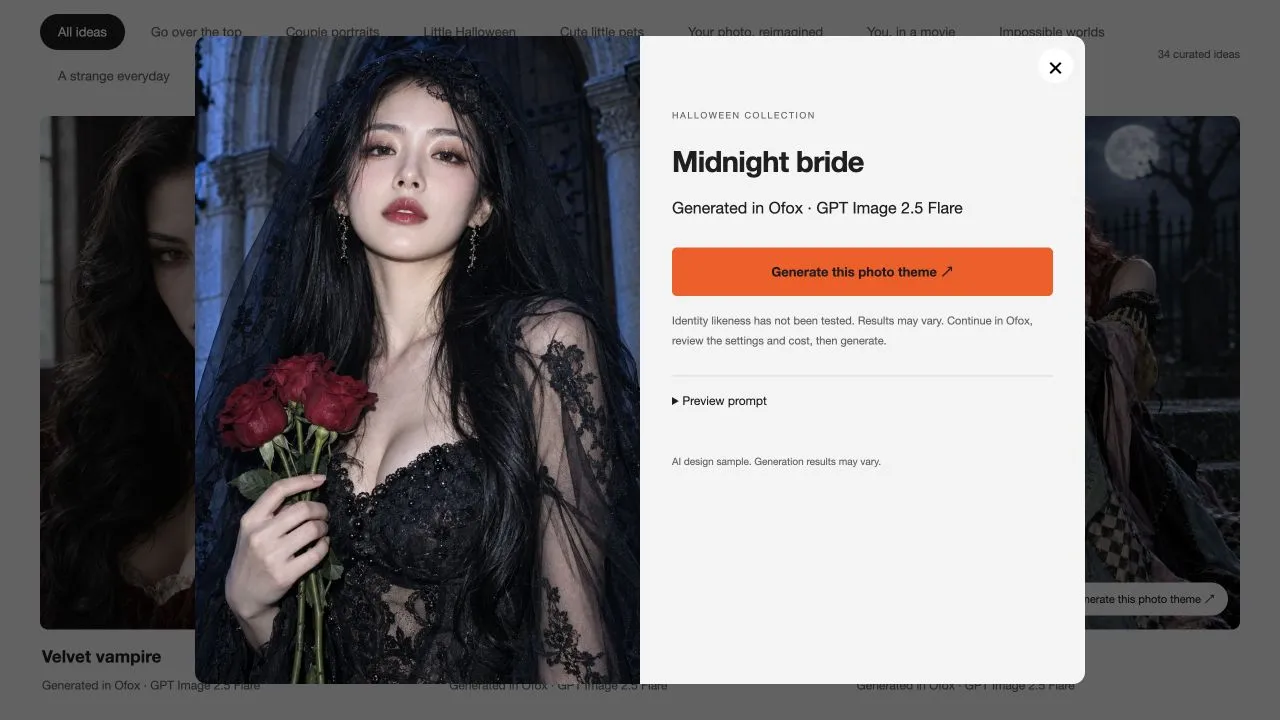
Live English preview captured October 7, 2026. This screenshot documents the template entry point, not a new generation or a face-swap test.
Separate the requested framing from the output dimensions. These prompts say 3:4. The archived sample files measure 1086 × 1448, which is 3:4; the template configuration also contains a 1024 × 1536 size preset, which is 2:3. Text instructions do not override a model’s available sizes. Check the size controls actually exposed by your selected model and inspect the downloaded file. If you need 3:4 and only 2:3 is available, leave space around the subject and crop after checking that faces and costume details remain inside the frame.
Six complete prompts with example images
The following prompts are ready to adapt. Each image is the September 29 output from the corresponding original Chinese prompt, not proof that this English wording returns the same image. Choose one theme before combining elements from several.
1. Velvet vampire
A tight portrait leaves room for fabric, makeup and expression without turning the background into the subject.
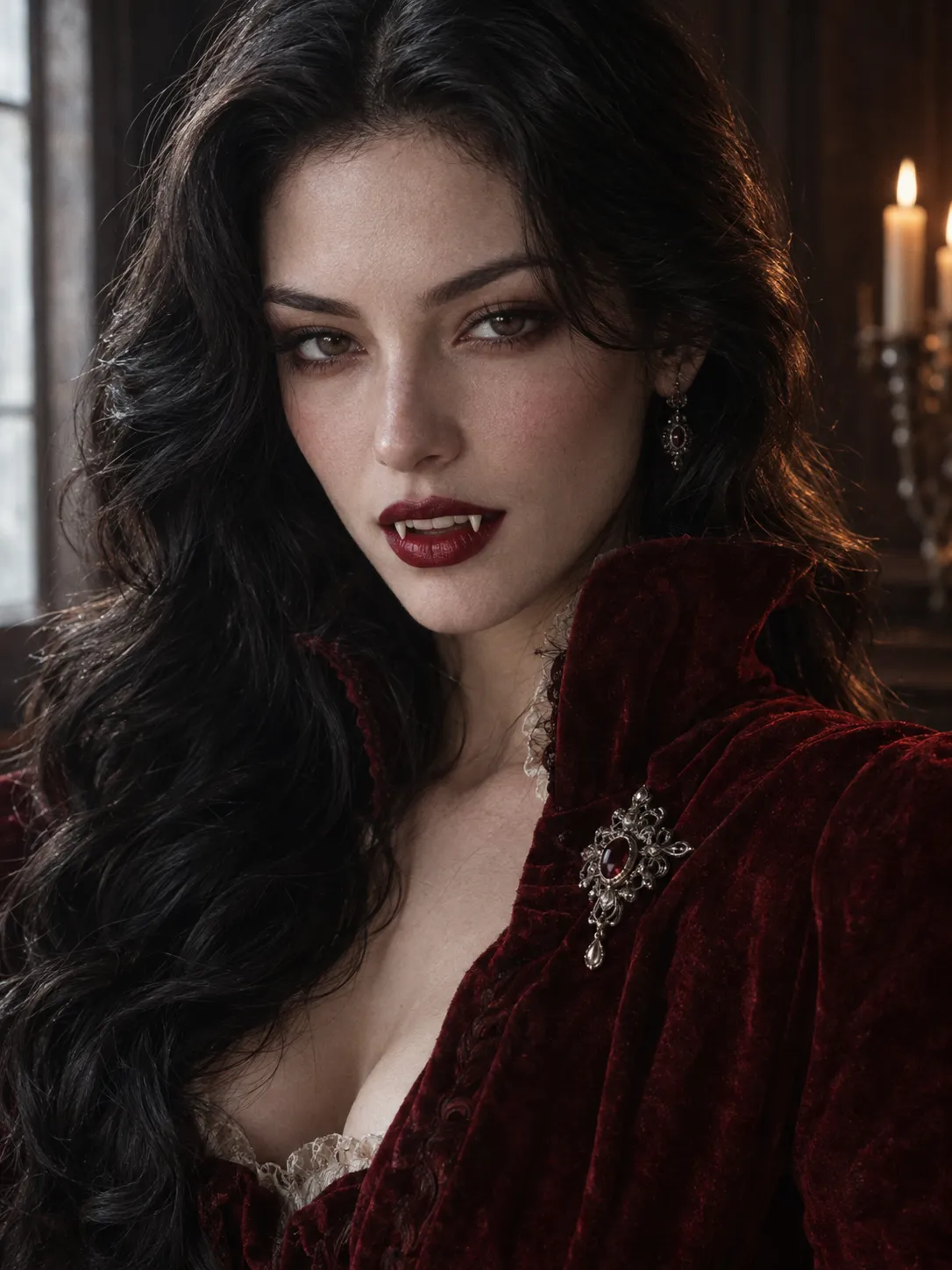
Photorealistic Halloween fashion portrait, vertical 3:4. A fictional adult woman aged 28, long black waves, natural distinctive face and real skin texture, dressed as a cool vampire aristocrat. Burgundy high-collar velvet coat, antique silver brooch, dark red lips slightly parted with two fine fangs, no blood. Tight chest-up portrait, eyes on the upper third, confident playful gaze into camera. One blurred candle and dark wood wall behind. Soft window light on the face, subtle candle rim light, burgundy and natural skin tones. 85mm cinematic fashion photography, real fabric, pores and fine film grain. Simple background; no pumpkin clutter, game-poster look, plastic skin, text, watermark, frame or collage.Keep the candle blurred. If the image looks too glossy, remove beauty-retouching language and ask for natural pores and soft window light. Judge the next output rather than assuming the phrase fixed it.
2. Midnight bride
The veil stays above the forehead so the eyes remain readable. Roses provide a small color accent against black clothing.
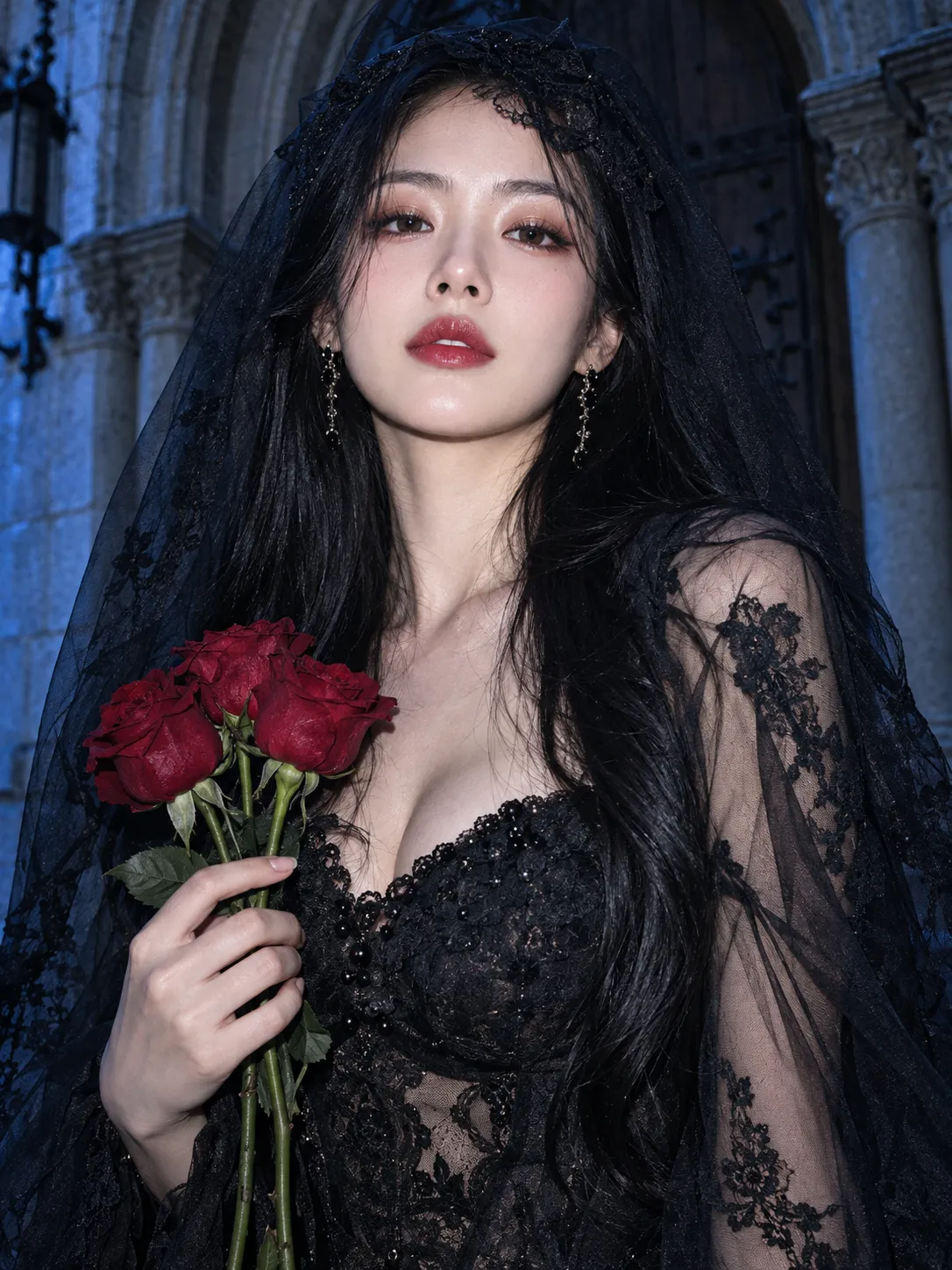
Photorealistic Halloween fashion portrait, vertical 3:4. A fictional 28-year-old East Asian adult woman with distinctive natural features, long black hair, elaborate black lace dress and translucent black veil lifted above the forehead so her face is clear. One hand holds three dark red roses. Tight half-length portrait, large clear face, chin slightly raised, poised confident gaze. Simple old stone church porch, direct flash mixed with faint blue ambient light, editorial photography, fine grain and real skin. No clutter, obscured face, game-poster look, plastic skin, text, watermark, frame or collage.If you want a wider shot, replace the tight half-length framing; do not add a conflicting full-body instruction at the end. Check that the hand grips the stems naturally.
3. Moonlit patchwork witch
Here the costume and seated pose matter as much as the face. The restrained cemetery gives context without filling every gap with props.
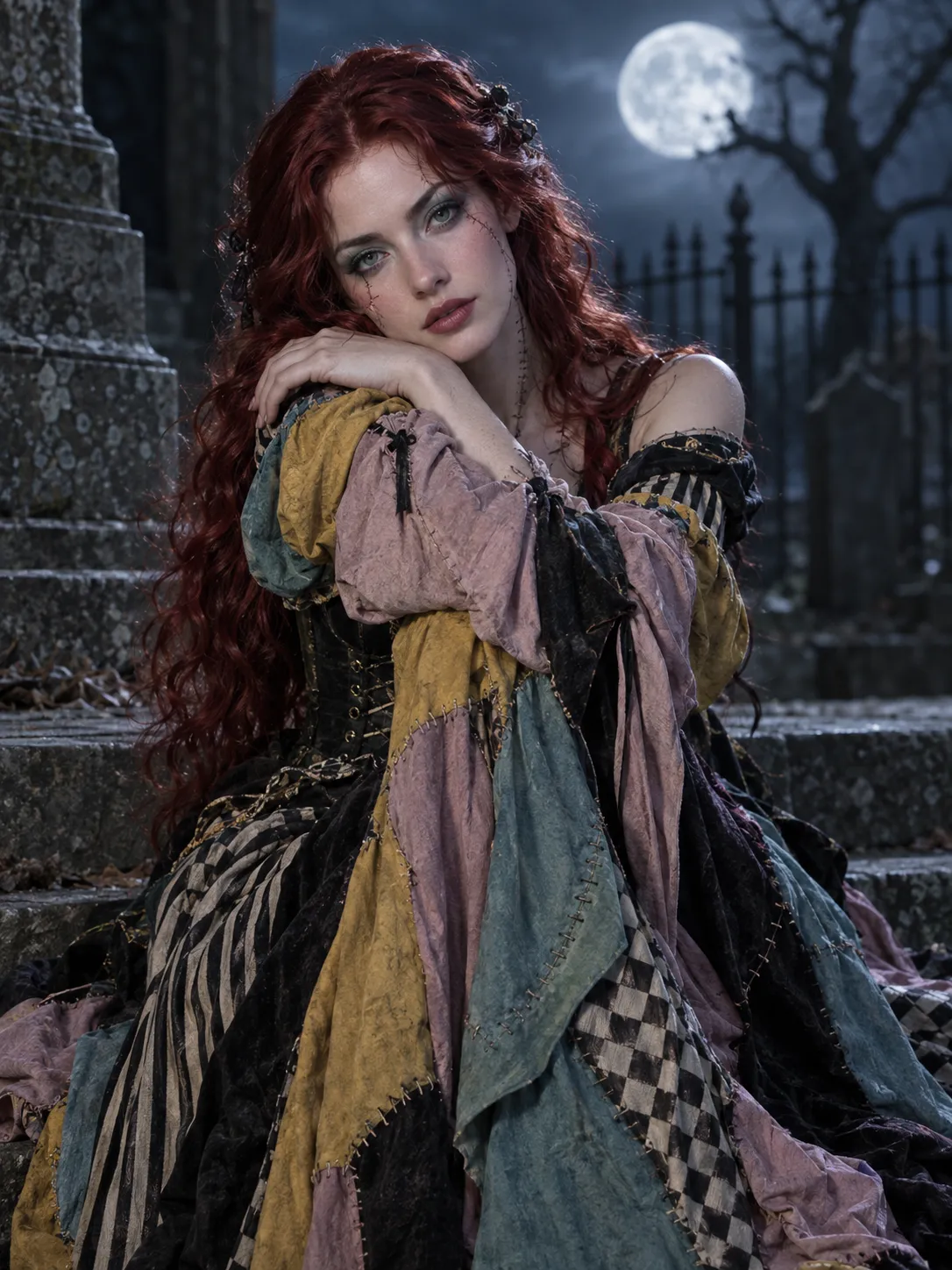
Photorealistic gothic Halloween movie portrait, vertical 3:4. A fictional adult woman aged 28 with cherry-red waves, pale teal theatrical makeup and tiny decorative stitched lines on cheeks and neck. Elaborate patchwork dress in dusty pink, mustard, faded teal and black, real seams, stripes and checkerboard, fitted waist and draped sleeves. Seated on cemetery steps, head resting on crossed arms on bent knees, clear natural beautiful face toward camera. Three-quarter-length portrait. Blurred full moon, iron fence and one bare tree behind; cool moonlight with soft face fill. Real costume and makeup, romantic mysterious mood, restrained background. One person. No text, watermark, collage, illustration or game poster.When the pose becomes tangled, simplify it to seated upright with hands resting separately on the knees. Keep the patchwork palette and moonlight unchanged to isolate the pose revision.
4. A ghost in our photo
The joke needs exactly two clear people and one non-human-faced sheet ghost. Similar face sizes make the two subjects equally important.
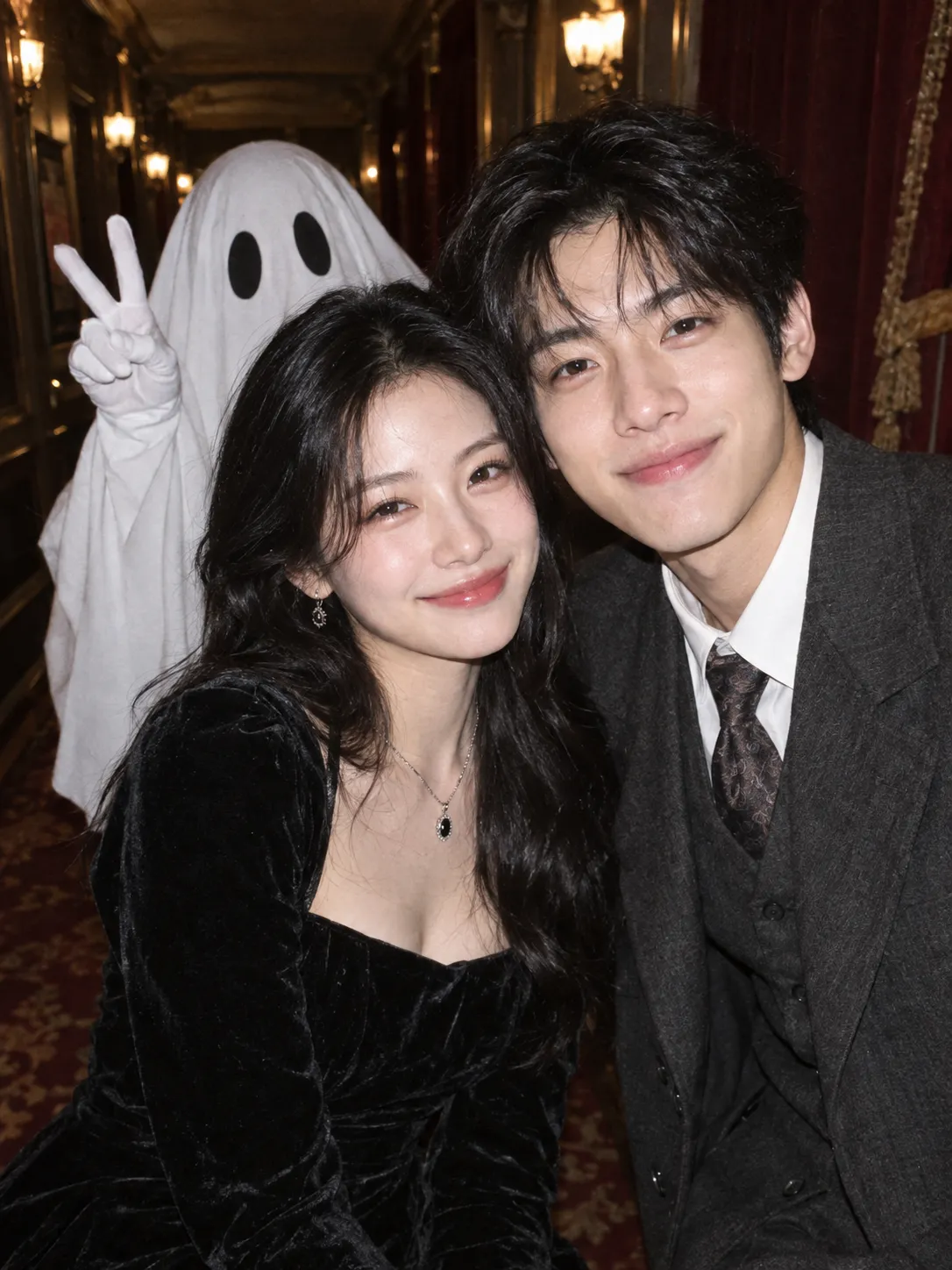
Photorealistic Halloween party keepsake photo, vertical 3:4. Two fictional young East Asian adults, a woman and a man, close together facing the camera with natural smiles, equally clear distinct faces, tight waist-up composition. Black velvet dress and dark gray vintage suit. Exactly one friendly sheet ghost behind them, without a human face, making a peace sign in a white glove. Blurred old theater corridor, direct flash, natural skin and cloth, fine film grain. Romantic, fashionable and funny. Only two real-looking people and one sheet ghost. No plastic faces, extra people, text, watermark, frame or collage.If an extra person appears, shorten the background description and repeat the required subject count. For identifiable partners, replace the fictional-person description with separate identity instructions, then check both faces independently.
5. Tiny ruler, giant throne
The contrast comes from the child and the oversized throne. A solemn expression can be more memorable than piling on costume accessories.
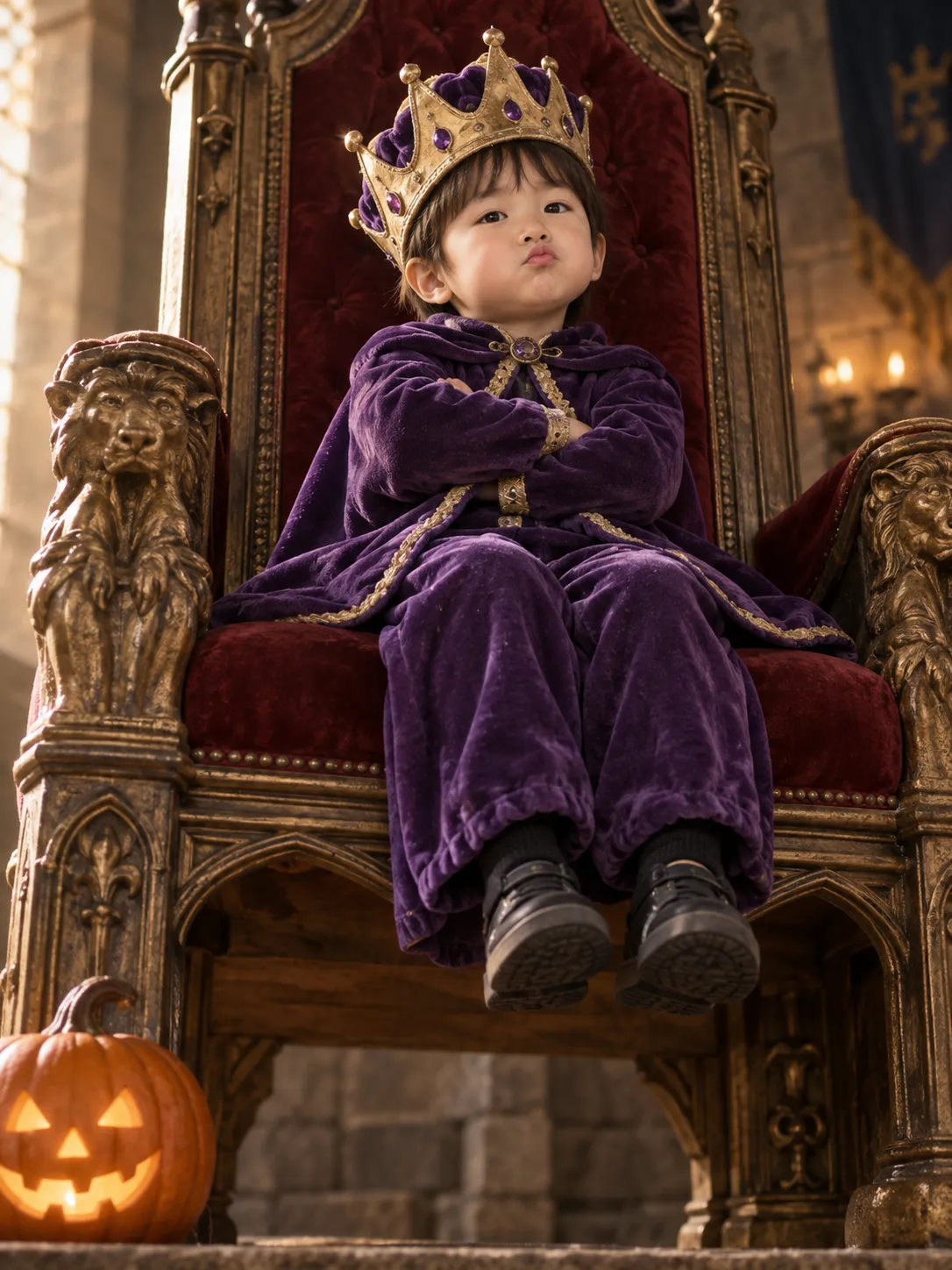
Photorealistic cute Halloween child portrait, vertical 3:4. A fictional five-year-old East Asian child with naturally round cheeks and realistic child proportions, fully dressed in a loose purple velvet cape and trousers, oversized soft crown, sitting on a huge castle throne with feet dangling above the floor. Folded arms and a solemn little pout. Gentle low camera angle, clear prominent face, one small pumpkin lantern by the throne. Warm soft side light, restrained background, premium child photography. Humor from the scale contrast, never body exaggeration or ridicule. No adult styling, heavy makeup, illustration, plastic skin, text, watermark, frame or collage.Keep clothing complete and the crown soft. Ask for natural child proportions; use the size of the throne, not distorted anatomy, to create the visual joke.
6. Pumpkin-hat kitten
The pumpkin works as both setting and hat. The cat’s face stays close enough to inspect the eyes, muzzle and fine fur.
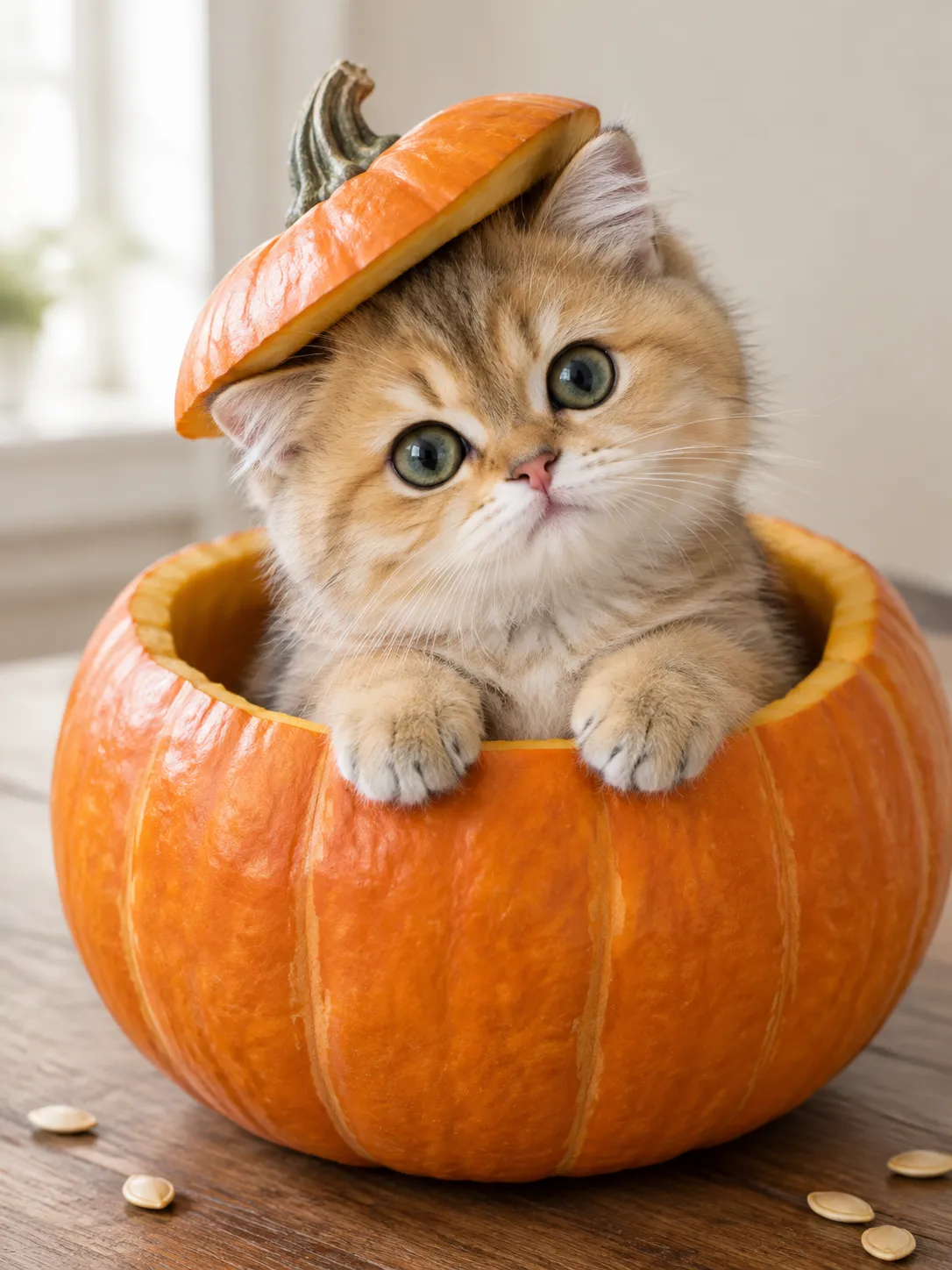
Photorealistic cute Halloween pet photo, vertical 3:4. A round-faced golden kitten, gray-green eyes, fine golden-brown fur and white muzzle, peeking out of a huge hollow pumpkin prop with both front paws on its smooth wide rim. Pumpkin lid tilted gently on its head. Face is the main focus, head slightly tilted toward camera, curious expression. Blurred wooden table and cream wall, soft window light, a few pumpkin seeds for scale. Natural anatomy and real fur, spacious opening without restraint. No illustration, plastic look, clutter, text, watermark, frame or collage.For a particular pet, describe its actual markings rather than retaining “golden kitten.” Check for extra paws, fused fur and a pumpkin rim cutting through the body.
Adapt a theme to a specific person or pet
Using a theme and preserving an identity are different tasks. The six samples above validate that a themed image was produced, not that the same workflow keeps a supplied person’s face. Treat the following as suggested starting instructions, not a tested guarantee of likeness.
For one person, use a clear, adequately lit reference with the face visible. Add it through the creator’s reference-image control, verify the thumbnail, and keep the reference order aligned with the numbered instructions before generating. Replace the template’s fictional age, ethnicity, facial features and hair description where they conflict with the reference. Keep the costume, pose and lighting instructions that define the theme. Adding “keep my face” while also requesting a different face creates competing instructions.
Use the person in reference image 1 as the only identity reference.
Retain their facial proportions, skin tone, apparent age and distinctive features.
Change the costume, pose and setting according to the theme below.
Keep the face visible and recognizable; do not substitute a different person.
[Insert the costume, composition, setting and lighting from one theme.]
For two people, identify them separately rather than treating the references as interchangeable style images:
Reference image 1 identifies person A, placed on the left.
Reference image 2 identifies person B, placed on the right.
Retain each person's distinct facial features; do not blend or exchange identities.
Both faces should be similarly large, facing the camera and not overlapping.
Use the ghost-photobomb theme with exactly these two people and one sheet ghost.
The creator we inspected showed a reference-image control accepting up to four images, with a displayed limit of 10 MB each. Confirm the limit in your current model’s interface before preparing files. A four-image upload control does not prove that four identities will be preserved. For a family scene, begin with a small, clearly arranged group and evaluate every person; do not assume a successful couple composition establishes family performance.
For a pet, replace the generic breed and color with the reference animal’s coat pattern, muzzle color and ear shape. Evaluate identity by those markings as well as overall cuteness. Avoid demanding a new breed while asking to preserve the same animal.
Fix the specific problem you can see
| Output problem | First change to try | What to verify next |
|---|---|---|
| The face looks waxy | Ask for visible natural skin texture; simplify beauty and glamour adjectives | Cheeks, forehead and highlights at full size |
| Background props compete with the face | Keep one defining prop and a softly blurred setting | Whether the face remains the main focal point at thumbnail size |
| Hands or the seated pose look wrong | Reduce the action; separate hands and simplify bent limbs | Finger count, arm continuity and contact with objects |
| Two faces look blended | Separate identity references and specify left/right positions | Each face against its own reference, not just the overall scene |
| The image looks like a game poster | Specify real costume materials, restrained lighting and photographic framing | Fabric, skin and plausible light direction |
| The result has the wrong shape | Check the model’s size controls, then plan a crop | Downloaded dimensions and the safe area around the subject |
| The creator opens with an empty or unrelated prompt | Return to the selected template and reopen its theme button; manually compare the text if needed | Correct prompt and intended model before generating |
| A request fails | Read the displayed error; recheck supported settings, reference size and account availability | Whether a job actually completed before retrying |
These are editing suggestions, not measured improvements from a controlled comparison. Change one variable, keep the accepted parts of the earlier prompt, and compare the result side by side. Repeatedly sending the same failing request or adding every proposed fix at once makes it harder to identify the cause.
Check the final picture before sharing it
Inspect both the full-size file and a small preview. A technically detailed image can still fail as a social post when the face becomes tiny or the main joke disappears. For portraits, prioritize readable eyes and coherent skin texture. For couples and groups, count people and inspect each face. For pets, inspect paws, markings and the edge of the prop. Check that a crop does not remove the crown, the ghost or the pumpkin lid that makes the theme recognizable.
Keep AI-generated samples distinct from real event photographs in captions. If you adapt a reference, check the likeness rather than describing it as a verified face swap. Save a clean original before adding a platform-specific crop or text.
The next practical step is to choose a Halloween photo theme, open its prompt and make one intentional change. Browsing the prompts is separate from generation; review the current settings and cost in Ofox before starting.
Frequently Asked Questions
- Are the Halloween prompts free to read?
- Yes. You can browse the ideas and read the prompts without generating an image. Image generation is a separate action; check the selected model's availability and cost in Ofox.
- Will a Halloween template preserve my face?
- The six examples here were generated from text with fictional subjects. They do not establish face-preservation performance. Reference-image instructions can be tried, but likeness must be checked in the output.
- Does selecting a template start a generation?
- No. The template opens the image creator with a prompt and preset settings. Review them before pressing the generation button.