How to test a GLM-5.4 checkout fix in ZCode
Evaluate a proposed ZCode patch at two viewport widths. Check the button’s right edge, keyboard activation and desktop layout with a reusable checkout fixture.
 Ofox
Evaluate a proposed ZCode patch at two viewport widths. Check the button’s right edge, keyboard activation and desktop layout with a reusable checkout fixture.
Start with the same broken checkout
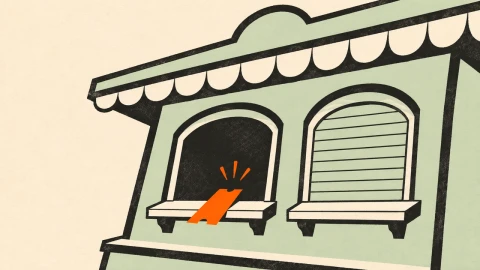
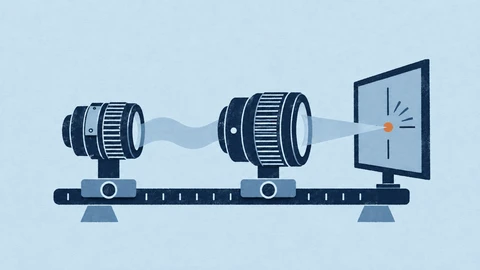
If GLM-5.4 appears in your ZCode model picker, start a new conversation. Record the displayed model, effort setting and starting commit. Confirm that both images are attached. An editor model label alone cannot identify a backend API route.
Open the sample checkout in your browser
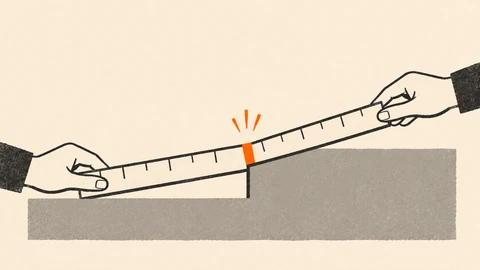
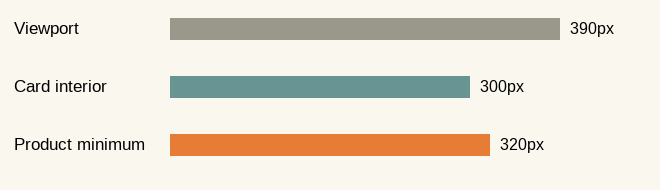
Open the page at 390px and 1280px. Capture both views before editing. On mobile, the card measures 342px across. Its borders and padding leave 300px inside. The product alone needs 320px before the 20px gap and button.
Send the HTML source and both screenshots with this prompt:
Explain why the mobile button extends beyond the card. Return the smallest patch that keeps the desktop layout, price, label and click handler. List the files changed and the viewport widths inspected.
Can a customer still place the order?
Apply the patch to a clean copy. Scroll the button into view and run this read-only check in the console at both widths. Hiding the horizontal scrollbar can conceal a clipped button.
(() => {
  const button = document.querySelector('#checkout');
  const card = document.querySelector('.checkout');
  const rect = button.getBoundingClientRect();
  const width = document.documentElement.clientWidth;
  const bounds = card.getBoundingClientRect();
  const y = rect.top + rect.height / 2;
  return {
    viewport: width,
    cardWidth: bounds.width,
    pageOverflows: document.documentElement.scrollWidth > width,
    buttonFitsCardAndViewport: rect.width > 0 && rect.height > 0 &&
      rect.left >= Math.max(0, bounds.left) && rect.right <= Math.min(width, bounds.right) &&
      rect.top >= Math.max(0, bounds.top) &&
      rect.bottom <= Math.min(document.documentElement.clientHeight, bounds.bottom),
    rightEdgeClickable: button.contains(document.elementFromPoint(rect.right - 1, y)),
    receipt: document.querySelector('#receipt').textContent
  };
})()
Expect pageOverflows to be false and both button checks to be true. Tab to the button and press Enter twice. The receipt must show 1 then 2 activations for order N18. Verify the price remains $18.00.
| Check | Pass condition |
|---|---|
| Phone (390px) | No crop; right edge responds |
| Desktop (1280px) | Original placement and price preserved |
Which fixes should fail review?
A patch can hide the scrollbar and still leave the button outside the card. Another patch can pull the button into view but break Enter. Test geometry first, then trigger two keyboard activations on a fresh page. Save the first failing check alongside the diff.
Compare with an Ofox baseline
Choose an image-capable model available to your account. Give it the identical source, images and prompt. Save each diff, manual corrections, time to the complete diff and time to the final passing check. Record the returned model ID and usage if provided. This exercise supplies acceptance criteria; performance figures require an actual run.
What if the model cannot see the screenshot?
Check the attachment in a fresh conversation. Keep text-only runs separate: supplying the CSS without the screenshot tests a different input.