When Does Codex Reset? Check Your Weekly Limit Reset Time
Codex reset times come from the server as a resetsAt timestamp, not a clock rule. Read yours directly, redeem a reset credit, or move to a metered API.
 Ofox
Ofox 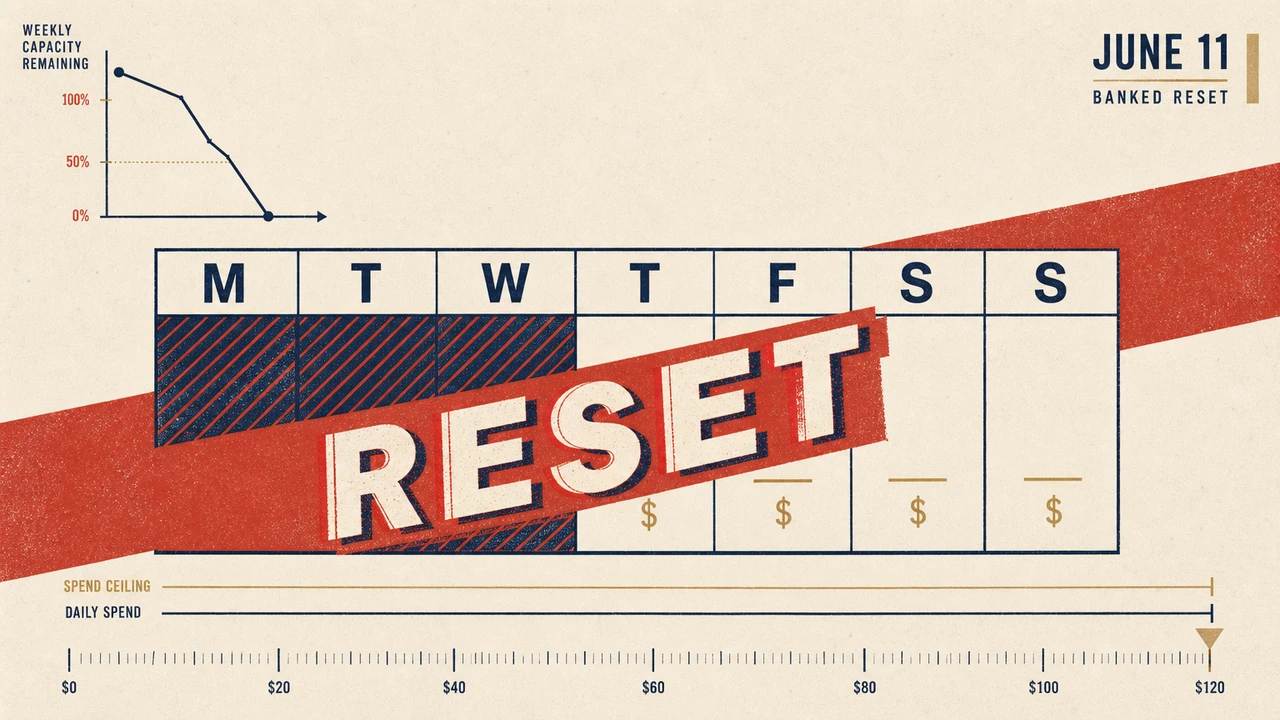
TL;DR
Your Codex weekly limit can drain in three hours on a $20 Plus plan if you trigger a single long refactor, and the reset time is not a clock rule you can work out. It arrives from the server as a resetsAt timestamp that the CLI just renders.
When the limit hits you have three paths: read the real reset time and wait, redeem an earned reset credit if your account has one, or switch Codex CLI’s OPENAI_BASE_URL to a pay-per-token API. This guide gives you a 30-second diagnostic, the exact fields Codex reads to decide what to show you, the tier math for Plus and Pro, and seven concrete fixes ranked from “you can still use ChatGPT today” to “drop Codex onto a metered API in 60 seconds.”
Is Codex Down or Did Your Weekly Limit Drain? The 30-Second Diagnosis
Before you start switching providers, confirm which window blew up. Run this inside any open Codex CLI session:
codex /statusThe output shows three numbers. Match them against this table:
| Diagnosis | Context window | 5-hour window | Weekly window | What to do |
|---|---|---|---|---|
| Weekly cap hit | Any | >10% | <5% | Plan-level — switch tier or move to API key |
| 5-hour cap hit | Any | <5% | >20% | Wait for the next 5-hour rollover (max 5h) |
| Context overflow | <5% | >20% | >20% | Compact the conversation or split the task |
| Phantom limit (issue #19215) | >40% | >50% | >50% | Restart Codex CLI; if persists, switch base_url |
If /status shows healthy capacity but you still see You've hit your usage limit. To get more access now, send a request to your admin or try again at 3:51 PM, you are hitting the #19215 phantom limit bug (reported April 23, 2026 on Codex CLI v0.124.0). Skip to fix #4.
Common Codex error wording → cause → fix
The exact string Codex prints is the fastest way to triage. Map yours to the right column:
| Error wording (exact) | Likely cause | Fix to apply |
|---|---|---|
You've hit your usage limit. ... try again at HH:MM PM | Genuine 5-hour or weekly cap | Fix #1 (wait) or fix #5/#6 (API path) |
You've hit your usage limit but /status shows >50% remaining | Phantom-limit bug (#19215) on CLI v0.124.0 | Fix #4 (clear sessions cache) |
request a free reset button visible in CLI prompt | Banked reset still available (post June 11) | Fix #2 (claim the free reset) |
429 Too Many Requests HTTP error in API mode | Direct API spend-burst throttle | Backoff, lower concurrency, or fix #6 (per-key budget) |
insufficient_quota HTTP error in API mode | OpenAI account spend limit hit | Raise the dashboard spend cap or switch base_url |
You've reached your weekly limit without reset offer | Banked reset already redeemed this launch | Fix #3 (tier upgrade) or fix #5/#6 (API) |
context_length_exceeded | Conversation too long, not a tier cap | codex /compact or start a fresh session |
When to Fix the Limit (and When to Switch to a Drop-in API Instead)
Not every drained limit deserves a workaround. Match your situation to the rule:
When to fix the limit on your existing plan. You hit the cap once this week. Your /status confirms a normal cap (not the phantom bug). The task you were running is wrap-up rather than a fresh multi-hour agent loop. The team-wide June 11 reset banking gives you one free reset per launch event, so you may already be sitting on a free reset.
When to switch to a token-billed API. You drain weekly limits more than twice a month. You run agent workflows that touch 300k+ input tokens in a single session. You need predictable per-task cost (e.g. quoting client work). You hit limits inside CI or shared dev environments where tiered ChatGPT auth doesn’t make sense.
Stop rule. If your /status shows fresh remaining capacity and you only hit usage limit once today, do nothing. The rolling 5-hour window will reset, and switching providers for a one-off is over-engineering. Close this tab and write code.
Understanding Codex Rate Limits: Plans, Windows, and What Each Plan Actually Gives You
Codex CLI inherits the limits of whichever auth path you use. Three subscription tiers and the API path each have different ceilings.
Subscription-tier 5-hour message caps
ChatGPT subscription tiers gate Codex usage by messages in a rolling 5-hour window, not tokens. The published bands are wide because each “message” is weighted by model and task complexity.
| Plan | Monthly cost | GPT-5.5 msgs / 5h | GPT-5.4 msgs / 5h | GPT-5.3-Codex msgs / 5h |
|---|---|---|---|---|
| Free | $0 | n/a (Plus minimum for Codex) | n/a | n/a |
| Plus | $20 | 15-80 | 20-100 | 45-225 |
| Pro 5x | $100 | 75-400 | 100-500 | 225-1,125 |
| Pro 20x | $200 | 300-1,600 | 400-2,000 | 900-4,500 |
| Business | per-seat | varies by seat allocation | — | — |
Source: OpenAI Codex rate card and Codex pricing reference, figures verified June 15, 2026. Plus (15-80) and Pro 20x (300-1,600) corroborate against independent community reports; Pro 5x’s 75-400 band is the rate-card figure only and has not been cross-verified by a third party at the time of writing.
The wide bands (e.g. “15-80”) reflect that OpenAI dynamically adjusts caps based on aggregate load and individual usage patterns. The low end of the band is what you actually get on a busy day.
Weekly cap mechanics
A separate weekly cap stacks on top of the 5-hour window, and the two are tracked independently. This is where the math breaks. Note that “5-hour” and “weekly” are labels rather than a fixed pair: as of Codex CLI 0.147.0 the protocol carries exactly two windows per limit, primary and secondary, each with its own server-supplied duration, and the CLI names them from that duration. The status line ships label strings for 5-hour, daily, weekly, monthly and annual windows, so the same two slots can present as any of those. The next section has the field-level detail.
A single multi-file agent loop on GPT-5.5 (input-heavy: ~250k tokens / output ~25k) burns roughly the equivalent of 30-40 messages in 5-hour accounting but counts as one “session” against the weekly window. Plus users running 2-3 heavy refactors in a row can drain the weekly cap while still showing 30%+ on the 5-hour gauge.
API-key path (no message cap)
If your OPENAI_API_KEY starts with sk- and is a normal API key, Codex CLI bypasses subscription tier caps entirely. You pay per token at the API rate card. There is no weekly message cap — only the spend limit you set on the dashboard. This is the cleanest fix for hitting weekly limits, and we cover the math below.
Why a single agent run can drain a weekly cap
The unintuitive part of Codex weekly limits is that they don’t scale linearly with the message count you see in /status. OpenAI’s Codex pricing reference documents the underlying credit math:
- GPT-5.5 burns 125 credits per 1M input tokens, 12.50 cached, and 750 per 1M output
- GPT-5.4 burns 62.50 / 6.25 / 375
- GPT-5.4 mini burns 18.75 / 1.875 / 113
A single agent loop on GPT-5.5 that reads 30 files (~250k input tokens) and produces a 25k-token plan/diff burns roughly:
input:  250,000 × 125/1M = 31.25 credits
output:  25,000 × 750/1M = 18.75 credits
total:                     ≈ 50 credits per run
A Plus plan’s weekly budget on GPT-5.5 averages around 250-300 credits, depending on aggregate platform load. Six of those agent loops drain the whole week — and the /status 5-hour gauge can still report 40%+ remaining because the 5-hour window is tracked in messages, not credits. This is why users see the apparent contradiction in issue #19215: healthy 5-hour gauge, exhausted weekly window.
The fix is structural: route heavy agent loops through an API key (no credit accounting, just dollar accounting) and keep your subscription for interactive chat.
How to Fix “You’ve Hit Your Usage Limit” (Solutions for Every Tier)
Below are seven fixes in order from least to most disruptive. Pick the first one that matches your situation and stop reading.
Fix #1 — Wait for the 5-hour rollover (Free / Plus, light usage)
If /status shows the 5-hour window at <5% remaining but the weekly window above 30%, you only need to wait. The exact rollover timestamp is shown in /status — typically within 3-5 hours of your last burst.
While you wait, the productive move is to switch your IDE to manual coding mode or use a non-Codex tool that doesn’t share the cap (any IDE-side completion).
Fix #2 — Claim your free reset (June 11, 2026 changelog)
The Codex changelog entry for June 11, 2026 introduced “rate-limit reset banking” with one free reset granted at launch for Plus and Pro users. If you haven’t redeemed yours, the option appears in the Codex CLI when you hit the cap, or via the codex /reset command if you are on CLI ≥ v0.135.
This is a one-time fix per launch event. If OpenAI ships another reset (the May 15, 2026 reset announced by Tibo on X was team-wide and didn’t consume the banked one), check changelog announcements before burning your single banked reset.
Fix #3 — Upgrade the plan tier
If you are draining Plus weekly caps weekly, Pro 5x ($100) gives 5× the message budget. Pro 20x ($200) gives 20×. The break-even versus the API path is roughly:
| Path | Monthly cost | What you get | Break-even vs API |
|---|---|---|---|
| Plus | $20 | 15-80 GPT-5.5 msgs / 5h | ~3-5 heavy sessions / week |
| Pro 5x | $100 | 75-400 GPT-5.5 msgs / 5h | ~100 light sessions or 25-30 heavy / month |
| Pro 20x | $200 | 300-1,600 GPT-5.5 msgs / 5h | ~80 heavy / month |
| API key (direct) | $0 + spend | Pay per token, no cap | Linear with usage |
| API key (ofox, Aug promo rebate) | $0 + spend | Pay per token, no cap | ~$0.95 per heavy session, ~$0.80 with the promotion |
If your usage pattern is “occasional bursts of heavy work,” the API path almost always wins. Subscriptions only make sense if your usage is steady and predictable.
Fix #4 — Phantom-limit workaround (issue #19215)
If /status shows healthy capacity but Codex still rejects requests with usage limit, you are hitting #19215. The bug surfaces on Codex CLI v0.124.0 (and was still active when this issue was filed). Working steps:
codex /quit
rm -rf ~/.codex/sessions/*
codex
Clearing the local session cache resolves it in most reported cases. If it persists, ship logs to OpenAI via the issue thread and switch to fix #5 (API key path) to keep working.
Fix #5 — Switch OPENAI_BASE_URL to OpenAI’s direct API endpoint
The cleanest “I just need to keep coding” fix. Generate an OpenAI API key (the sk- kind, not the sk-proj- ChatGPT-linked one) at platform.openai.com/api-keys, then:
export OPENAI_API_KEY=sk-your-api-key
export OPENAI_BASE_URL=https://api.openai.com/v1
codex
Codex now hits the metered API instead of your ChatGPT subscription. Costs are per token. A typical small bug fix runs about $0.40 on GPT-5.5, and a multi-file refactor of ~300k input / 30k output sits around $2.40 — both well under what a single banked reset would cost if it were paid.
The trade-off: you lose the cloud features bundled with ChatGPT (Slack integration, GitHub reviews from inside the Codex dashboard). For pure CLI work, this is the highest-leverage fix.
Fix #6 — Switch OPENAI_BASE_URL to a drop-in OpenAI-compatible API
Same shape as fix #5 but routed through a provider that aggregates models, gives a unified key, and surfaces per-key budgets. The example below uses ofox, but the pattern works for any OpenAI-compatible endpoint.
export OPENAI_API_KEY=ofox-your-key-here
export OPENAI_BASE_URL=https://api.ofox.io/v1
codex
Three reasons this beats hitting OpenAI directly when you’ve already drained your ChatGPT plan:
- Same list price. ofox lists
openai/gpt-5.3-codexat OpenAI’s $1.75 / $14.00 per million tokens. Read the unit price off the model page rather than off any promotion — the promotion is the part that expires. - Drop-in model switching.
openai/gpt-5.4-miniis $0.75 input / $4.50 output per million on ofox — cheap enough to use as your default for iterative work. Reservegpt-5.3-codexfor hard refactors. - Per-key budgets. ofox exposes a per-key monthly cap on the dashboard. Set it to $50/month and you cannot exceed that limit, regardless of how aggressive the agent loop gets.
The ofox Codex integration docs and the deeper-dive Codex CLI custom endpoint guide cover model-specific tuning.
Fix #7 — Multi-provider routing via ~/.codex/config.toml
For teams or anyone who wants gpt-5.3-codex for refactors and a cheaper model for iteration, configure two providers and let Codex switch:
[model_providers.ofox]
name = "OfoxAI"
base_url = "https://api.ofox.io/v1"
wire_api = "responses"

[model_providers.openai_direct]
name = "OpenAI Direct"
base_url = "https://api.openai.com/v1"
wire_api = "responses"

[profiles.fast]
model = "openai/gpt-5.4-mini"
model_provider = "ofox"

[profiles.heavy]
model = "openai/gpt-5.3-codex"
model_provider = "ofox"
Switch on demand with codex --profile heavy for hard work and codex --profile fast for iteration. The full schema lives in Codex CLI config.toml deep dive.
Codex Limit Incidents: Real Patterns from 2026
Real timeline of weekly-limit-related incidents this year. Tracking patterns is the only way to predict the next one.
| Date | Event | Source | Impact |
|---|---|---|---|
| Apr 23, 2026 | Issue #19215 filed — /status shows healthy capacity but Codex CLI rejects with “usage limit” on GPT-5.5, Business plan, CLI v0.124.0 | openai/codex#19215 | Affected an unknown share of CLI v0.124.0 users; workaround is local cache clear |
| Late Apr 2026 | Codex hits 3M weekly active users; OpenAI announces team-wide rate-limit reset | Knightli debrief | One-shot reset for affected users |
| May 15, 2026 | Tibo (OpenAI) posts on X: monitoring continues, manual reset shipped that evening | Knightli debrief above | Reset was active, not scheduled — no permanent cap raise |
| Jun 11, 2026 | Changelog adds “rate-limit reset banking” — one free reset per user at launch | Codex changelog | First user-controlled reset mechanism; one-time |
| Jun 4, 2026 | Bedrock model support — Codex can now route via Amazon-managed quota | Codex changelog | Indirect relief: Bedrock-side quotas instead of ChatGPT-tier |
The pattern is clear: OpenAI has shipped tactical resets rather than permanent cap increases. Plus and Pro users hitting their cap twice in the same month should plan for the API path rather than a third reset.
When the Limit Won’t Reset: Drop-in API Alternatives That Work Right Now
If you cannot wait, here are the options ranked by switching cost. The headline comparison:
| Provider | base_url | gpt-5.3-codex input $/M | gpt-5.3-codex output $/M | Per-key budget | Switch time |
|---|---|---|---|---|---|
| ofox | https://api.ofox.io/v1 | $1.75 | $14.00 | Yes (dashboard) | ~60s (2 env vars) |
| OpenAI direct | https://api.openai.com/v1 | $1.75 | $14.00 | Account-level only | ~60s (2 env vars) |
| Amazon Bedrock | (Bedrock proxy) | varies by region | varies by region | AWS account cap | 10-30 min (IAM + region) |
Unit prices in that table are list rates; ofox matches OpenAI on this model rather than undercutting it. What differs is the per-key budget, not the rate. | Switch coding tool | n/a (e.g. Claude Code) | n/a — different model | n/a | depends on provider | hours (workflow rewrite) |
Source: pricing verified June 15, 2026 against ofox model catalog and Codex pricing reference.
Option A — ofox (OpenAI-compatible drop-in)
Pros: per-key spend caps, unified billing if you also use Claude/Gemini, and Codex CLI listed as officially supported. Unit prices match OpenAI list.
How to switch: Two env vars. Set OPENAI_BASE_URL=https://api.ofox.io/v1 and OPENAI_API_KEY to your ofox key. Restart Codex. Total time: under 60 seconds.
API model IDs: openai/gpt-5.3-codex, openai/gpt-5.5, openai/gpt-5.4, openai/gpt-5.4-mini. The full catalog is at ofox model catalog.
Option B — OpenAI direct API
Pros: Same provider as your ChatGPT plan, no third-party trust questions, full model lineup.
Cons: List pricing (no discount), no per-key budgets without scripting.
How to switch: Get an sk- API key from platform.openai.com/api-keys, set OPENAI_BASE_URL=https://api.openai.com/v1. Restart Codex.
Option C — Amazon Bedrock (June 4, 2026 release)
Pros: Quota lives inside your AWS account, useful if you already pay for AWS.
Cons: AWS-only model catalog (currently a subset of OpenAI), region-specific availability, more complex auth than env vars.
How to switch: Configure Bedrock credentials, set OPENAI_BASE_URL to your Bedrock proxy endpoint. See the changelog for setup steps.
Option D — Switch coding tool entirely
If Codex CLI weekly limits keep biting, you can pivot to Claude Code (on claude-opus-4-8, the current Anthropic flagship as of June 2026 and live on the ofox marketplace) or any other coding agent. The friction is config rewrites — your Codex AGENTS.md, prompts, and harness habits don’t transfer cleanly. Reserve this for “I’ve decided Codex is not for me,” not “I just need to ship today.”
For a deeper look at how the workflow translates, see the Codex real-world coding workflow writeup.
How to Monitor Codex Status and Cap Future Burn
Once you’ve stopped the bleeding, set yourself up to never hit the same wall again.
Check /status before every heavy task
Make it a reflex. Any task that will exceed 100k input tokens deserves a /status check first. If you are under 30% on either window, switch to API key auth for that session.
Subscribe to the OpenAI status page
status.openai.com shows API outages and degraded Codex behavior in near-real-time. Subscribe to email or RSS — you want to know about Codex degradation before you’ve spent 10 minutes assuming your config is broken.
Track Codex CLI version
The phantom-limit bug (#19215) was tied to CLI v0.124.0. Pin a known-good version with:
npm install -g @openai/codex@0.135.0Check the version in use with codex --version. Upgrade after at least one week on the new version to let regressions surface.
Set per-key spend caps when on API auth
If you switched to a metered API (fix #5/#6), set a hard cap. On OpenAI direct, this is “Spend limits” in the dashboard. On ofox, it’s the per-key monthly limit on the keys page. A reasonable starting cap for a single-developer pattern: $50/month. Raise it once you’ve watched a month of actual burn.
Watch your daily spend with a 10-line shell hook
A pragmatic alternative to hoping the dashboard alerts arrive: log every Codex session’s token count locally and add up the daily total. Drop this in ~/.codex/hooks/post-session.sh:
#!/bin/bash
# Append per-session token counts to ~/.codex/spend.log
LOG=~/.codex/spend.log
TS=$(date -u +%Y-%m-%dT%H:%M:%SZ)
echo "$TS in=$CODEX_INPUT_TOKENS out=$CODEX_OUTPUT_TOKENS model=$CODEX_MODEL" >> "$LOG"
Then read today’s total with:
grep "^$(date -u +%Y-%m-%d)" ~/.codex/spend.log | \
  awk '{for(i=1;i<=NF;i++){if($i~/^in=/){gsub("in=","",$i);ins+=$i};if($i~/^out=/){gsub("out=","",$i);outs+=$i}}} \
       END{printf "today: %d input / %d output tokens\n", ins, outs}'
You will not get bill-accurate dollars (model pricing changes the math) but you will see “today already burned 800k tokens” before you start the next agent loop. The behavioral nudge alone tends to cut weekly burn by 20-30% in practice.
Default to a cheap model
The cheapest reliable model for iterative work is openai/gpt-5.4-mini at $0.75/M input on ofox. Set it as your Codex CLI default model and only switch to gpt-5.3-codex when you explicitly need flagship coding capability. A week of this pattern typically cuts spend by 50%.
For the broader pattern, see the custom model providers BYO setup guide.
Team-shared config (multi-developer setup)
If you are on a team of three or more developers all hitting the same weekly cap, individual ChatGPT subscriptions stop being the right shape. The economics flip:
- 5 devs × $20 Plus = $100/mo, but caps are individual and unpredictable
- 5 devs × shared API key with $50/mo cap = predictable $250/mo ceiling, pooled usage
The team-shared pattern most ofox customers run uses one API key per environment (dev, staging, ci) rather than per developer. The config.toml lives in your repo, env vars come from each developer’s secret manager. Example committable repo config:
# .codex/config.toml — committed to repo
[model_providers.team]
name = "Team Shared (ofox)"
base_url = "https://api.ofox.io/v1"
wire_api = "responses"
# Auth comes from each dev's $OPENAI_API_KEY (developer env, not repo)

[profiles.default]
model = "openai/gpt-5.4-mini"
model_provider = "team"

[profiles.heavy]
model = "openai/gpt-5.3-codex"
model_provider = "team"
Each developer sets their own OPENAI_API_KEY locally (pointed at a per-dev or per-team key in your secret manager). Spend monitoring then lives on one ofox dashboard rather than five individual ChatGPT accounts. CI pipelines use a separate key with a stricter per-run cap.
The differentiator over individual ChatGPT subscriptions: when one developer ships a refactor that costs $4 in tokens, the whole team sees it on one dashboard. When five separate ChatGPT subs each drain their weekly cap in the same week, you have no visibility and no shared budget.
A Note on Authenticity and Cost
Switching Codex CLI off your $20 ChatGPT plan onto an OpenAI-compatible API costs around $0.15 for a small bug fix on gpt-5.3-codex at list rates, nearer $0.13 while the August promotion runs — less than the $20 subscription buys you on a single bad afternoon of phantom limits.
That is the real arithmetic. ChatGPT subscriptions are great if your usage is steady and within the cap. The moment your usage becomes burst-shaped — a hard refactor week, a tight CI deadline, a single agent loop that touches 30 files — the subscription cap becomes the wrong abstraction. Token billing pays for what you used and lets you ship.
How Does Codex Decide When Your Limit Resets?
It does not decide. The backend hands it a timestamp and the CLI renders it.
Codex CLI ships a machine-readable description of its own protocol, so this is checkable rather than inferred. Run this and read the generated schema yourself:
codex app-server generate-json-schema --out /tmp/codex-schemaOn version 0.147.0 that emits 557 type definitions. The one that governs every reset countdown you have ever squinted at is three fields wide:
| Field | Type | Meaning |
|---|---|---|
usedPercent | int32, required | How much of the window you have burned |
resetsAt | int64, nullable | Unix timestamp in seconds when the window clears |
windowDurationMins | int64, nullable | Length of the window in minutes |
Only usedPercent is required. resetsAt is nullable, which is the documented answer to the most common complaint about Codex limits: when the CLI will not tell you when your limit resets, it is not hiding the number, it does not have one.
Three consequences worth internalising:
- There is no clock rule to reverse-engineer. No “resets Monday at midnight UTC”, no “5 hours from your first message”. Whatever the server sends is the answer, and it can change without a client release.
- There are exactly two windows, not five. A
RateLimitSnapshotcarries aprimaryand asecondarywindow and nothing else. The status line ships separate label strings for 5-hour, daily, weekly, monthly and annual limits, so those two slots get named fromwindowDurationMinsat render time. Seeing “weekly” does not mean a weekly bucket exists as its own quota. - Updates are sparse. The
account/rateLimits/updatednotification is documented as a “sparse rolling rate-limit update”, and its own description says nullable metadata missing from an update “does not clear a previously observed value”. A gauge that looks frozen may simply not have been re-sent.
The same snapshot carries the parts most guides omit. planType is an enum of 15 values, including go, prolite, ent26 and four separate business and enterprise variants, so quota shape is per plan rather than per tier name. rateLimitsByLimitId is a map keyed by a metered limit_id such as codex, so one account can hold several independent limit buckets. And rateLimitReachedType distinguishes five states that all surface as “you’ve hit your usage limit”:
rate_limit_reached
workspace_owner_credits_depleted
workspace_member_credits_depleted
workspace_owner_usage_limit_reached
workspace_member_usage_limit_reached
If you are on a workspace plan, that field is the difference between “wait” and “ask the owner to add credits”, and it is the reason the CLI sometimes offers to notify your owner instead of offering a reset.
Can You Reset a Codex Limit Early?
Only by redeeming a reset credit your account already earned, and only while you are actually limited.
Codex CLI 0.147.0 has a real menu for this. /usage offers “View account usage or redeem an earned reset”, “Redeem usage limit reset” and a “Full reset” entry described as “Reset your current usage limits”, behind a confirmation step (“Use this reset?” / “Yes, use reset”). Underneath, the app server exposes account/rateLimitResetCredit/consume.
The internal name is the useful part: it is a credit, not a command. Each one is a record:
| Field | Meaning |
|---|---|
id | Opaque backend identifier |
grantedAt | Unix seconds when OpenAI granted it |
expiresAt | Unix seconds, or null when it never expires |
resetType | codexRateLimits or unknown |
status | available, redeeming, redeemed, unknown |
title / description | Backend-supplied display strings |
The account summary reports an availableCount plus an optional list of detail rows, and the schema warns that the backend may cap that list, so its length can be less than availableCount. Redeeming takes a required idempotencyKey (a UUID you reuse on retry) and an optional creditId; omit the ID and the backend picks the next available credit.
The response is one of exactly four outcomes:
| Outcome | Meaning |
|---|---|
reset | A credit was consumed and the eligible windows were reset |
nothingToReset | No current rate-limit window is eligible for a reset |
noCredit | The account has no earned reset credits available |
alreadyRedeemed | That idempotency key already completed a reset |
nothingToReset is the one that answers the question people actually ask. You cannot spend a credit before you are limited, which means there is no way to bank a reset ahead of a heavy session. The CLI surfaces this as “Your usage does not need a reset right now.” Its sibling message, “You don’t have any usage limit resets available”, is noCredit.
Read together, the design closes off the thing a lot of people go looking for. A reset is granted to one account, redeemed by that account’s own authenticated session, gated on that account currently being limited, and consumed once. It is not a purchasable item, it is not transferable, and no third-party service can produce one for you; anything advertising bulk quota resets is either selling you access to somebody else’s account, which breaks OpenAI’s terms and puts both accounts at risk, or selling nothing at all.
What OpenAI does sell is credits, and the CLI now says so directly. Its limit messages differ by plan: free accounts get pointed at Plus, Plus accounts get “Upgrade to Pro … visit https://chatgpt.com/codex/settings/usage to purchase more credits”, and workspace members get “Request a limit increase from your owner to continue using codex.” There is also a rate-limit-switch-prompt that fires as you approach a limit and offers a cheaper model for upcoming turns, with a “never show again” option. If you dismissed that once and wondered where it went, that is why.
How to Read Your Own Reset Time Without the TUI
Drive the app server over stdio. Two read-only methods do it: account/rateLimits/read and account/usage/read.
{
  printf '%s\n' '{"jsonrpc":"2.0","id":1,"method":"initialize","params":{"clientInfo":{"name":"probe","version":"0.0.1"}}}'
  printf '%s\n' '{"jsonrpc":"2.0","method":"initialized"}'
  printf '%s\n' '{"jsonrpc":"2.0","id":2,"method":"account/rateLimits/read"}'
  sleep 5
} | codex app-server
Signed in, that returns the snapshot described above, resetsAt included, and you can format it however you like. Signed out, it returns a specific error rather than an empty object, which is worth recognising:
{"error":{"code":-32600,"message":"codex account authentication required to read rate limits"},"id":2}account/usage/read behaves the same way and answers with a different message, “codex account authentication required to read token usage”. That method returns lifetime token totals, per-day buckets, your peak daily token count and, for the curious, currentStreakDays and longestRunningTurnSec.
Both are safe to poll. account/rateLimitResetCredit/consume is not: it spends a real credit on your account, so keep it out of scripts and leave it to the /usage confirmation dialog.
A 429 on a metered key is a different event from a drained subscription window. The Codex error index keeps the quota errors separate from the auth and startup ones.
References
- OpenAI Codex rate card
- Codex pricing reference
- Codex changelog
- Codex CLI app-server protocol schema (generate locally with
codex app-server generate-json-schema) - openai/codex#19215
- Knightli reset history
- ofox model catalog
- ofox Codex integration docs
- Codex CLI custom endpoint guide (ofox blog)
- Codex config.toml deep dive (ofox blog)
- Codex CLI real-world coding workflow (ofox blog)
Frequently Asked Questions
- Can I reset my Codex usage limit early?
- Only by redeeming a reset credit that OpenAI granted your account. Codex CLI exposes it under /usage as 'Redeem usage limit reset', and the app server calls account/rateLimitResetCredit/consume. It returns one of four outcomes: reset, nothingToReset, noCredit or alreadyRedeemed. Credits are account-bound and cannot be bought, transferred or stockpiled.
- Why does Codex say my usage does not need a reset right now?
- Because the consume call returned nothingToReset, meaning no current rate-limit window is eligible. You cannot spend a reset credit before you are actually limited, so there is no way to bank one ahead of a heavy session.
- Why is my Codex weekly limit hitting before I expected?
- Two reasons. First, /status reports the 5-hour and weekly windows separately but a single long agent run can collapse both at once — issue #19215 in openai/codex (Apr 23, 2026) documents a user hitting the cap at 78% 5-hour remaining and 68% weekly remaining. Second, GPT-5.5 burns 125 credits per 1M input tokens and 750 per 1M output, so one big refactor on Plus' 15-80 messages-per-5h window can drain the whole week.
- How do I know when my Codex weekly limit resets?
- The reset time is a server-supplied Unix timestamp, not a clock rule you can derive. Codex CLI 0.147.0 reads it as the resetsAt field on each rate-limit window, alongside usedPercent and windowDurationMins. Run /status in the TUI, or call account/rateLimits/read on the app server to read the raw number. resetsAt is nullable, so the CLI genuinely does not always know.
- Does the ChatGPT API have a separate limit from Plus/Pro Codex usage?
- Yes. ChatGPT Plus, Pro, Business, and Enterprise subscriptions enforce 5-hour and weekly message caps. API keys (sk-...) are billed per token with no message cap — only spend limits you set on the OpenAI dashboard. Codex CLI can use either auth method.
- Can I keep using Codex CLI after my weekly limit hits?
- Yes. Set OPENAI_API_KEY to a pay-per-token API key and OPENAI_BASE_URL to either OpenAI's direct endpoint or an OpenAI-compatible provider like https://api.ofox.io/v1. Codex will switch transports without a restart.
- What does GPT-5.3-Codex cost per million tokens?
- OpenAI direct: $1.75 input, $0.175 cached input, $14.00 output per 1M tokens. ofox lists the same model (openai/gpt-5.3-codex) at the same $1.75 / $14.00, with cached input at $0.18. There is no standing discount on either side, so the unit price is the whole comparison.
- Is Plus or Pro a better value if I keep draining my limit?
- If you drain your $20 Plus weekly cap in 2-3 hard sessions, the math points to a token-billed API: a typical multi-file refactor (300k input / 30k output) costs $0.95 on GPT-5.3-Codex at the list rate both OpenAI and ofox charge, or about $0.80 effective while the August promotion runs — under $1 per session. Pro 5x at $100/mo only pays off if you do 100+ sessions/month.
- Will my OpenAI account be flagged for switching Codex CLI to a different provider?
- No. OPENAI_BASE_URL is an official Codex CLI configuration option documented in the OpenAI developers reference. Since February 2026, Codex CLI speaks only the OpenAI Responses API (Chat Completions support was removed — see openai/codex#7782 and downstream breakage in janhq/jan, cc-switch, CLIProxyAPI), so the provider must expose
/v1/responses; configurewire_api = "responses"in~/.codex/config.toml. - What's the safest way to cap my Codex spend going forward?
- Set a hard monthly spend limit on the OpenAI dashboard or use a provider that surfaces a per-key budget. Combine with /status checks before any 100k+ token operation, and keep the default model at gpt-5.4-mini ($0.75/M input on ofox) for cheap iteration, switching to gpt-5.3-codex only for complex refactors.