Codex Desktop Not Showing Custom Models: 5 Fixes (2026)
Codex Desktop hides custom models from the picker? 5 fixes for the model_catalog_json bug, the cc-switch v3.16.5 patch, and a 1-line workaround.
 Ofox
Ofox 
You wired up a custom provider, codex runs fine from the terminal, but the Desktop model picker acts like your models do not exist. That gap is almost never your API key or your config syntax. It is the Desktop client quietly filtering models that the backend already loaded.
The 30-Second Diagnosis
Before you rewrite anything, match your symptom to the table. Most people are one line away from a fix.
| What you see | What is actually wrong | First move |
|---|---|---|
| Picker shows only “Custom”, no model name | Model set inline, no catalog metadata | Fix 1: keep the inline model, it works |
codex CLI /model lists it, Desktop does not | Desktop client-side filter (issue #19694) | Fix 1 now, Fix 4 for a real listing |
| Picker dropdown is empty | Missing or malformed catalog | Fix 2 or Fix 4 |
| Nothing loads, startup prints a warning | Provider in project-local .codex/config.toml | Fix 3: move it to ~/.codex/ |
| cc-switch native provider, still hidden | Pre-v3.16.5 catalog format | Fix 4: update, then re-save |
The single fastest check: open a terminal in the same folder and run codex (the CLI), then type /model. If the CLI lists your model but Desktop does not, you have the client-side filter bug, and no amount of config editing on the Desktop side will surface it. Skip to Fix 1.
flowchart TD
  A[Custom model missing in Desktop] --> B{Does CLI /model show it?}
  B -- Yes --> C[Desktop filter bug #19694]
  C --> F1[Fix 1: set model inline + Fix 4 catalog]
  B -- No --> D{Provider in ~/.codex/config.toml?}
  D -- No, it is project-local --> F3[Fix 3: move to user-level]
  D -- Yes --> E{Catalog file present + valid?}
  E -- No --> F2[Fix 2 or Fix 4: generate catalog]
  E -- Yes --> F1
When to Apply These Fixes (and When to Switch Models Instead)
Fix the config when the model runs but the picker will not show it. That is a display problem, and it is worth ten minutes because everything else already works. Concretely, that is the case where your requests succeed from the CLI or a direct curl and the model just does not appear in the Desktop dropdown. You are looking at the #19694 filter or a catalog gap, and Fixes 1 through 4 apply.
Switch models instead of editing configs when the route itself is broken. If curl https://your-gateway/v1/responses comes back 401, 404, or model-not-found, the picker is not your problem. The provider or the model string is wrong, and no amount of catalog editing will rescue a route that does not resolve.
Then there is the exit condition. If your only goal is to send requests to a custom model, Fix 1 alone gets you there: set model inline, restart, done. The rest of this guide is about making the picker show a clean, switchable list, which matters for teams and for anyone who swaps models often. If you never open the dropdown, stop after Fix 1.
Why Codex Desktop Hides Custom Models
There are four distinct root causes, and they need different fixes. Getting the wrong one is why people spend an afternoon re-typing a working config.
| Root cause | Why the picker hides the model | Which setups hit it | Fix |
|---|---|---|---|
| Desktop client-side filter | App-server returns the model via model/list, the Desktop renderer drops it | Any custom provider with a catalog | Fix 1 + Fix 4 |
| No catalog metadata | model set inline, picker has nothing to describe | Minimal config.toml setups | Fix 1 (accept “Custom”) or Fix 2 |
| Malformed / stale catalog | Catalog written in a format Codex will not enumerate | Older cc-switch, hand-edited JSON | Fix 2 / Fix 4 |
| Project-local provider | model_provider ignored outside ~/.codex/config.toml | .codex/config.toml in a repo | Fix 3 |
The first one is the one that surprises people. According to the open codex issue #19694, the app-server loads the catalog correctly and returns your models through its model/list endpoint, but the Desktop UI applies an extra filter and removes locally configured models before rendering the picker. The backend knows about your model. The frontend refuses to show it. That is a client bug, not a config error, and it was filed on 2026-04-26 and is still open at time of writing.
The second cause is the most common and the least alarming. If you only wrote model = "some-id" with no catalog, Codex has the string but no display name, no context window, no capability flags. The picker shows the label “Custom” and moves on. Your requests still go to the right model. This trips people up because “Custom” looks broken when it is actually working.
The third cause is what cc-switch users hit before v3.16.5. The community traced it in cc-switch issue #3668: the generated catalog and the provider block did not line up with what Codex’s picker enumerates, so /model came back empty for third-party providers even though routing worked. More on the fix in Fix 4.
The fourth cause has a tell. If you dropped your provider into a repo’s .codex/config.toml, Codex prints a startup warning and ignores the block entirely. Provider definitions are user-scoped only.
How Codex Loads Models (and Where Desktop Diverges)
Codex builds its model list in layers, and knowing the order tells you which fix will actually land. There are three sources: a catalog bundled with the binary, a remote catalog fetched from OpenAI, and your local model_catalog_json. The local file wins. It overrides both the bundled and the remote catalog on startup, which is why a correct model_catalog_json is the real lever for third-party models rather than a nice-to-have.
Here is the part that trips everyone. When Codex starts, the app-server reads all three layers, resolves them, and exposes the result through an internal model/list endpoint. The CLI renders that list directly, so custom models show up. The Desktop app renders the same list through an extra client step that, per issue #19694, applies its own allowlist and drops locally configured entries before they reach the dropdown. Same backend, same catalog, two different pickers. That single divergence is why the CLI is a dependable escape hatch and Desktop is not.
There is also a cache to watch. Codex keeps ~/.codex/models_cache.json, and after you switch providers or edit a catalog it does not always resync. A stale cache can keep showing an old list, or an empty one, even after your config is correct. Deleting that file forces a clean rebuild on the next launch, which is worth trying before you assume the catalog itself is wrong.
How to Fix It (Solutions for Every Setup)
Work top to bottom. Fix 1 is the one that always works. The later fixes make the picker pretty and the list switchable.
Fix 1: Set the Model Inline (the reliable workaround)
This is the workaround the #19694 thread converged on, and it is the one to reach for first. Put the model string directly in config.toml and let the picker say “Custom”.
# ~/.codex/config.toml   (user-level, not a project folder)
model = "moonshotai/kimi-k2.7-code"
model_provider = "ofox"

[model_providers.ofox]
name = "ofox"
base_url = "https://api.ofox.io/v1"
env_key = "OFOX_API_KEY"
wire_api = "responses"
Export the key (export OFOX_API_KEY=sk-... in your shell profile), fully quit Codex Desktop, and reopen it. The picker will read “Custom” but every request goes to moonshotai/kimi-k2.7-code. If you are pointing at a different model, swap the string: deepseek/deepseek-v4-pro-0813 or openai/gpt-5.3-codex are the other coding IDs on the same gateway. All three are reachable from one key. For a walkthrough of the provider block itself, see the Codex CLI multi-provider setup via config.toml guide.
A note on wire_api. Codex removed its older chat/completions path in early February 2026 (see discussion #7782); responses is now the only supported value and the default when the key is omitted. A provider still set to wire_api = "chat" fails on startup. The practical requirement is that your gateway must expose an OpenAI-compatible Responses endpoint at {base_url}/responses, which ofox does at https://api.ofox.io/v1/responses, so wire_api = "responses" is the right setting here. Point Codex at a gateway that only speaks /chat/completions and every request 404s, which looks like a model problem but is a protocol mismatch. The full field list is in the Codex configuration reference.
Fix 2: Add a Model Catalog So the Picker Lists It
If you want a real name in the dropdown instead of “Custom”, you need a model_catalog_json. This is a JSON file, loaded once at startup, with a top-level models array. Each entry describes one model.
# top of ~/.codex/config.toml
model_catalog_json = "/Users/you/.codex/ofox-models.json"
model = "moonshotai/kimi-k2.7-code"
model_provider = "ofox"
A minimal catalog entry, using fields from the official codex models.json:
{
  "models": [
    {
      "slug": "moonshotai/kimi-k2.7-code",
      "display_name": "Kimi K2.7 Code (ofox)",
      "description": "Coding model via the ofox gateway",
      "context_window": 262000,
      "max_context_window": 262000,
      "supported_in_api": true,
      "visibility": "list",
      "priority": 1
    }
  ]
}
The slug must equal the string you send to the provider. The official catalog carries many more fields per model (reasoning levels, tool types, modality flags), and hand-authoring the full shape is fiddly, which is exactly why the next fix exists. Restart Desktop after any catalog change. This layer overrides both the bundled catalog and the remote one, and it only re-reads on startup, so a per-thread config change will not reapply it.
Fix 3: Move the Provider to the User-Level Config
If Codex prints a startup warning about ignored provider settings, your provider block is in the wrong file. model_provider and model_providers only work in ~/.codex/config.toml. A repo’s .codex/config.toml cannot define providers. Project-local model_catalog_json is a separate case — by design it should still be read, but on fresh Desktop threads it currently isn’t, which is an open bug (#26308) rather than intended behavior.
# check where your provider actually lives
grep -rn "model_providers" ~/.codex/config.toml ./.codex/config.toml 2>/dev/null
# if it is in ./.codex/config.toml, move the [model_providers.*] block
# and model_provider = "..." into ~/.codex/config.toml, then restart
Keep repo-specific things like instructions files in the project config. Keep the provider and the model catalog user-level.
Fix 4: Let cc-switch v3.16.5 Generate the Catalog
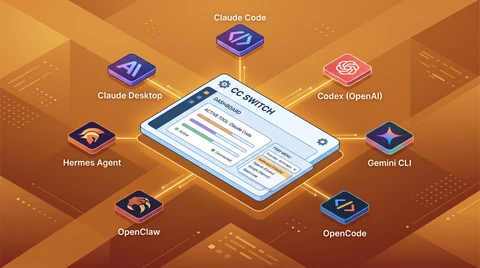
If you manage Codex through cc-switch, update to v3.16.5 or later. That release is the one that fixes the empty picker for native providers. It generates ~/.codex/cc-switch-model-catalog.json for suppliers on native Responses endpoints (apiFormat: "openai_responses"), which is what lets Codex Desktop actually see the models and use built-in tools.
Two things you have to do after updating, or nothing changes:
- Re-save each native provider once. The catalog is only regenerated on save. Existing providers keep their old (broken) state until you open and re-save them. There is no automatic migration.
- Understand the decoupling. In v3.16.5 the model catalog no longer rides on the “local routing” toggle. Native Responses suppliers now generate the catalog whether or not local routing is on, while Chat-format suppliers keep going through proxy conversion as before.
# confirm the catalog exists and lists your models after re-saving
cat ~/.codex/cc-switch-model-catalog.json | grep -o '"slug":[^,]*'
# if this is empty, re-save the provider in cc-switch and check again
One caveat cc-switch itself disables: a few first-party Chinese models (MiMo, LongCat, MiniMax, Qwen3-Coder) do not support OpenAI’s built-in web_search on their gateways, so v3.16.5 turns that tool off for them by default to stop Codex throwing a hard 400. If you route those through a gateway, expect web search to be off.
Common Setup Errors That Mimic the Picker Bug
Half the “custom models not showing” reports are really a broken route wearing a display costume. Before you touch the catalog, rule these out. Each one produces a symptom that looks like the picker hiding your model, when in fact the request never had a chance to land.
| Symptom | Real cause | Fix |
|---|---|---|
| Startup error, or every request 404s | wire_api = "chat" (removed Feb 2026) or a gateway with no /responses endpoint | Set wire_api = "responses" and point at a Responses-capable gateway |
| Every request returns 401 | env_key named but the variable never exported | export OFOX_API_KEY=... in your shell profile |
| Model runs but returns the wrong output | Catalog slug does not match the provider’s model ID | Match slug to the exact model string |
| Provider ignored, startup warning printed | Block lives in project-local .codex/config.toml | Move it to ~/.codex/config.toml |
| Intermittent connection resets | Trailing slash or wrong path on base_url | End the URL at /v1, no trailing slash |
The tell that separates these from the real #19694 filter is one command: run the same request from the CLI. If the CLI also fails, it is one of the errors above, not the Desktop picker, and no catalog edit will fix it. If the CLI succeeds and only Desktop stays blind, then it is the filter, and you are back to Fix 1 and Fix 4.
Known Codex Desktop Custom-Model Issues (2026 Timeline)
This is not one bug. It is a cluster of related issues in the Codex app and in the tools that write its config. Knowing which one you have saves you from applying the wrong fix.
| Issue | What breaks | Reported | Status |
|---|---|---|---|
| openai/codex #19694 | Desktop picker filters out catalog models the backend loaded | 2026-04-26 | Open |
| openai/codex #26308 | Desktop ignores project-local model_catalog_json on fresh threads | 2026 | Open |
| openai/codex #22160 | CLI /model and Desktop pickers did not expose profile / provider aliases | 2026 | Closed |
| openai/codex #15364 | No UI to pick a custom provider inside the Desktop app | 2026 | Closed |
| cc-switch #3668 | cc-switch catalog format not recognized, /model empty | 2026-06-03 | Fixed in v3.16.5 |
The pattern across all of these: the routing works, the display does not. The CLI has been the reliable escape hatch every time, because it reads the catalog without the Desktop renderer’s extra filtering. If you are blocked in Desktop, the CLI (codex in your terminal) will almost always show and use the model.
When the Picker Still Won’t Show Models: Alternatives That Work Now
If you are done fighting the Desktop UI, here are ways to keep using custom models without waiting on a client fix. The point of a gateway here is one endpoint and one key across many models, so switching a model is a one-string edit rather than a new provider block each time.
| Path | How the model reaches Codex | Picker behavior | Notes |
|---|---|---|---|
| ofox gateway | One base_url, one key, many model IDs | ”Custom” or catalog-listed | Kimi, DeepSeek, GPT-Codex from one provider block |
| Codex CLI | Same config, terminal client | Lists custom models reliably | Bypasses the Desktop filter |
| Direct provider key | Separate provider block per vendor | Same filter applies | More keys, more blocks to maintain |
| Local (Ollama) | base_url at localhost | Warnings unless catalog set | Offline, no gateway |
Using ofox as the provider collapses the maintenance: moonshotai/kimi-k2.7-code (262K context), deepseek/deepseek-v4-pro-0813 (1M context), and openai/gpt-5.3-codex (512K context) all sit behind the same https://api.ofox.io/v1 and the same key, with current per-token pricing shown on each model’s ofox page. To swap models you change one string in config.toml, no new provider block, no second key. The base-URL setup for OpenAI-compatible clients is in the ofox docs. Whichever path you take, the Desktop picker quirk is a display layer on top, not a routing constraint.
How to Verify Your Custom Models Are Actually Loaded
Do not trust the picker as your source of truth, because that is the thing that is broken. Verify at the layer below it.
codex --version                 # confirm you are on a recent build
codex                           # start the CLI, then type /model
# the CLI enumerates the catalog without the Desktop filter
If /model in the CLI shows your model, the catalog and provider are correct and any remaining gap is the Desktop renderer. If the CLI also comes up empty, the problem is upstream: wrong file (Fix 3), malformed catalog (Fix 2 / Fix 4), or a bad slug. For a raw sanity check that the route itself resolves, one curl against the gateway with your key tells you whether the model exists before you blame the client at all. Routing first, display second.
Codex Desktop, the CLI and the two extensions fail in different places. The Codex error index sorts errors by surface first.
FAQ
Why is Codex Desktop not showing my custom models?
Usually the model works and the Desktop app is filtering it out of the picker (issue #19694). Secondary causes: no catalog file, a malformed catalog from an older tool, or a provider defined in a project-local .codex/config.toml.
How do I add a custom model to Codex config.toml?
Define [model_providers.NAME] with base_url, env_key, and wire_api, then set model_provider and model. Keep it in ~/.codex/config.toml. For ofox, base_url = "https://api.ofox.io/v1". A worked example with one specific model is in Qwen 3.8 Max in Codex CLI.
Does cc-switch work with Codex Desktop?
Yes, from v3.16.5, which generates ~/.codex/cc-switch-model-catalog.json for native Responses providers. Re-save each provider once after updating.
Where is the Codex model catalog file located?
Wherever model_catalog_json points in ~/.codex/config.toml. cc-switch uses ~/.codex/cc-switch-model-catalog.json. Watch for a stale ~/.codex/models_cache.json after switching providers.
Why does Codex show “Custom” instead of my model name?
You set model inline with no catalog entry, so the picker has no display metadata. Requests still go to the right model.
Can I use custom models in a project-local .codex/config.toml?
No. Provider settings only apply in ~/.codex/config.toml. Project-local provider blocks are ignored with a startup warning.
What is model_catalog_json in Codex?
A config.toml key pointing to a JSON file, loaded at startup, with a top-level models array of entries carrying slug, display_name, and capability fields. It overrides the bundled and remote catalogs.
How do I route Codex to Kimi, DeepSeek, or GPT-Codex?
Point one custom provider at a gateway and set model. On ofox: moonshotai/kimi-k2.7-code, deepseek/deepseek-v4-pro-0813, openai/gpt-5.3-codex, all from https://api.ofox.io/v1.
References
- Codex issue #19694: Desktop model picker filters out models from model_catalog_json
- cc-switch v3.16.5 release notes
- cc-switch issue #3668: catalog format not recognized by Codex
- Codex configuration reference
- Codex models.json catalog schema
- ofox model catalog and pricing snapshot, https://ofox.io/models
Frequently Asked Questions
- Why is Codex Desktop not showing my custom models?
- In most cases the model is configured correctly and works, but the Desktop app applies a client-side filter that hides models loaded from model_catalog_json (tracked as codex issue #19694). Other common causes: no catalog file at all, a malformed catalog written by an older tool, or a provider defined in a project-local .codex/config.toml, which Codex ignores.
- How do I add a custom model to Codex config.toml?
- Define a provider under [model_providers.NAME] with base_url, env_key, and wire_api, then set model_provider and model at the top level. For a gateway like ofox, base_url is https://api.ofox.io/v1. This must live in the user-level ~/.codex/config.toml, not a project folder.
- Does cc-switch work with Codex Desktop?
- Yes, from v3.16.5. That release generates ~/.codex/cc-switch-model-catalog.json for providers on native Responses endpoints so Codex Desktop can list the custom models. Older versions wrote a catalog Codex could not parse. After updating you must re-save each native provider once to regenerate the file.
- Where is the Codex model catalog file located?
- The startup catalog path is whatever you set in model_catalog_json inside ~/.codex/config.toml. cc-switch writes its own catalog to ~/.codex/cc-switch-model-catalog.json. Codex also keeps a bundled catalog and a ~/.codex/models_cache.json that can go stale after a provider switch.
- Why does Codex show 'Custom' instead of my model name?
- That means you set model = "..." directly in config.toml with no catalog entry describing it. The string is still sent to the provider correctly, so requests work, but the picker has no display metadata and falls back to the label 'Custom'.
- Can I use custom models in a project-local .codex/config.toml?
- No. model_provider and model_providers only take effect in the user-level ~/.codex/config.toml. Codex ignores them in a project's .codex/config.toml and prints a startup warning. Move the provider block to ~/.codex/config.toml.
- What is model_catalog_json in Codex?
- It is an optional config.toml key pointing to a JSON file, loaded once at startup, that lists models with a top-level models array. Each entry carries a slug, display_name, context_window, and capability flags. This layer overrides the bundled and remote catalogs.
- How do I route Codex to Kimi, DeepSeek, or GPT-Codex?
- Point a custom provider at an OpenAI-compatible gateway and set model to that provider's model ID. On ofox the IDs are moonshotai/kimi-k2.7-code, deepseek/deepseek-v4-pro-0813, and openai/gpt-5.3-codex, all reachable from one key at https://api.ofox.io/v1.