Use Nano Banana 2.1 through Ofox: generate, save, and edit an image
Call Nano Banana 2.1 through Ofox, save returned images and preserve editing history. Includes runnable Python and verified response-handling examples.
 Ofox
Ofox 
Updated October 13, 2026. Ofox is both the publisher of this guide and the API gateway used for the requests described here. The article was AI-assisted, checked against real API/tool results, and independently reviewed by another AI before publication. The six image requests discussed below were actual native Gemini-protocol requests through Ofox; the example program is provided so you can run your own requests, not as a claim that every possible route or setting was tested.
Nano Banana 2.1’s Ofox model ID is google/gemini-nano-banana-2.1. The older model used for comparison here is google/gemini-3.1-flash-image, often called Nano Banana 2. Do not substitute the older ID when migrating a request. The public Ofox model page lists 2.1 with Gemini and OpenAI protocols and identifies Vertex as its provider. The working request in this guide uses the native Gemini generateContent route, not the OpenAI-compatible route.
You will generate a poster, write its returned image bytes to disk, and optionally carry the complete model response into two editing turns. A separate upload option shows how to supply an existing local image. For a narrower walkthrough of editing and layout decisions, see the poster-editing guide.
What you need before the first request
You need an Ofox API key with access to the model, sufficient account balance, Python 3, and the requests package. Install the dependency and set the key in your shell:
python -m pip install requests
export OFOX_API_KEY="YOUR_OFOX_API_KEY"
Keep the key out of source files, screenshots, and shared logs. The API endpoint used in the verified requests was:
POST https://api.ofox.io/gemini/v1beta/models/google/gemini-nano-banana-2.1:generateContent
x-goog-api-key: YOUR_OFOX_API_KEY
The request below asks for both text and image response modalities, a square aspect ratio, and 1K image size. The Google image-generation documentation describes 1K, 2K, and 4K options; this article’s gateway execution verified 1K only. Do not treat the documentation as a test of every size through your particular route. 512 is not a documented size option for this model.
A complete Python program
Save this as nano21.py. The default run makes one generation request. --chain makes that request and then sends the two exact editing prompts used in our test. --upload PATH instead starts a new request with the supplied local image and the headline-edit prompt; use an original poster image if you want that prompt to make sense. The two options cannot be combined.
import argparse
import base64
import binascii
import json
import mimetypes
import os
from pathlib import Path
import sys

import requests


URL = (
    "https://api.ofox.io/gemini/v1beta/models/"
    "google/gemini-nano-banana-2.1:generateContent"
)

PROMPTS = [
    "Create a square minimalist event poster on warm cream paper. Large exact headline: ORCHARD MARKET. Smaller exact line: SATURDAY 10 AM. Draw three red apples in a blue ceramic bowl below the text. No other text, no logos, no border.",
    "Change only the headline from ORCHARD MARKET to ORCHARD FAIR. Keep SATURDAY 10 AM exactly unchanged. Preserve the three red apples, blue bowl, cream background, composition and all other pixels as closely as possible.",
    "Now change only the bowl from blue to dark green. Preserve ORCHARD FAIR, SATURDAY 10 AM, the three red apples and the layout.",
]

EXTENSIONS = {
    "image/png": ".png",
    "image/jpeg": ".jpg",
    "image/webp": ".webp",
    }


def send(contents, api_key):
    body = {
        "contents": contents,
        "generationConfig": {
            "responseModalities": ["TEXT", "IMAGE"],
            "imageConfig": {
                "aspectRatio": "1:1",
                "imageSize": "1K",
            },
        },
    }
    try:
        # Deliberately one attempt: image requests are not automatically retried.
        response = requests.post(
            URL,
            headers={"x-goog-api-key": api_key},
            json=body,
            timeout=(15, 180),  # connection timeout, then read timeout
        )
    except requests.RequestException as exc:
        raise RuntimeError(f"Request failed before a usable response: {exc}") from exc

    try:
        data = response.json()
    except ValueError as exc:
        raise RuntimeError(
            f"HTTP {response.status_code}; non-JSON response: "
            f"{response.text[:1000]}"
        ) from exc

    if not response.ok:
        error = data.get("error", data) if isinstance(data, dict) else data
        raise RuntimeError(
            f"HTTP {response.status_code}; API error: "
            f"{json.dumps(error, ensure_ascii=False)[:2000]}"
        )
    if not isinstance(data, dict):
        raise RuntimeError("Successful HTTP response was not a JSON object.")
    return data


def save_response(data, output_dir, turn_number):
    candidates = data.get("candidates") or []
    if not candidates or not isinstance(candidates[0], dict):
        raise RuntimeError(f"No candidate returned: {json.dumps(data)[:2000]}")

    candidate = candidates[0]
    finish_reason = candidate.get("finishReason")
    if finish_reason not in (None, "STOP"):
        raise RuntimeError(
            f"Generation did not finish normally ({finish_reason}): "
            f"{json.dumps(candidate, ensure_ascii=False)[:2000]}"
        )

    # Keep this original object intact for the next turn. In particular, do not
    # rebuild its parts from printed text and saved image files.
    content = candidate.get("content")
    if not isinstance(content, dict):
        raise RuntimeError("First candidate has no content object.")

    output_dir.mkdir(parents=True, exist_ok=True)
    image_count = 0
    for part in content.get("parts", []):
        if "text" in part and part["text"]:
            print(f"text: {part['text']}")

        inline = part.get("inlineData")
        if not inline:
            continue
        mime = inline.get("mimeType", "").split(";", 1)[0].lower()
        if not mime.startswith("image/"):
            continue
        encoded = inline.get("data")
        if not isinstance(encoded, str):
            raise RuntimeError("Image part has no base64 string.")
        try:
            image_bytes = base64.b64decode(encoded, validate=True)
        except (binascii.Error, ValueError) as exc:
            raise RuntimeError("Image part contains invalid base64.") from exc
        if not image_bytes:
            raise RuntimeError("Image part decoded to zero bytes.")

        image_count += 1
        extension = EXTENSIONS.get(mime, ".bin")
        path = output_dir / f"turn-{turn_number}-image-{image_count}{extension}"
        path.write_bytes(image_bytes)
        print(f"saved image: {path} ({mime})")

    if not image_count:
        raise RuntimeError(
            "Response contained no image inlineData; inspect the returned "
            "candidate and any text instead of treating text as an image."
        )
    if "usageMetadata" in data:
        print("usageMetadata:", json.dumps(data["usageMetadata"]))

    return content


def uploaded_image_part(path):
    mime, _ = mimetypes.guess_type(path.name)
    if mime not in EXTENSIONS:
        raise ValueError("Upload a .png, .jpg, .jpeg, or .webp image.")
    image_bytes = path.read_bytes()
    if not image_bytes:
        raise ValueError("Upload file is empty.")
    return {
        "inlineData": {
            "mimeType": mime,
            "data": base64.b64encode(image_bytes).decode("ascii"),
        }
    }


def main():
    parser = argparse.ArgumentParser()
    parser.add_argument("--chain", action="store_true")
    parser.add_argument("--upload", type=Path)
    parser.add_argument("--output-dir", type=Path, default=Path("outputs"))
    args = parser.parse_args()
    if args.chain and args.upload:
        parser.error("--chain and --upload are separate workflows")

    api_key = os.environ.get("OFOX_API_KEY")
    if not api_key:
        parser.error("Set OFOX_API_KEY in the environment first")

    if args.upload:
        if not args.upload.is_file():
            parser.error(f"Image file does not exist: {args.upload}")
        # A new conversation with an uploaded image, not the earlier
        # generation/edit conversation.
        contents = [{
            "role": "user",
            "parts": [
                uploaded_image_part(args.upload),
                {"text": PROMPTS[1]},
            ],
        }]
        result = send(contents, api_key)
        save_response(result, args.output_dir, 1)
        return

    contents = []
    selected_prompts = PROMPTS if args.chain else PROMPTS[:1]
    for turn_number, prompt in enumerate(selected_prompts, start=1):
        contents.append({"role": "user", "parts": [{"text": prompt}]})
        result = send(contents, api_key)
        model_content = save_response(result, args.output_dir, turn_number)
        # Preserve the full returned content, including inline image data,
        # text, and any signatures on parts, for the next request.
        contents.append(model_content)


if __name__ == "__main__":
    try:
        main()
    except (OSError, ValueError, RuntimeError) as exc:
        print(f"error: {exc}", file=sys.stderr)
        sys.exit(1)
Run one call with python nano21.py. For all three turns, run python nano21.py --chain. To edit a poster already on disk in a new conversation, run python nano21.py --upload outputs/turn-1-image-1.png. These are Python invocation examples for the file above, not Ofox-specific CLI commands.
On an image-bearing response, expect a line shaped like saved image: outputs/turn-1-image-1.png (image/png), plus any returned text and usageMetadata. That line is an output-format example, not a transcript of a separate run of this script. In the verified poster request, the response was HTTP 200 with STOP, included a PNG image at 1024 × 1024, and reported 54 input tokens, 80 reported text-output tokens, 1,120 image-output tokens, and 639 thoughts tokens. The raw response contained no visible text part despite reporting 80 TEXT output tokens. Treat that number as returned usage metadata, not visible prose. Your returned text, metadata, timing, and image can differ.
The code saves every image inlineData part in the first candidate, rather than assuming the first part is an image. It uses the response MIME type to choose a file extension; an unrecognized image MIME type is saved as .bin rather than mislabeled as PNG. HTTP errors are parsed as JSON where possible, and missing images are failures, not successes. There is intentionally no automatic retry: blindly repeating a generation after a timeout can produce another image and incur another charge. If a request fails, inspect its status, error JSON, and account state before deciding whether to submit it again. The Google troubleshooting guide is useful for interpreting Gemini-side error categories, but an Ofox gateway response must be read on its own terms.
Why editing history must contain the full response
A saved PNG is an output artifact. It is not a substitute for conversation history. In the --chain workflow, each next request contains the earlier user turn followed by the model’s entire returned candidates[0].content, then the new user turn. That content may include text, inline image data, and part-level thought signatures. Reconstructing it from the image file and visible text can discard data needed for a valid follow-up.
This is also why the upload path is deliberately separate. --upload sends an inlineData part with the local file’s MIME type and base64 bytes alongside an instruction. It does not pretend that the uploaded file is a prior model turn or recreate its signatures. For other product-preservation tasks, see the mask-and-preserve workflow and the discussion of one versus two scene references.
“Change only” is a strong editing instruction, not a pixel-lock feature. In our three-step test, both 2.1 and the older model produced the requested English headline and time on the first poster; both changed the headline to ORCHARD FAIR on the edit while retaining SATURDAY 10 AM, three red apples, and a blue bowl. On the third turn, both made the bowl dark green and retained the requested words. Neither output was shown to provide editable layers. The compositions also placed the poster on a paper sheet with an outside margin/shadow despite the “no border” instruction. Inspect the actual returned image before accepting an edit, especially if exact text, product details, or layout matter.
The test comprised one three-step chain per model, with the same prompts and 1K, 1:1 configuration, and no seed or thinking level set. All six requests returned HTTP 200 and STOP, with 1024 × 1024 PNGs. It is not a repeated reliability test or an overall quality ranking; the models may also use different defaults. The images below are results from those API requests, not screenshots of a Playground run:
| Step | Nano Banana 2.1 | Older Nano Banana 2 |
|---|---|---|
| Poster | 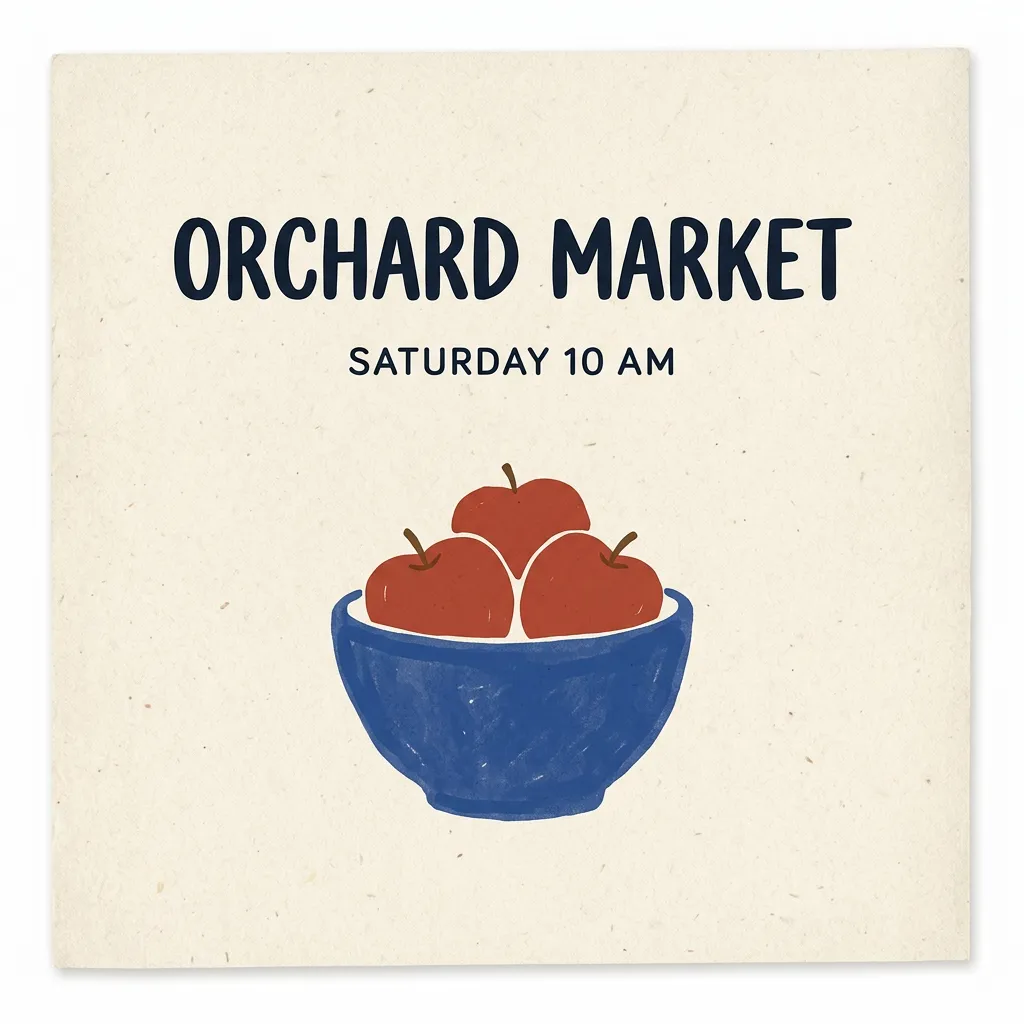 | 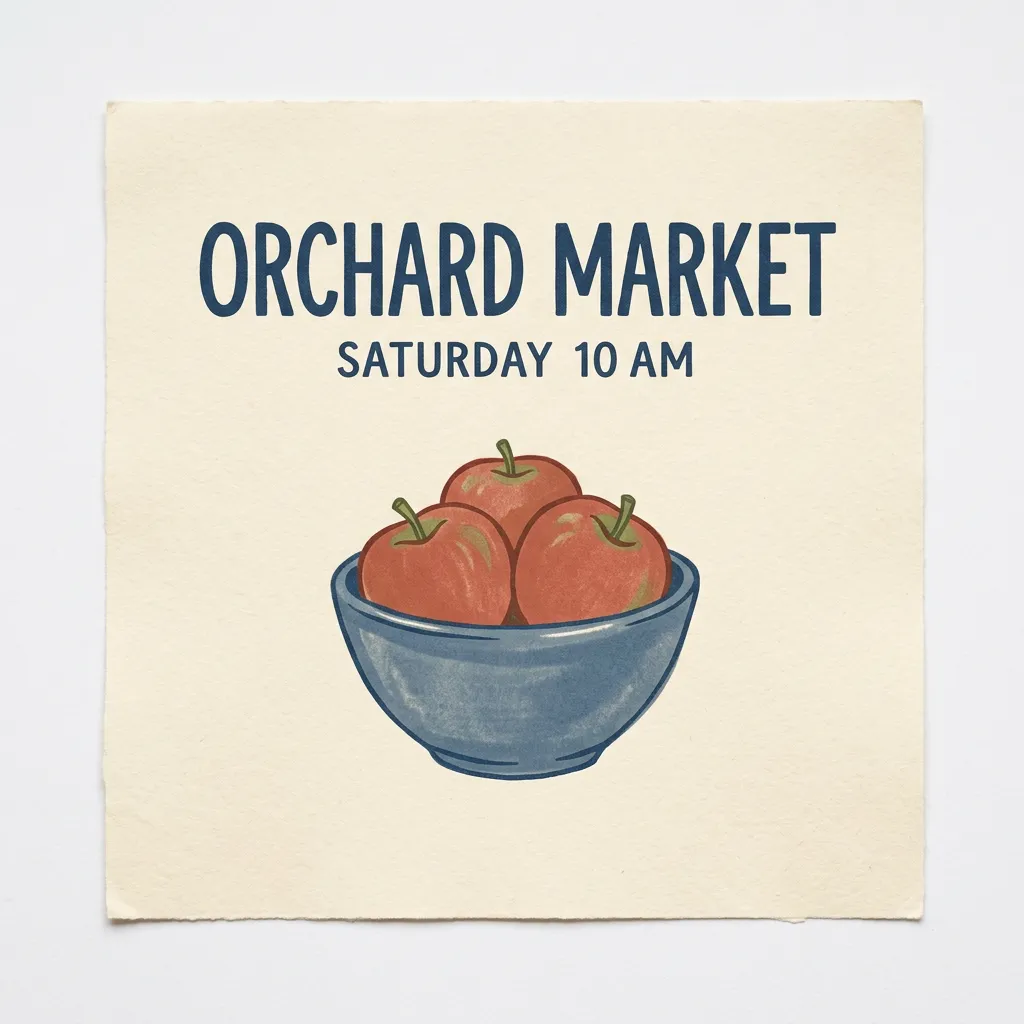 |
| Headline edit | 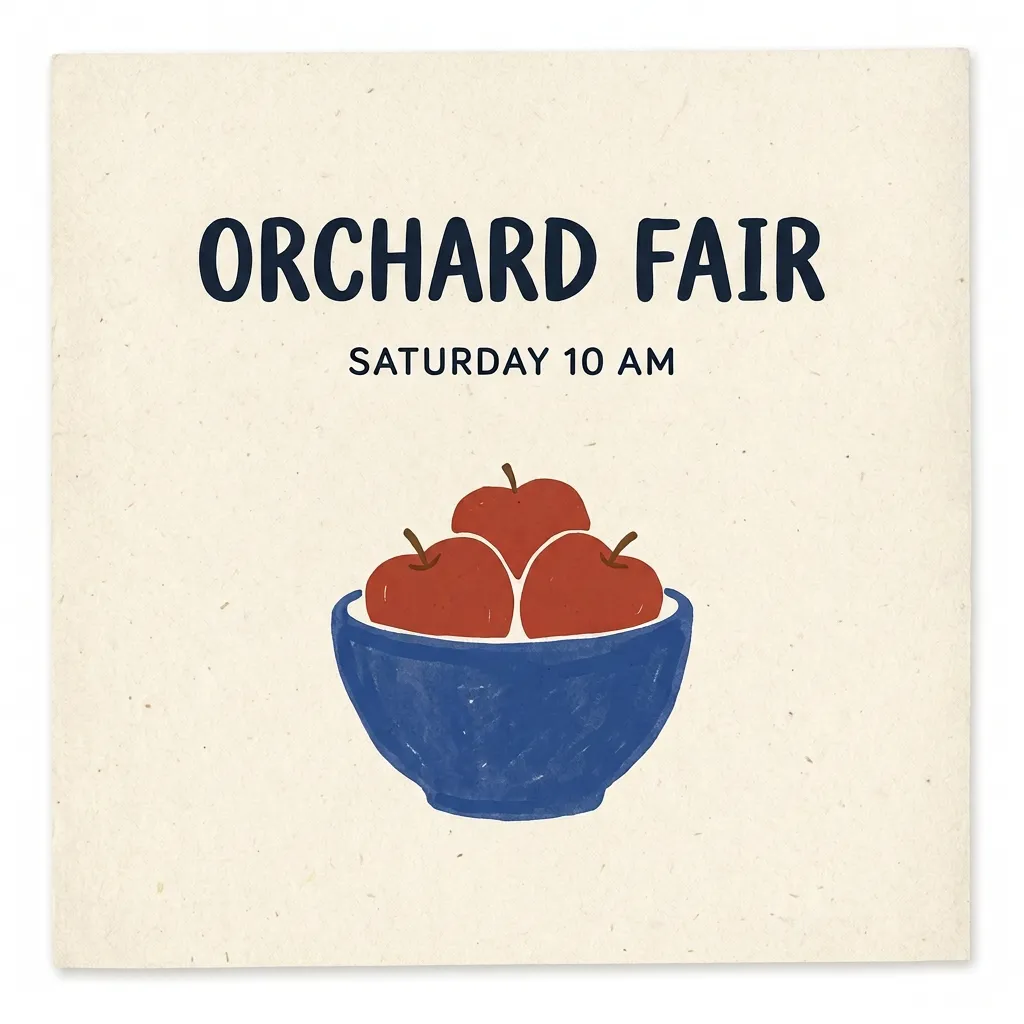 | 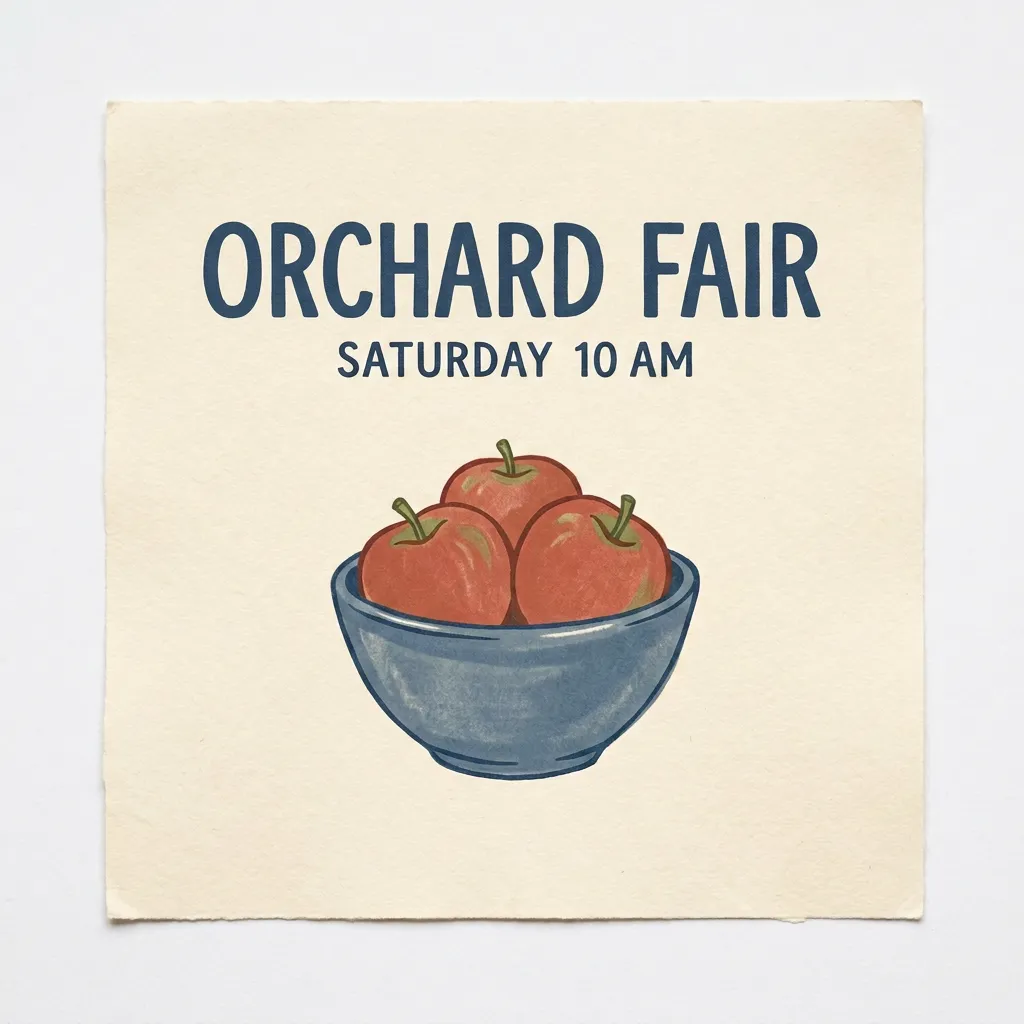 |
| Bowl edit | 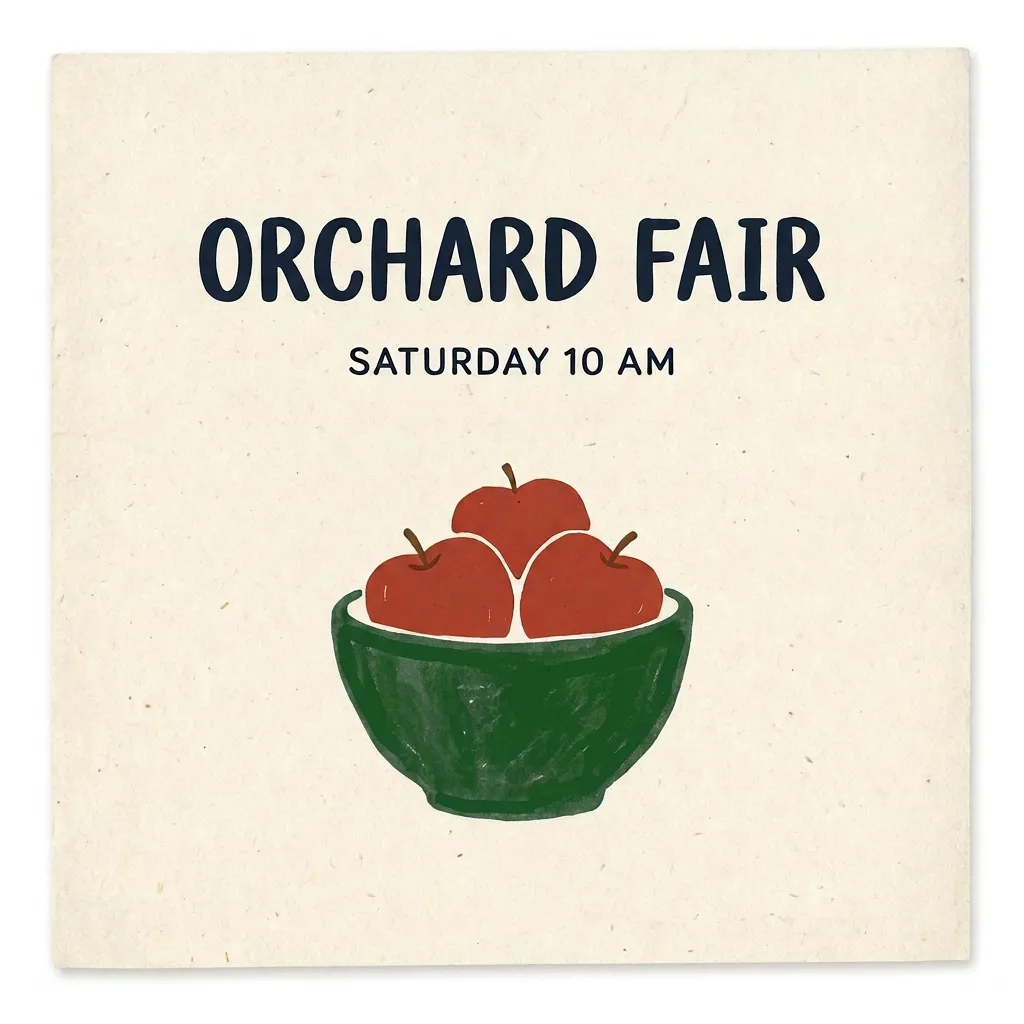 | 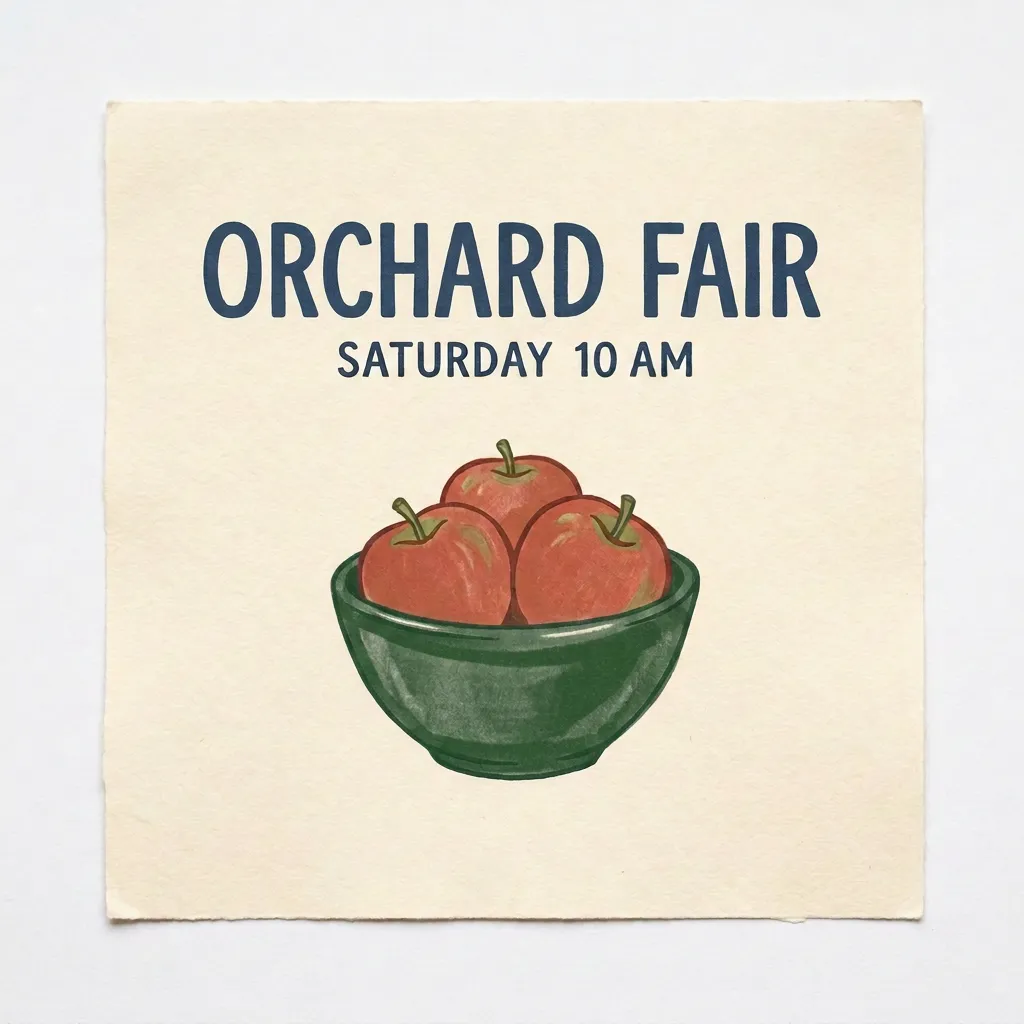 |
The downloadable comparison kit contains the related files. If you are moving an existing integration, the 2.1-versus-2 comparison separates observed behavior from broader migration decisions.
Public model page versus an authenticated API run
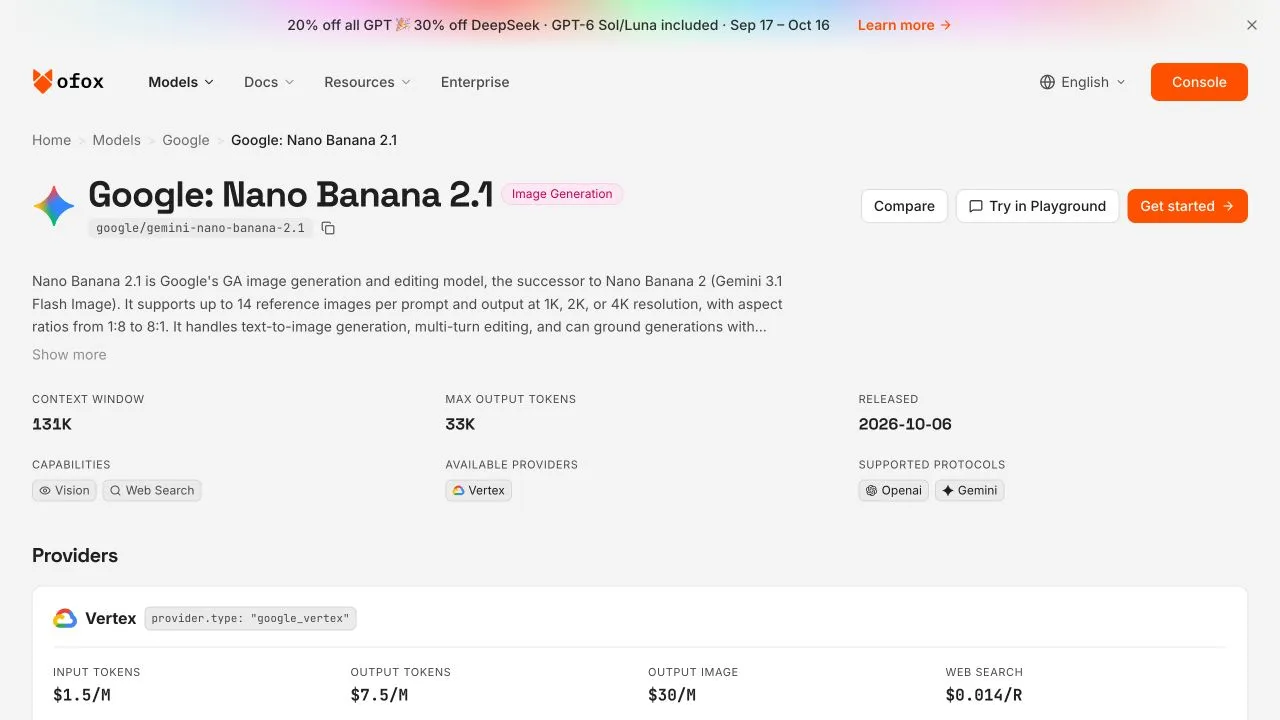
The public model-page screenshot documents interface availability and preparation options; it is not evidence that a Playground image was generated.
The model page exposes an embedded Playground with a prompt field, attachment and follow-up affordances. Using that Playground requires login. Its aspect-ratio wording also warns that the requested ratio is best effort, so selecting a ratio in a UI should not be read as a guarantee about every result. This guide makes no claim that an authenticated Ofox Agent interface was tested or that an Agent definitely selects 2.1. If you need a reproducible integration, use the exact model ID and inspect the API response as shown above.
Migration, limits, and costs to check
Changing the ID from google/gemini-3.1-flash-image to google/gemini-nano-banana-2.1 is not merely a spelling change. Check your response parser, image-size choice, output-token limits, and assumptions about text or thinking output. In the measured poster calls, 2.1 reported text-output and thoughts tokens where the older poster response did not report those categories. An unreported category is not evidence of zero usage, and matching prompts do not guarantee matching usage or defaults. Preserve the complete response and log returned usage rather than imposing the old model’s accounting assumptions.
The current public catalog snapshot lists 2.1 rates of $1.50 per million input tokens, $7.50 per million text-output tokens, and $30 per million image-output tokens; its listed web-search rate is a separate per-request category. The older model has different listed rates. These are catalog observations, not a verified invoice or a fixed price per generated image. Google’s pricing page independently lists 1,120 image tokens for a 1K 2.1 output, but published Google material differs on 4K image-token figures; no 4K gateway run was made here. See the pricing analysis before forecasting batches or assuming that a cheaper image-token rate yields a cheaper complete request.
Google’s model documentation describes capabilities including multiple image references, while its image-generation guide covers image configuration. Those official capabilities are not a promise that every setting, reference count, or resolution has been exercised through this Ofox route. In particular, do not add unverified seed, temperature, or topP tuning recipes to this request on the assumption they work for this Vertex-backed model.
Finally, generation failures and usage rights are separate questions. Diagnose an empty-image response or request error from its actual JSON and status; the no-image-errors guide covers that path in more detail. For publication or commercial use, ensure that you have rights to supplied images and follow the applicable Gemini terms. SynthID information does not amount to a visible-watermark, ownership, exclusivity, noninfringement, or confidential-data guarantee.