Claude Tag in Slack (2026): 4-Step Setup, Ambient Mode, Aug 3 Deadline
Claude Tag is a shared @Claude teammate in Slack running on Opus 4.8. Setup in four steps, ambient mode, admin scopes, and the Aug 3, 2026 cutover.
 Ofox
Ofox 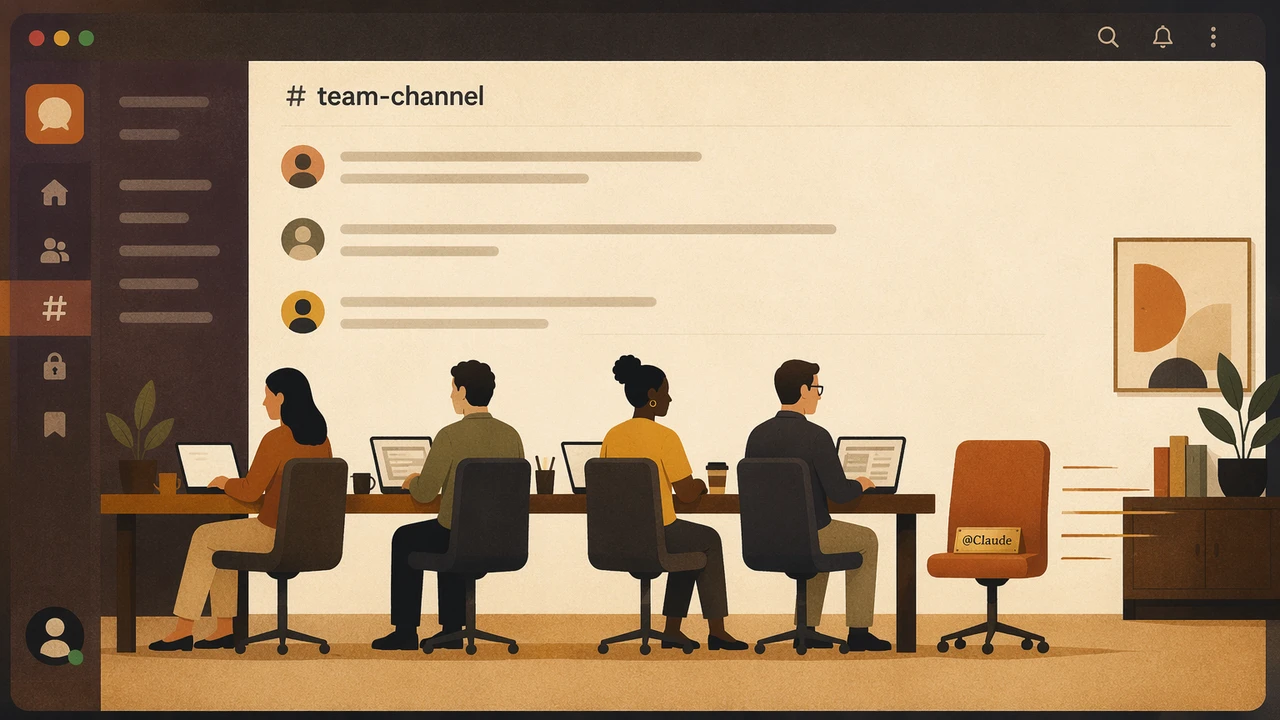
Anthropic shipped Claude Tag on June 23, 2026: a shared @Claude teammate that lives inside your Slack channels, runs on Opus 4.8, and keeps working in the thread while you do something else. It replaces the older “Claude in Slack” app, which gets retired on August 3, 2026. If your team is on Claude Enterprise or Team, you have a 30-day clock to migrate.
Claude Tag turns
@Claudefrom a private chatbot into a coworker the whole channel shares: one identity, persistent context, and an audit log the admin actually controls.
This is a setup guide. You will get the four steps to stand it up, what ambient mode does, how the shared-teammate model differs from the old per-user app, the admin scopes that matter, and the migration deadline you should not miss. At the end there is an honest note for developers who can’t get an Enterprise seat but still want the model.
What Claude Tag Can Do (And What It Can’t, Yet)
Claude Tag does delegated work inside a channel and proactively follows up; it does not deploy on the free tier, and it does not run under your personal Slack permissions anymore.
| Can do | Can’t do (yet) |
|---|---|
Take a task via @Claude and work it in a thread, stage by stage | Run on the free tier (Enterprise/Team beta only) |
| Use tools and data an admin scoped for that specific channel | Use your personal permissions (it acts under the org identity) |
| Be shared: anyone in the channel can see and continue its work | Be private per-user (channel work is org-billed; DMs bill you) |
| Learn from the channel over time, so you stop re-explaining context | Silently overspend (work past a spend cap is declined, not cut short) |
| Post on its own in ambient mode (flag updates, chase stale threads) | Cross-contaminate scopes (a legal Claude can’t read engineering memories) |
Be audited: admins see a log of everything @Claude did | Have published standalone pricing (only a launch credit is mentioned) |
Setup itself takes about ten minutes for an owner who already has the org’s tools connected. The four steps:
- A Slack Primary Owner or Owner provisions Claude’s identity.
- Connect the org’s tools, data sources, and repositories.
- Choose which channels Claude Tag can work in.
- Anyone in those channels tags
@Claudeto hand it a task.
What Claude Tag Is and How @Claude Works
Claude Tag is an always-on, shared Claude that joins a Slack channel as a team member instead of a private assistant. You tag @Claude in a thread, hand it a task, and go do something else. It breaks the task into stages and works through them using whatever tools it has access to, posting what it produces back into the same thread so the whole channel can follow along.
The word “shared” is the part that matters. According to Anthropic’s announcement, everyone in a channel talks to a single Claude identity, so anyone can see what it is working on and pick up the conversation from where the last person left off. That is a real shift from a chatbot that only you can see. If you ask it to draft a migration plan on Monday and you’re out Tuesday, a teammate can open the same thread and keep going.
It also learns. As Claude follows the channel it builds context about the work, so you don’t keep re-explaining who the customer is or which repo you mean. With admin permission it can pull facts from other channels it’s allowed to read. This is the same context-engineering problem you hit when you build your own agents; if you’ve worked through token optimization for Claude Code, the trade-offs here will look familiar, except the context lives in the channel instead of your prompt.
Step-by-Step Setup
Setup runs top-down: an owner provisions the identity and scopes it once, then every channel member can tag @Claude with no individual setup.
flowchart LR
    A[Owner provisions<br/>Claude identity] --> B[Connect tools,<br/>data, repos]
    B --> C[Pick channels<br/>Claude works in]
    C --> D[Set spend caps<br/>+ ambient mode]
    D --> E[Anyone tags<br/>@Claude in thread]
Step 1: Provision Claude’s identity
A Slack Primary Owner or Owner runs the initial setup from the Claude Tag admin flow. Per the Claude Help Center, the plain Admin role cannot do this part. This creates the shared identity that the channel will tag.
Expected result: @Claude becomes available as a workspace member you can add to channels.
Step 2: Connect tools and data sources
Connect the org’s tools, repositories, and data sources that you want Claude to be able to reach. You decide what gets wired up here; nothing is connected by default. This is the same shape as defining tools for any agent, so the mental model from a function calling and tool-use guide carries straight over.
Expected result: Claude can use the connected tools, but only in the channels you grant next.
Step 3: Grant channel access
Choose which channels Claude Tag can work in. Access is per-channel and scoped, which is the whole point of the permission model. A Claude configured for a sales channel won’t share memories or data access with an engineering channel instance.
Expected result: Claude appears only in the channels you picked, with the scope you set.
Step 4: Set spend caps, then tag @Claude
Set the spend limits (covered below), optionally enable ambient mode, and you’re done. Any member of an enabled channel tags @Claude in a thread to hand it a task and watches it work.
@Claude pull the last 30 days of failed-payment tickets,
group them by error code, and post a summary in this thread.
Expected result: Claude breaks the request into stages, works through them with its scoped tools, and replies in the thread.
Ambient Mode, Explained
Ambient mode lets Claude post without being tagged, so it acts more like a teammate watching the channel than a tool waiting for a command. It is an optional per-channel setting, off by default.
When you turn it on, Claude can flag relevant updates from across the organization, follow up on threads or tasks that stalled, and ping you when a long job finishes. The Help Center gives concrete examples: it posts when a job completes and tags you when a thread goes quiet. This is the headline difference from a normal Slack bot, which only ever responds when called.
The trade-off is noise. A channel that proactively pings everyone can get loud, which is why ambient mode is opt-in per channel rather than a global default. Start with it off, turn it on for one or two channels where the follow-ups are genuinely useful, and watch how chatty it gets before rolling it wider.
The Shared-Teammate Model and Why It Changes Things
Claude Tag is one identity for the whole channel, which means context and credit are collective instead of individual. That single design choice drives most of the behavior differences from the old app.
Because the instance is shared:
- Work is visible. Anyone in the channel sees the task and the output, so handoffs don’t require re-briefing.
- Context accumulates against the channel, not your private session. The team’s knowledge compounds in one place.
- Continuity survives people leaving. A thread someone started last week is still there with its context intact.
This is closer to a multi-agent system than a single-user assistant, and the same caveats apply: shared context is powerful right up until two people give conflicting instructions in the same thread. If you’re designing how a team interacts with an autonomous agent, the patterns in this AI agent development guide and the orchestration ideas in Claude Code hooks, subagents, and skills are the closest open analogs to what Anthropic productized here.
Admin and Permission Controls
Admins control four things: which tools and data Claude can reach, which channels it works in, how much it can spend, and a full log of what it did. Nothing about Claude Tag is open-ended by default.
| Control | What you set | Default |
|---|---|---|
| Tools / data access | Which connected tools and sources Claude can use | None until connected |
| Channel scope | Which channels each Claude identity works in | None until granted |
| Spend caps | Org-wide and per-channel token limits | Configurable; over-cap work is declined |
| Audit log | A record of everything @Claude has done | On |
Two details worth flagging. First, spend caps are real ceilings: per the Help Center, work that would exceed a limit is declined, never silently cut short, so you don’t get a half-finished task and a surprise bill. Second, billing splits by context: channel work bills to the organization, but direct messages to Claude bill to the individual account. Tell your team that, or someone will DM it a giant job and wonder why it landed on their seat.
Migrating From Claude in Slack Before August 3
You have until August 3, 2026 to migrate, with a 30-day opt-in window that started at launch on June 23. After that the old Claude in Slack app is retired.
This is the part to act on now. The two integrations are not the same product with a new coat of paint; the permission and billing model is different, so migrating is a real configuration change, not a rename.
| Claude in Slack (retiring Aug 3) | Claude Tag (replacement) | |
|---|---|---|
| Identity | Acts under your personal permissions | One shared org identity per channel |
| Billing | Counted against you | Channel work billed to the org; DMs to you |
| Context | Per-user session | Persistent, channel-scoped, learns over time |
| Proactivity | Responds only when tagged | Optional ambient mode posts on its own |
| Admin control | Limited | Scoped tools/channels, spend caps, audit log |
| Model | Prior Claude in Slack | Opus 4.8 |
What to do before the deadline:
- Have a Primary Owner or Owner open the migration flow and opt in within the 30-day window.
- Re-scope tools and channels deliberately; permissions don’t carry over one-to-one because the model changed.
- Set spend caps before you enable channels, not after.
- Tell your team about the personal-vs-org billing split for DMs.
Miss the window and you’re not just on an old app, you’re on a retired one.
Limits, Gotchas, and What Claude Tag Won’t Do
The biggest limit is access: it’s Enterprise/Team beta only, with no public standalone pricing. The rest are scope and billing edges that bite teams who skip the setup reading.
| Gotcha | What actually happens |
|---|---|
| ”We’ll just turn it on for everyone” | Beta is Enterprise/Team only. No free or Pro-individual tier. |
| ”What does it cost?” | No published standalone pricing; only an introductory launch credit is mentioned. Plan against your org contract. |
| ”It used my old permissions” | It doesn’t. It runs under the org identity with admin-scoped tools, which can be broader or narrower than your personal access. |
| ”It read another team’s data” | Only if an admin granted cross-channel reads. Scopes are isolated by default. |
| ”It quietly blew the budget” | It can’t. Over-cap work is declined, not silently truncated. |
| ”A DM cost the company money” | DMs bill to the individual, not the org. |
| ”Ambient mode is spamming us” | It’s per-channel and opt-in. Turn it off for that channel. |
None of these are bugs. They’re the consequences of a shared, org-governed identity, which is exactly the thing that makes Claude Tag more than a chatbot.
Alternatives: If You Can’t Get Enterprise, Build Your Own
If you’re not on an Enterprise or Team contract, Claude Tag is off the table, but Opus 4.8 itself is not. The honest split: Claude Tag is a polished, Anthropic-governed product locked to a contract and one model; the alternative is to build your own @-mention Slack agent on the same model through a standard API.
A do-it-yourself Slack bot using Slack’s Events API plus a model endpoint gets you the core loop (tag a bot, it runs a task, it replies in the thread) without an Enterprise seat. You give up the managed identity, the ambient mode, and the built-in audit console, and you take on writing the permission and spend logic yourself. For a small team that’s often an acceptable trade.
BTW, we’ve been living this pattern for months, well before Claude Tag shipped. Marvin is our open-source take on the same idea: you @-mention it in a Lark/Feishu channel, it picks up the task, runs the tools, and ships the result back in the thread, the same shared-teammate loop, plus scheduled (cron) jobs and self-diagnosis when something breaks. The framework is on GitHub at ofoxai/lark-claude-bot (TypeScript, powered by Claude). It lives in Lark instead of Slack, but the @-addressable-coworker pattern is identical, and it’s a working reference if you would rather fork something than start a Slack app from scratch.
For the model itself, gateways like ofox expose Claude Opus 4.8 (model ID anthropic/claude-opus-4.8) and other models through a single OpenAI-compatible endpoint at https://api.ofox.io/v1, pay-as-you-go, one key. That’s the “get the model without the Enterprise plan” path, and it’s also the multi-model path if you want to route some tasks to a cheaper model and only call Opus when you need it. To be clear: ofox does not offer Claude Tag, a Slack app, SSO/SAML, or any enterprise teamwork product. It’s an API gateway. If you want the managed teammate, buy Claude Tag; if you want to build your own on the same model, the API is how.
# A minimal Slack-bot model call using the OpenAI-compatible endpoint.
from openai import OpenAI

client = OpenAI(api_key="OFOX_KEY", base_url="https://api.ofox.io/v1")
resp = client.chat.completions.create(
    model="anthropic/claude-opus-4.8",
    messages=[{"role": "user", "content": slack_thread_text}],
)
# post resp.choices[0].message.content back into the Slack thread
Picking the right model for an agent loop is its own decision; if you’re choosing what to run behind your bot, this best AI model for agents comparison covers the trade-offs.
Claude Tag is the easy button if you’re on Enterprise. If you’re not, the same Opus 4.8 is one API key away, and a basic Slack
@-bot is a weekend project.
FAQ
Is Claude Tag free? No. It’s in beta for Claude Enterprise and Team customers. Anthropic mentions an introductory launch credit but has not published standalone pricing.
What’s the difference between Claude Tag and Claude in Slack? Claude in Slack ran under your personal permissions and billed to you. Claude Tag is one shared channel identity that runs under the org, uses admin-scoped tools, learns from the channel, and bills channel work to the organization.
When is Claude in Slack retired? August 3, 2026, with a 30-day opt-in migration window that started at the June 23 launch.
What model does Claude Tag run on? Claude Opus 4.8.
What is ambient mode? An optional per-channel setting that lets Claude post without being tagged, to flag updates, chase stale threads, and notify you when jobs finish.
Can everyone in a channel use the same Claude Tag? Yes. It’s a shared teammate. Anyone in the channel can see its work and continue a task someone else started.
Who can set up Claude Tag? A Slack Primary Owner or Owner. The plain Admin role cannot run setup.
Can I get Opus 4.8 without an Enterprise plan?
Yes, through standard API access. Gateways like ofox expose anthropic/claude-opus-4.8 via an OpenAI-compatible endpoint so you can build your own Slack bot.
References
- Anthropic, “Introducing Claude Tag”: https://www.anthropic.com/news/introducing-claude-tag
- Claude Help Center, “What is Claude Tag?”: https://support.claude.com/en/articles/15594475-what-is-claude-tag
- TechCrunch, “Anthropic’s Claude Tag is learning your company, one Slack message at a time”: https://techcrunch.com/2026/06/23/anthropics-claude-tag-is-learning-your-company-one-slack-message-at-a-time/
- The Next Web, “Anthropic launches Claude Tag, an always-on AI teammate that lives in your Slack channels”: https://thenextweb.com/news/anthropic-claude-tag-slack-always-on-ai-teammate
- VentureBeat, “Anthropic launches Claude Tag, replacing its Slack app with a persistent AI teammate”: https://venturebeat.com/technology/anthropic-launches-claude-tag-replacing-its-slack-app-with-a-persistent-ai-teammate-that-learns-monitors-and-works-autonomously
- ofox model catalog: https://ofox.io/models
Frequently Asked Questions
- Is Claude Tag free?
- No. Claude Tag is in beta for Claude Enterprise and Claude Team customers only. Anthropic mentions an introductory launch credit for eligible organizations but has not published standalone per-seat or per-token pricing for it. Channel work is billed to the organization; direct messages bill to the individual.
- What's the difference between Claude Tag and Claude in Slack?
- Claude in Slack ran under your personal permissions and counted usage against you. Claude Tag is one shared identity for the channel: it runs under your organization's identity, uses the tools an admin scoped for that channel, learns from the channel over time, and the work is billed to the organization.
- When is Claude in Slack retired?
- August 3, 2026. Claude Tag launched June 23, 2026 with a 30-day window for admins to opt in to migration before the old app is retired.
- What model does Claude Tag run on?
- Claude Opus 4.8, Anthropic's flagship model released in May 2026.
- What is ambient mode in Claude Tag?
- An optional per-channel setting that lets Claude post without being tagged. It can flag relevant updates from across the organization, follow up on stale threads, and notify you when a job finishes.
- Can everyone in a channel use the same Claude Tag?
- Yes. It is a shared teammate, not a per-user assistant. Anyone in the channel can see what Claude is working on and continue a task someone else started.
- Who can set up Claude Tag?
- A Slack Primary Owner or Owner provisions Claude's identity, connects tools, and picks the channels. The plain Admin role cannot run the initial setup.
- Can I get Claude Opus 4.8 without an Enterprise plan?
- Yes. Claude Tag is gated behind an Enterprise/Team contract, but the underlying Opus 4.8 model is available through standard API access. Gateways like ofox expose it via an OpenAI-compatible endpoint so you can build your own Slack bot without an Enterprise seat.